We have already been making quite some maps with WebODM without any problems. However one specific site has given us some problems. The first time we went we did a flight and we got a perfect model.
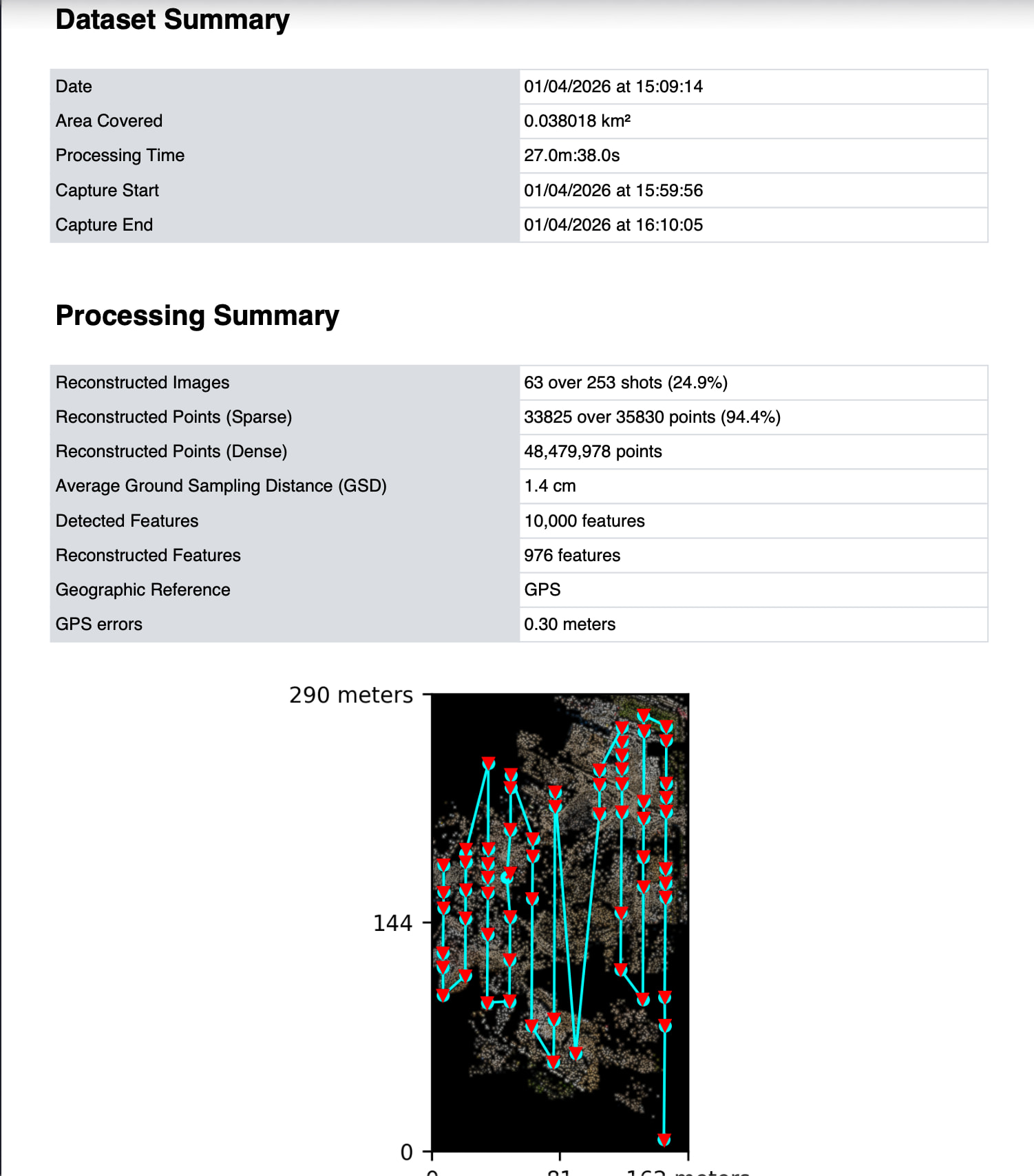
However the second and third time we went we had an interesting problem. The flight went without issues and we captured a good looking dataset with 80% side and front overlap. However after processing we saw holes in the model. After analyzing the quality report we saw that only 24.9% of the images where used. Also the camera positions of the images that are used are off. Some have for example a different altitude while the entire flight was flown at the same altitude with RTK.
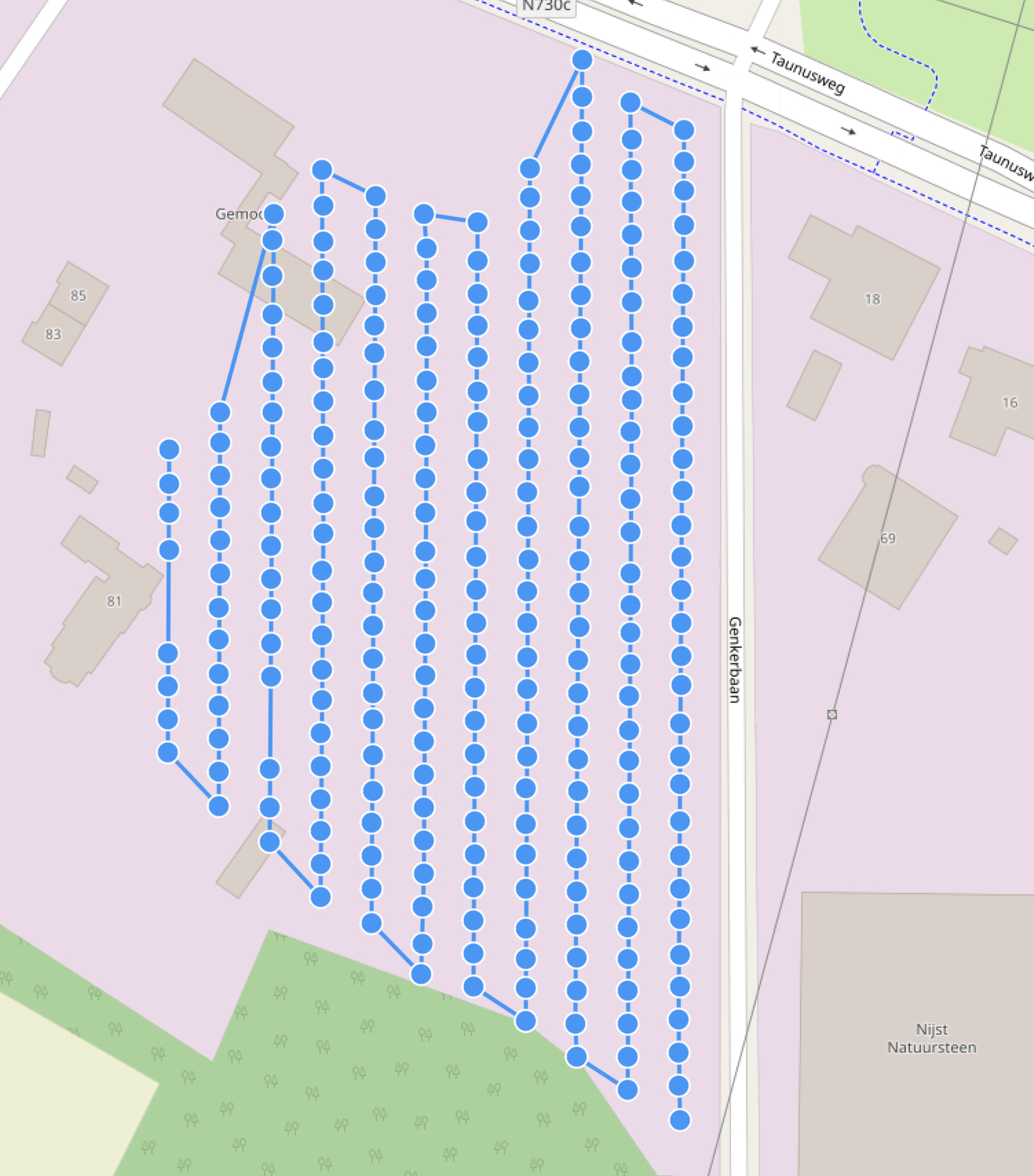
Interestingly the flight plan between the first flight and second / third one did not really change. Also I processed the same flight in PolyCam and that processed without issues.
Can anyone find out why webodm on this specific site does not use all the images of the dataset?
My suggestion would be to take subsequent images with a consistent gimbal pitch. if you want to take images with a -60 gimbal pitch that is ok, but take those image in another pass of the site.
Thanks for the reply. Drones like the Maurice 4 and the smart oblique function also rotate the camera constantly to achieve better 3d results. Is this something webodm struggles to handle compared to dji terra for example?
DJI terra may have different requirements for obtaining images to achieve good 3D models, but I dont know since I have not used terra. If you are attempting to build a 3d model with ODM then it would be best to follow ODM recommendations for 3d models.
That is my experience too. The ‘normal’ oblique functionality gave, for now, better results regarding the Matrice 4. Maybe it is because of the way / order the images are taken.
Smart oblique: while flying it takes images from mutliple angles nadir and oblique combined.
“Normal oblique”: first a nadir mapping and then 4 separate oblique flights.