Hi all,
New to WebODM and loving processing everything on my own computer, but my biggest frustration is the map viewer – are there any alternatives that would allow me to add annotations / land calculations (distance / area) and share with others? So far the best I’ve found is drone deploy, but it’s way more expensive and limits the number of images processed, etc…
1 Like
If you can, put the products from *ODM into QGIS. The reporting capabilities and layouts there are nearly unmatched.
3 Likes
This may be an ignorant question – but what’s the best type of data to import into QGIS from WebODM for annotating maps? GeoTiff?
2 Likes
No worries about questions here.
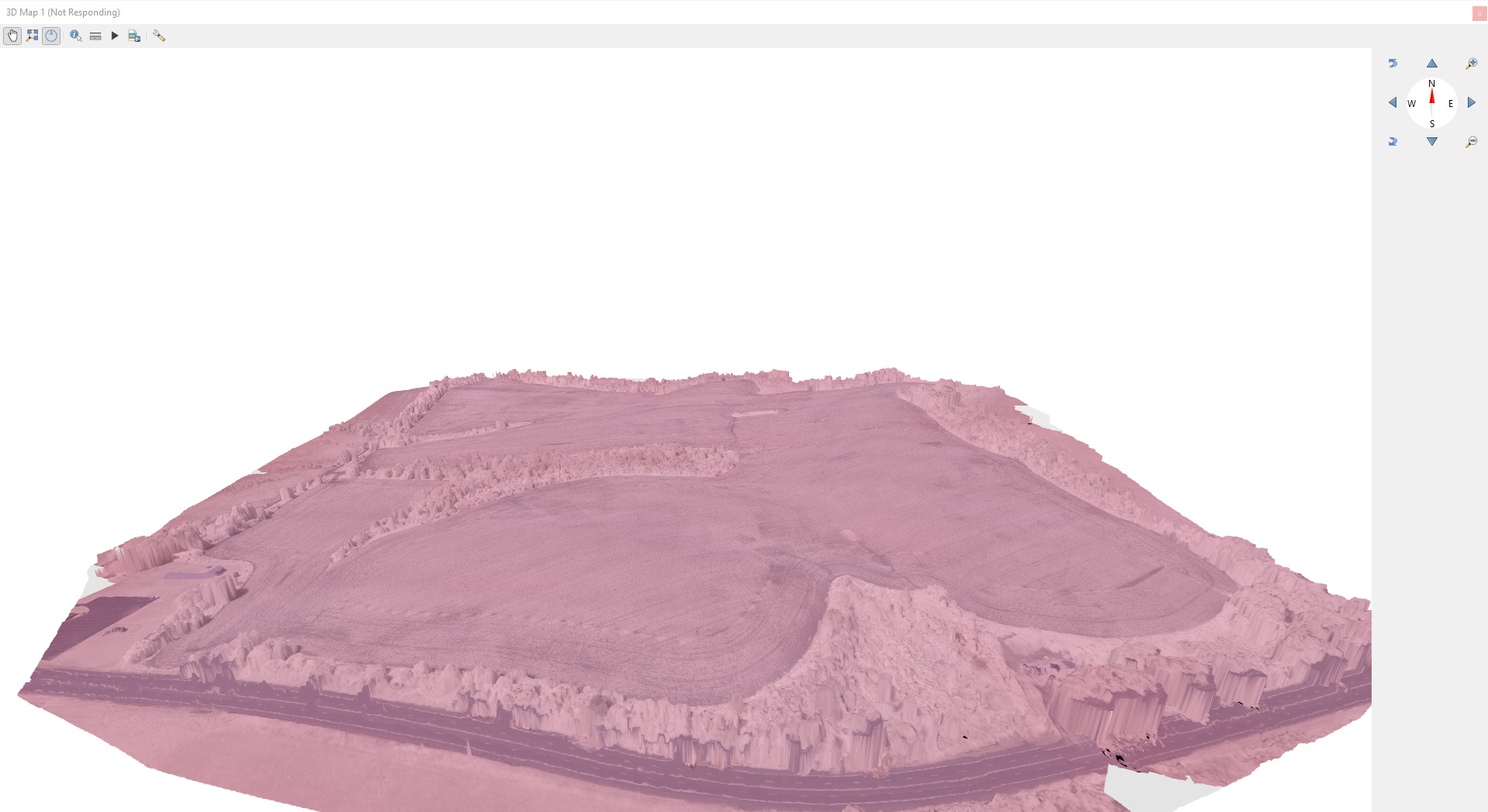
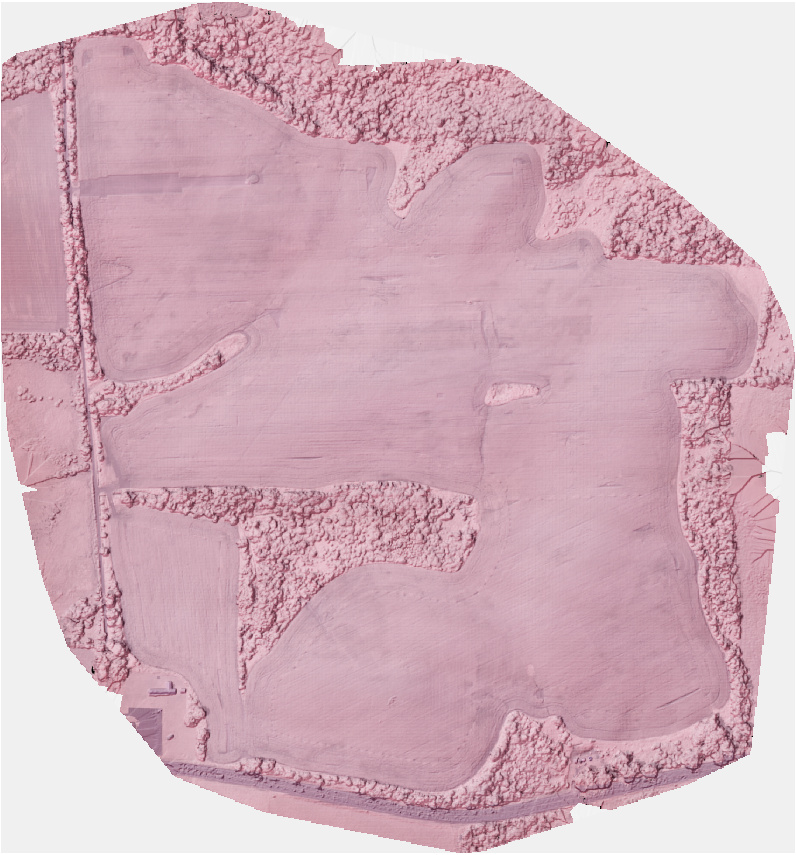
Yes, the GeoTIFF is probably the easiest product to work with and import into QGIS. If you combine the DEM and the Ortho in QGIS, you can do a drape/hillshade and get either a 3D view of the area of interest, or a simulated 3D view on a 2D plane.
2 Likes
Wow, I would loooooooove to see a brief walk-through of this workflow! Do you have anything on a blog etc?
2 Likes
Agreed! I’ve pulled in ortho and DEM into QGIS, but haven’t been able to merge them or create a 3D model from it.
1 Like
No, not at present. If you can give me a bit I can likely bang out a screencast by the weekend.
Add both DEM/DSM and Orthophoto to a QGIS Project first, as they are both needed or either workflow.
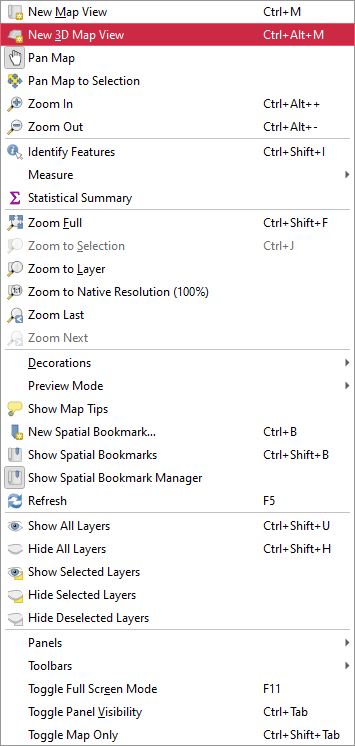
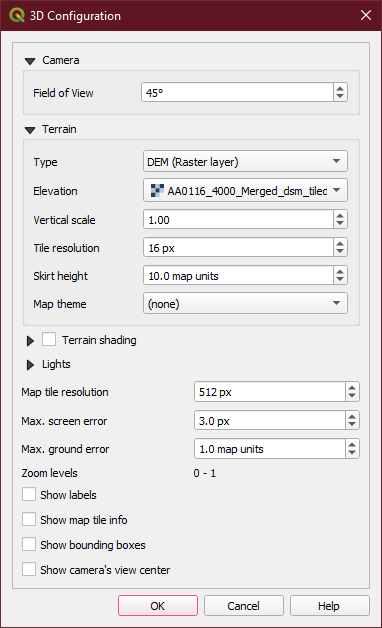
3D View
View-> New 3D Map View
Settings on 3D View → Type DEM, Choose your DEM/DSM as the Elevation layer
You can tweak with settings here and really break things, so avoid doing so for your first run
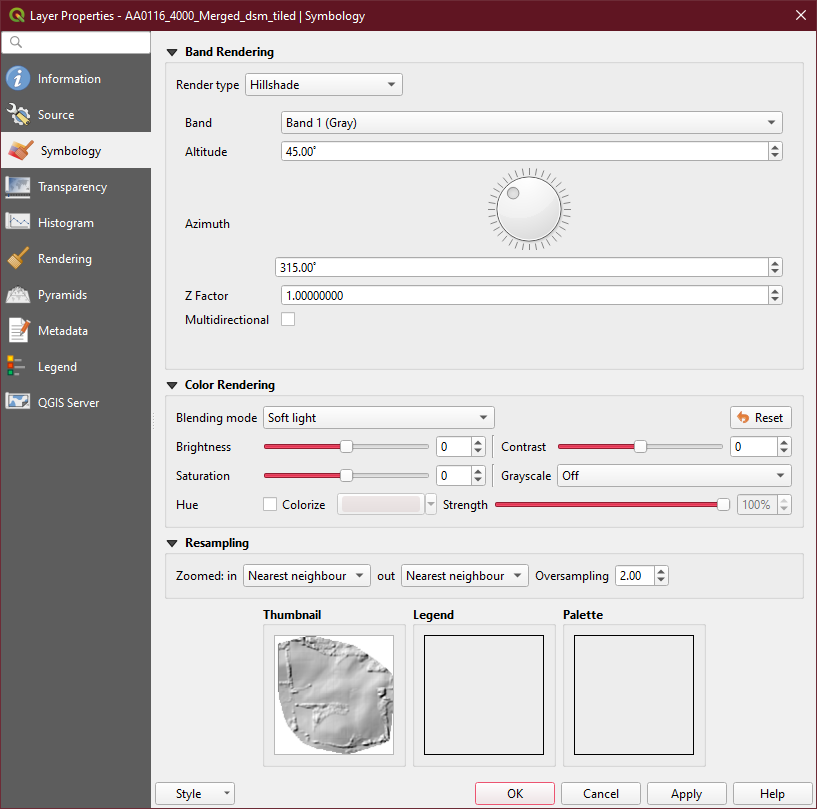
Hillshade
Move your DEM/DSM Layer on top of the Orthophoto Layer
Properties → Symbology → Hillshade
Properties → Symbology → Blend Mode → Soft Light
This is very general/rough, so apologies.
6 Likes
Fantastic, thanks @Saijin_Naib
1 Like
Awesome. Would be cool to add to docs.opendronemap.org, maybe under the tutorials section: https://docs.opendronemap.org/tutorials.html
2 Likes