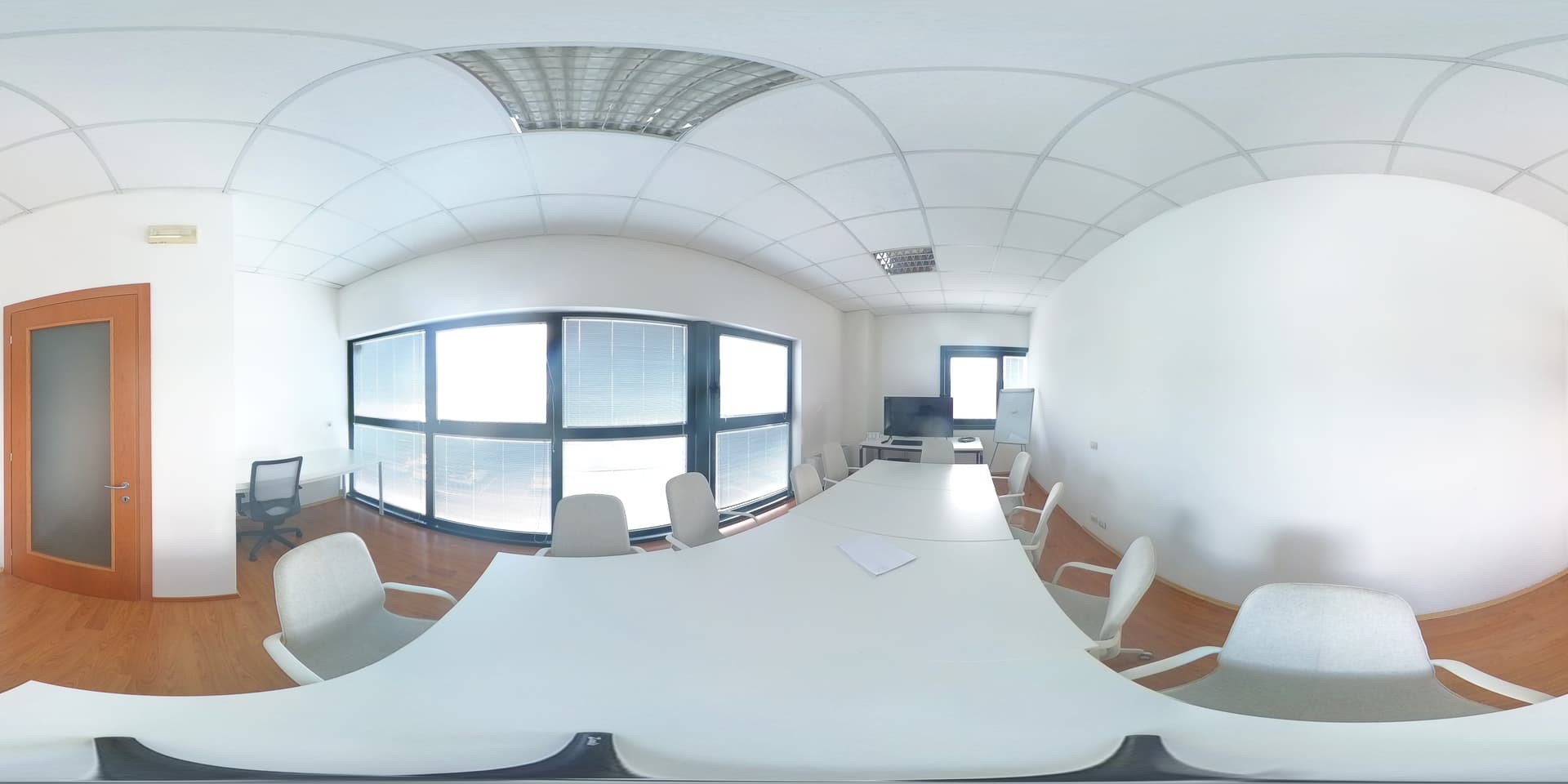
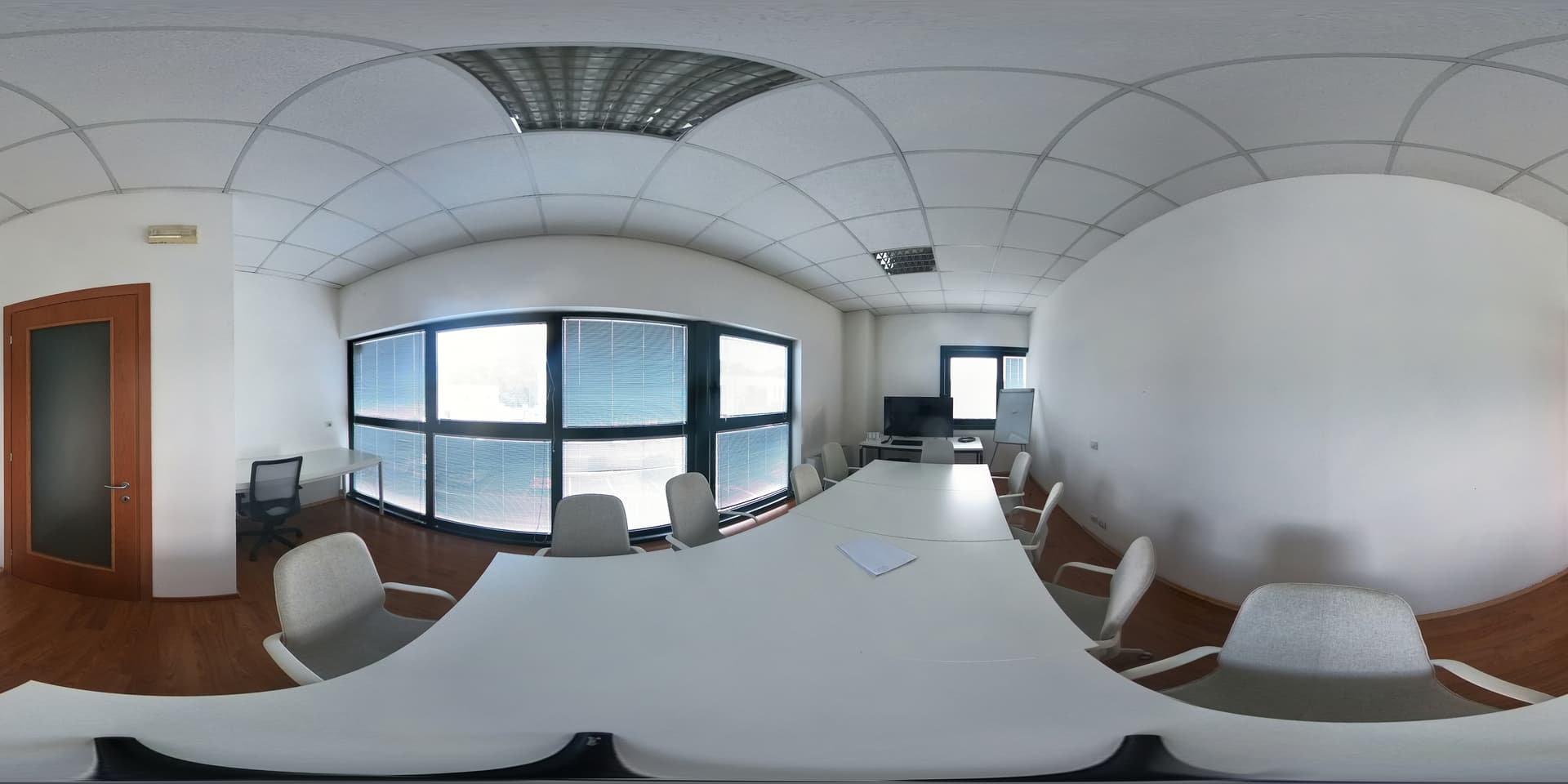
I’m interested in scanning building and generating point cloud both for the exterior (with drone) and the interior (with a 360 camera).
I got exceptionally good result for the exterior shooting with drone, but I’m getting some trouble for the interior (using a insta360 x3): I can’t seems to be able to process the data set, and I’m not really sure why.
I’ve seen this results on the forum, which are really promising, and I would like to match:
I would like to understand the process and to know which are the best practice and parameter to use for shooting interior space. The image in the above post seems to be shot with a 360 camera and feeded to webodm as spherical, but I’ve seen the options for camera-lens equirectangular and dual, which I believe are a recent addition to odm, and are not documented.
So far I’ve feeded few equirectangular images to webodm and I wasn’t able to get any results. (9 images of a small room)
There can be a few elements here. If you’ve got data you’re able to share, that might make it easier to discern the issue.
In theory, 9 images should be enough, though it will depend on distribution, quality, overlap, etc. Generally, I recommend 16 images as a minimum, even though that might be overkill for that particular room.
Also: I would verify your images are stitched and equirectangular. That is a requirement for that lens type. I haven’t tried the other option for this use case.
I’ve successfully reconstructed everything from the inside of my house, to the inside of an orangutan exhibit, to entire trails in the woods, but getting the overlap right is difficult.
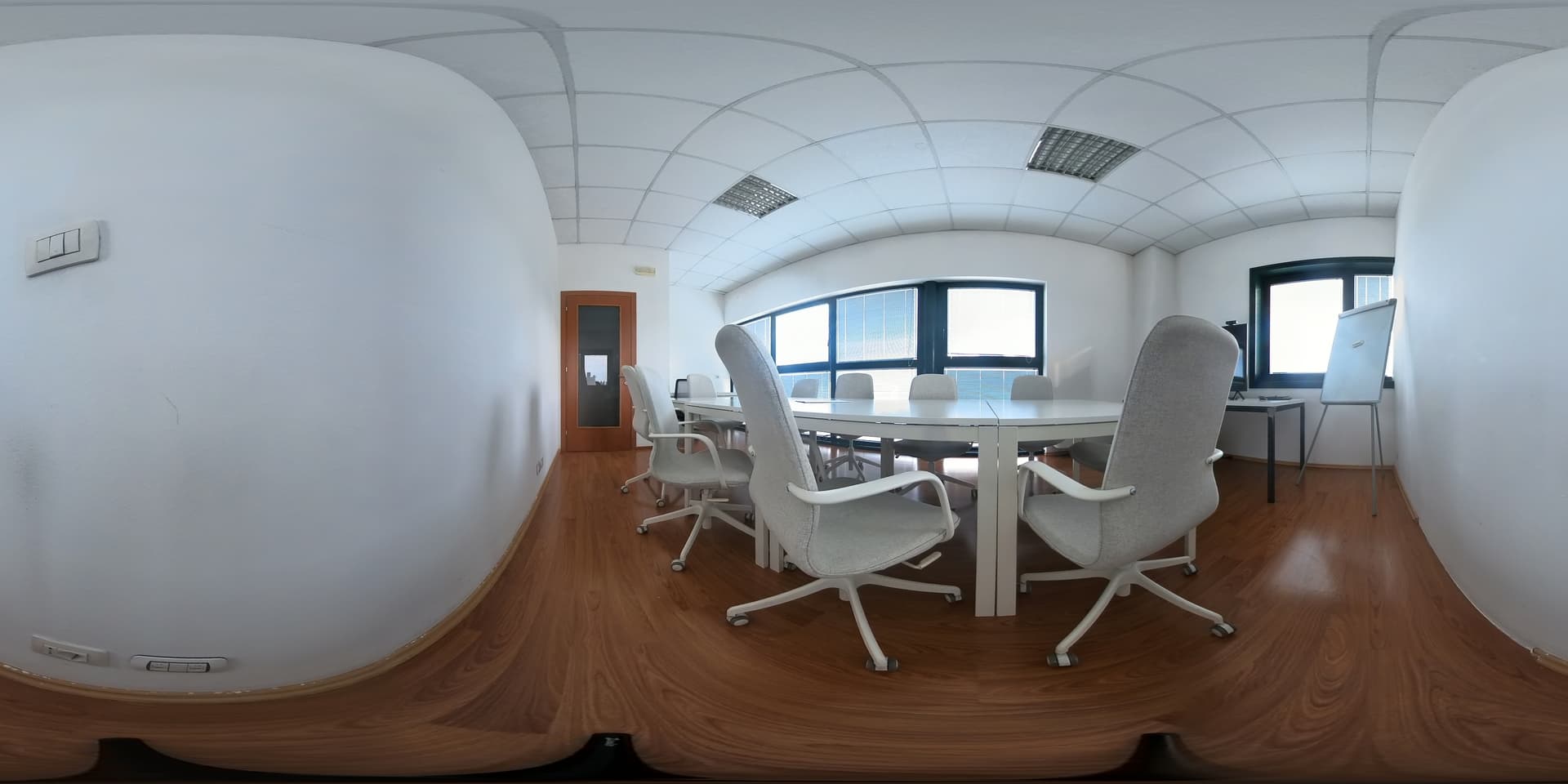
To get something useful, I export the image into equirectangualar format
Now I’m trying to rescan with more 360 pano the same room and the to generate a model using metashape, to check if there is a least the basis for a good model.
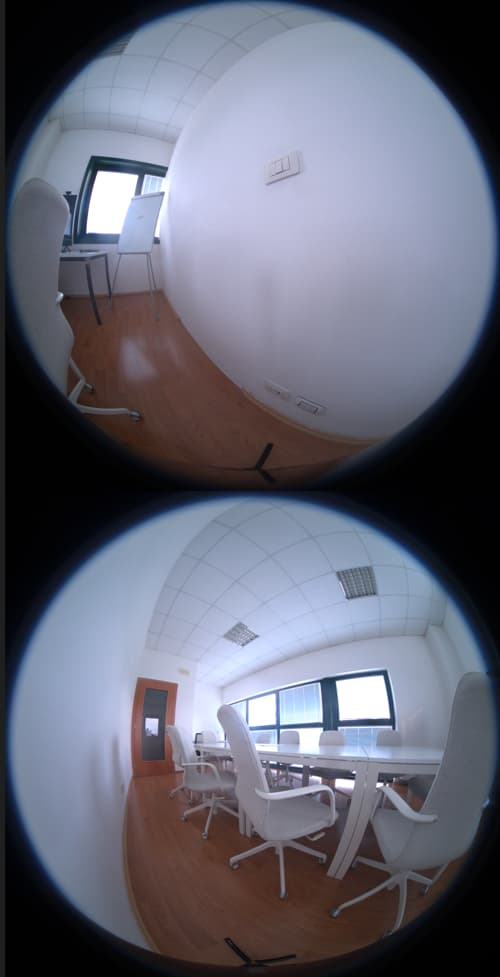
most likely, but that’s how insta360 store them: it basically put together the front and back camera together. The screenshot is taken from a dng file, which is the raw format as far I can tell; Insta360 also generate a low resolution file with extension .insp which is really a jpeg (according to exif data), where the two fisheye image are joined side by side instead of above/bottom like in the dng
That’s would be quite concerning, my impression was that with a 360 camera I would have a pretty good overlap since I am always taking a full 360 shot f the whole room, so the same spot would be almost always visible, just from different angles. Also I would like to use as few shot as possible, otherwise scanning an interior space would become a really time consuming task.
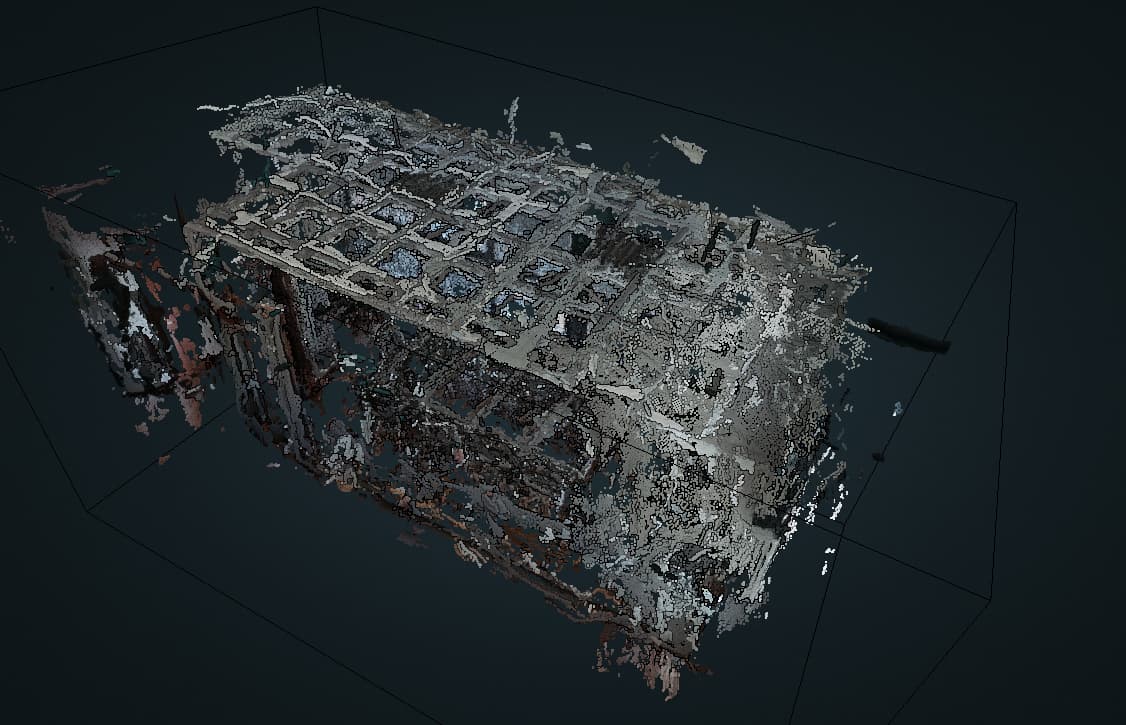
I’ve done a new photoshot upping to 27 shot; it is now cooking in webodm, but I’ve already have a try with metashape and the results were meh: tables and chairs were completely missing and a there was a big hole in the ceiling. I’m wondering if the white walls and the windows of the rooms are mewssing up the recognition of features.
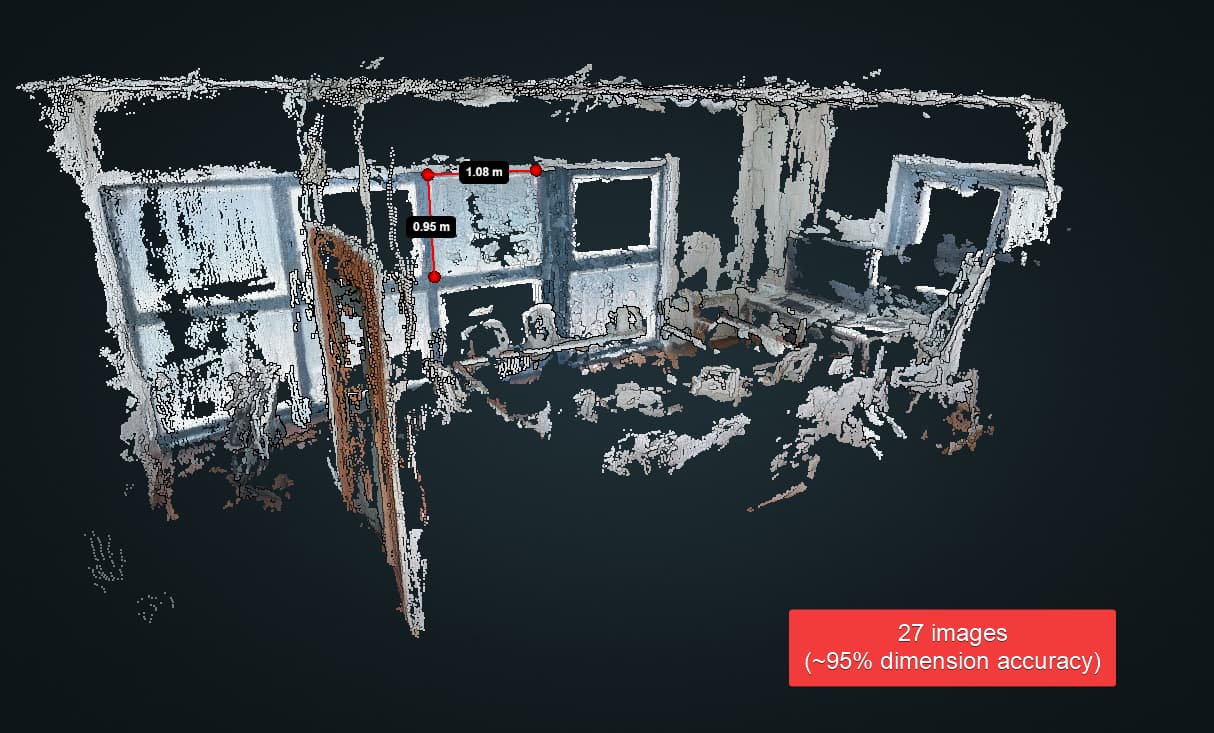
I processed 27 equirectangular images, exported from the insp format, that are roughly 6 MB in size each (NOT RAW).
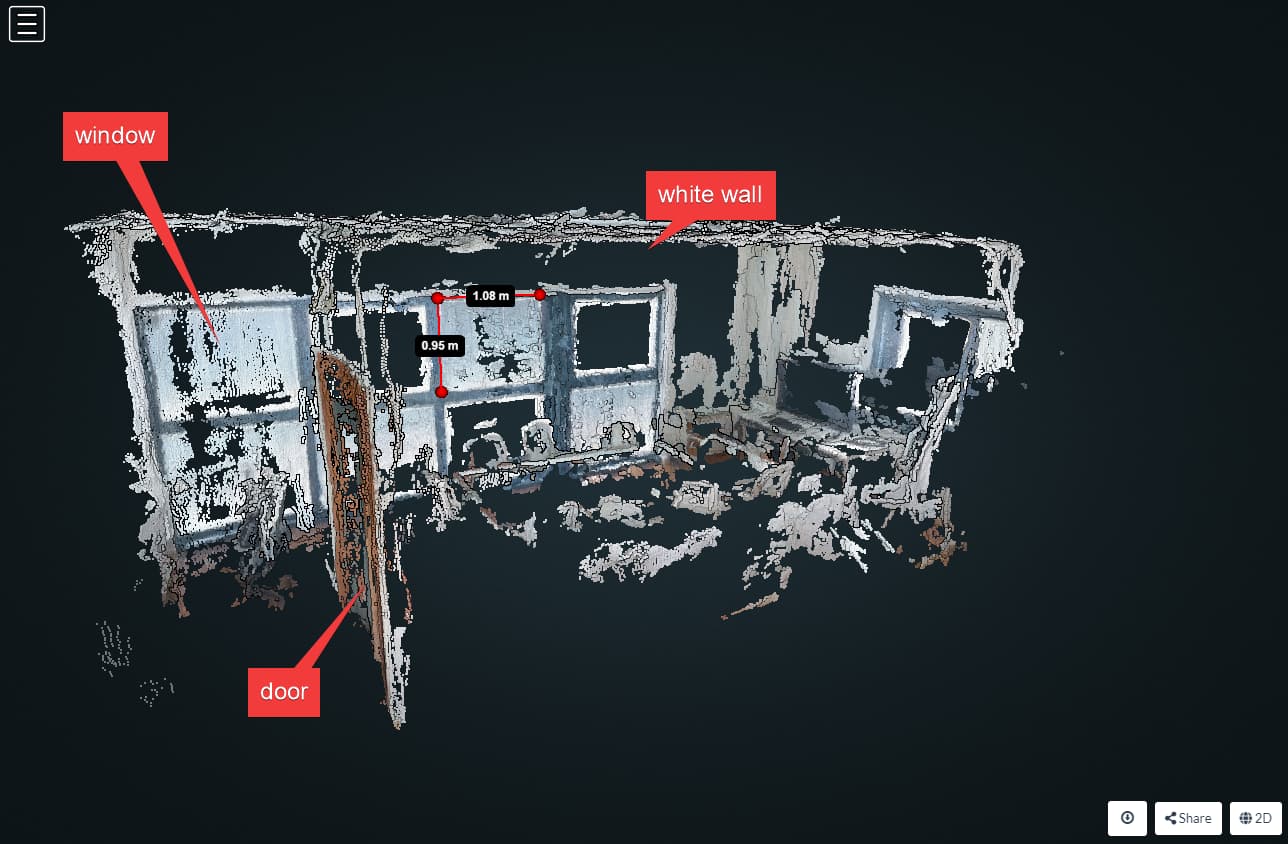
The resulting model is not stellar, but at least camera position was correctly estimated (it did a better job than metashape!), and I can recognize the general shape of the room and some fixtures like the window. (also about 95% precision in measurement)
The white walls and table are definitely an issue, as you can see the black void.
I’ve tried then to process the image exported from the dng files (RAW files, called PureShot by insta360), which are converted to equirectangular jpg file around 8 MB in size, but webodm is not able to process this because it runs out of memory:
what(): OpenCV(4.5.0) /code/SuperBuild/src/opencv/modules/core/src/alloc.cpp:73: error: (-4:Insufficient memory) Failed to allocate 101531449600 bytes in function 'OutOfMemoryError'
Which amount to ~101 GB, which for sure my machine doesn’t have
I’ve tried few things to lower the size of the PureShot.jpg to exclude the possibility that the file are too big:
I let webodm resize the image
I manually compressed the jpg to 95% quality reducing the file size to around 5MB, i.e. the files are smaller than those jpg (non PureShot) that has worked.
In both cases I got the same OutOfMemory error with values up 400GB
I think I can exclude the filesize as the issue, must be something to do with the raw format.
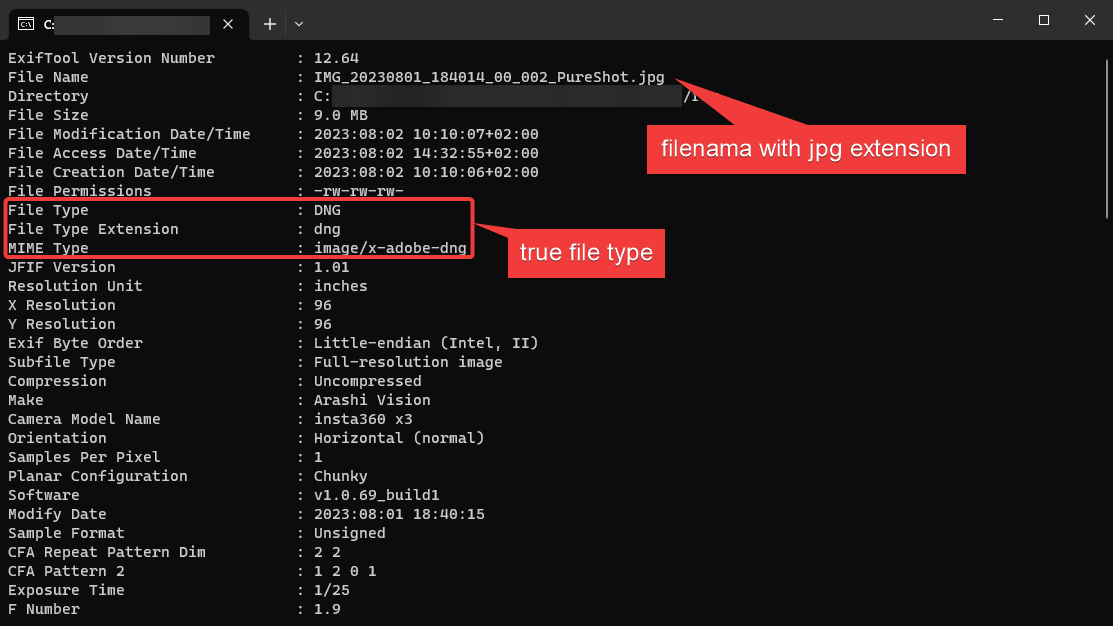
Also I have the hunch the exif data of the exported PureShot.jpg may be untrustworthy, because even in the 95% quality compressed, the exif data showed dnf as file type and uncompressed, which should be wrong?
Could this create havoc during the image processing?
I mean if the exif data says it is a dng, while the extension is jpg, would odm trust the exif data and potentially handle incorrectly the file?
I know nothing about this, but I will give a try. It was my impression that the Pureshot.jpg that are produced by insta360 studio would be the “developed” versions of the dng files. Do you think the app may have done something incorrect?
In other news…
I’ve tried to feed a video, shot with the 360 and exported to equirectanglar mp4. The resulting model is more detailed, but still white walls and white table are a lacking. Using the video the accuracy of the model is way off (the distance between two points measure around 27 m instead of 1 m). I know the 3D viewer is not intended for in depth use, but, oh boy, between the scaling issue and the banana orientation, navigating the model is frustratingly hard.
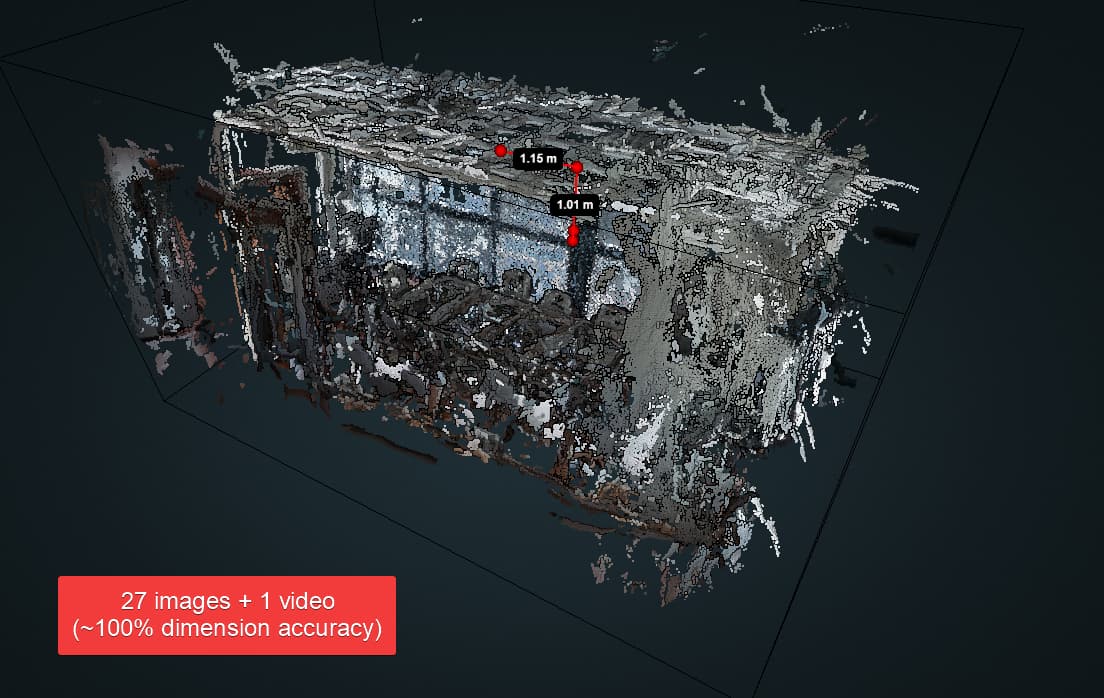
I finally tried to run the job consisting of the 27 static picture and 1 video, resulting in a model which is about the same in quality as the one I got with video only (white walls are the bane of photogrammetry), but this time the scale at least is correct (very close to 100% accuracy).
The mix “video + static shot” seems to have its merit then, maybe with higher resolution video and pictures I could get better results:
video was shot in 5.7/30fps, which yielded a 5760x2880 equirectangular mp4 when exported
images where shot in 18MP resolution, which yielded 5952x2976 equirectangular jpg when exported
I’ve passed the default value for video-resolution (4000) because I got an OutOfMemory error when I tried with the value of 5760 (it wanted about ~8000GB of memory!). It is my understanding that it will resize the video so that the largest size (5760) would be reduced to 4000 pixels, therefore using 4000x2000 pixels screenshots, is that correct?
I did some more testing, and I was able to successfully run some process with the dng files by switching to gpu accelerated nodeodm. Also I manually set the boundary to 5 m so, that the point detected outside the windows wouldn’t interfere with the reconstruction, and I skipped ortophoto step since for interior is not really necessary. These modification really sped up things.
Looking at the process with dng that I was able to finish, I noticed that the scale was way off, like millions of square meters area reconstructed for a room that will be at most ~25 square meters. So i looked at the gps data for a dng file and, lo and behold, the gps is way wrong (like a quarter of the world away wrong).
I have no idea why this is the case, because the error is present in the original dng files generated by the insta360 x3 camera when it takes the shot, but the correspondent insp file have instead the correct gps data (when insta360 x3 takes a picture it will save a raw file, dng, and a jpeg file,insp, with the same name, but different extension)
So using rawtherapee I stripped the gps data from the dng files and run them: the result still has an incorrect scale, but only x10 (~210 m2), otherwise it has run very smoothly in under 6 minutes.
I guess I have to try the to put some gcp to force the scale; it is my understanding that when gcp are provided, gps data is the discarded. Since I don’t really care for the geographic position, but only for the point cloud reconstruction, I was thinking to provide 3 point on the floor with relative coordinates to define scale and the ground plane, maybe 1 m apart from each other.
The X3 is a total nightmare of bad design and bad software when it comes to how they manage GPS so this is likely why you are getting weird sizes. Most of the insta360 software strips all gps from the images when it processes them so ODM has nothing to work with. You can hand code some solutions with exiftool, but it is painful. I’ve more or less given up on expecting anything usable to come out of the camera, which is a disappointment since on paper it is an amazing device… 72MP stills at 0.2fps with a fancy $150 GPS remote to assure you have good gps and they have “google street view” all over their add. Sounds dreamy until you try and actually use it and realise they are basically lying about anything gps related </end rant>