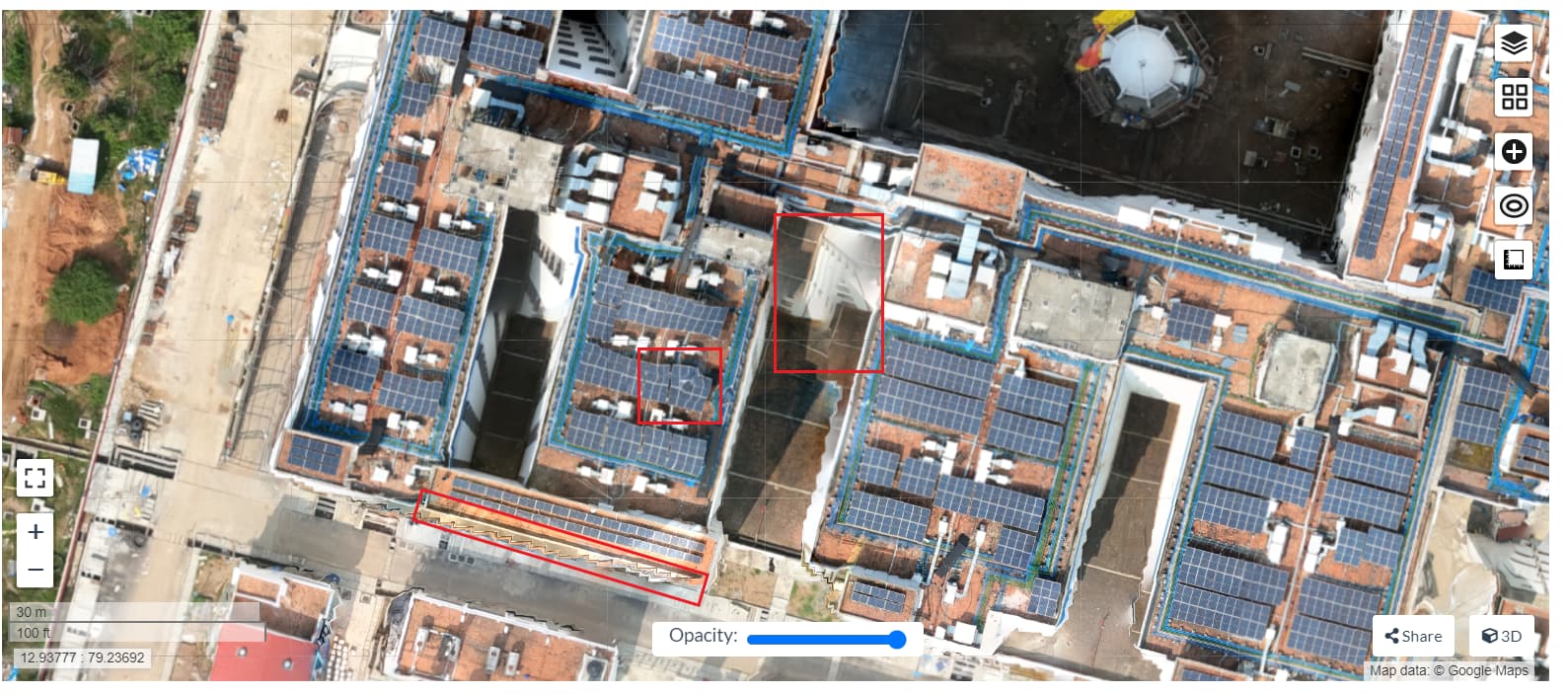
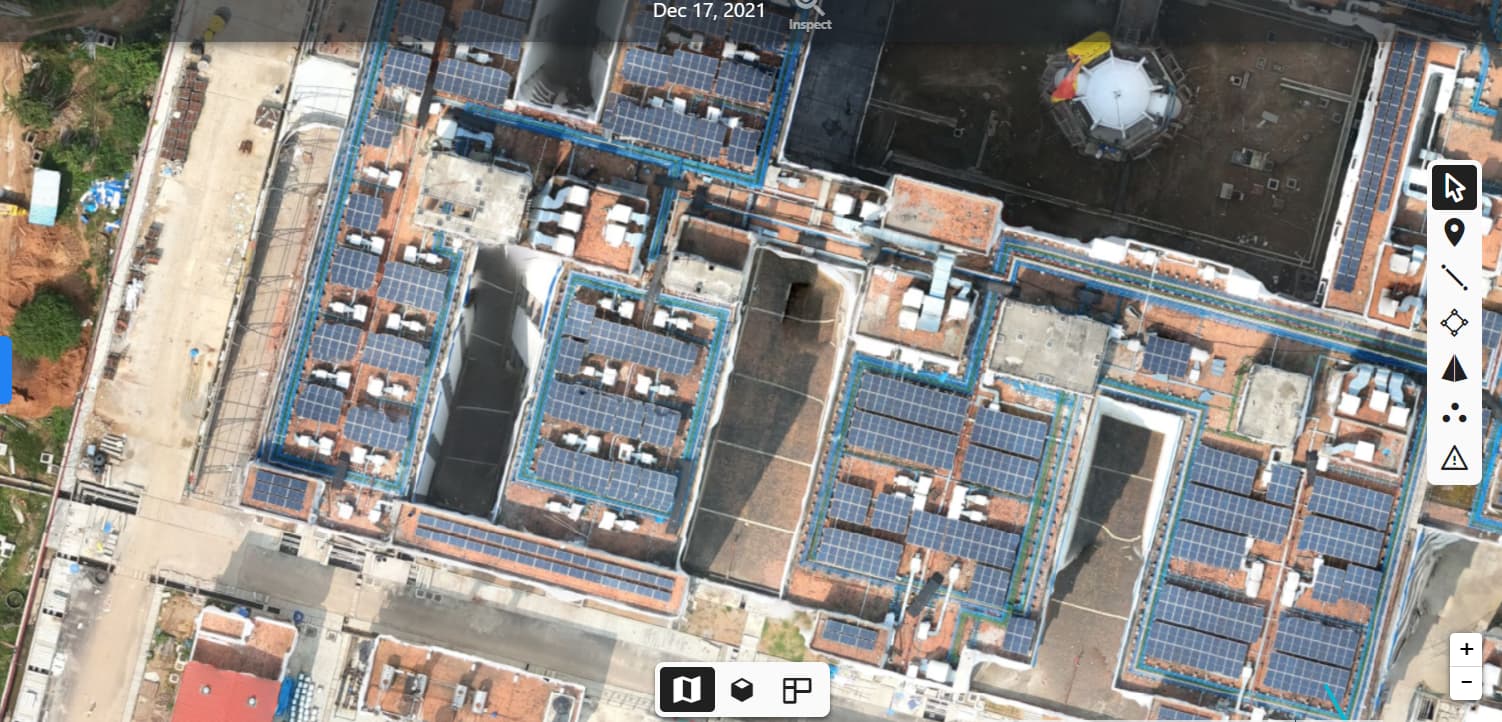
Unusual bump in DSM, DTM

Hi,

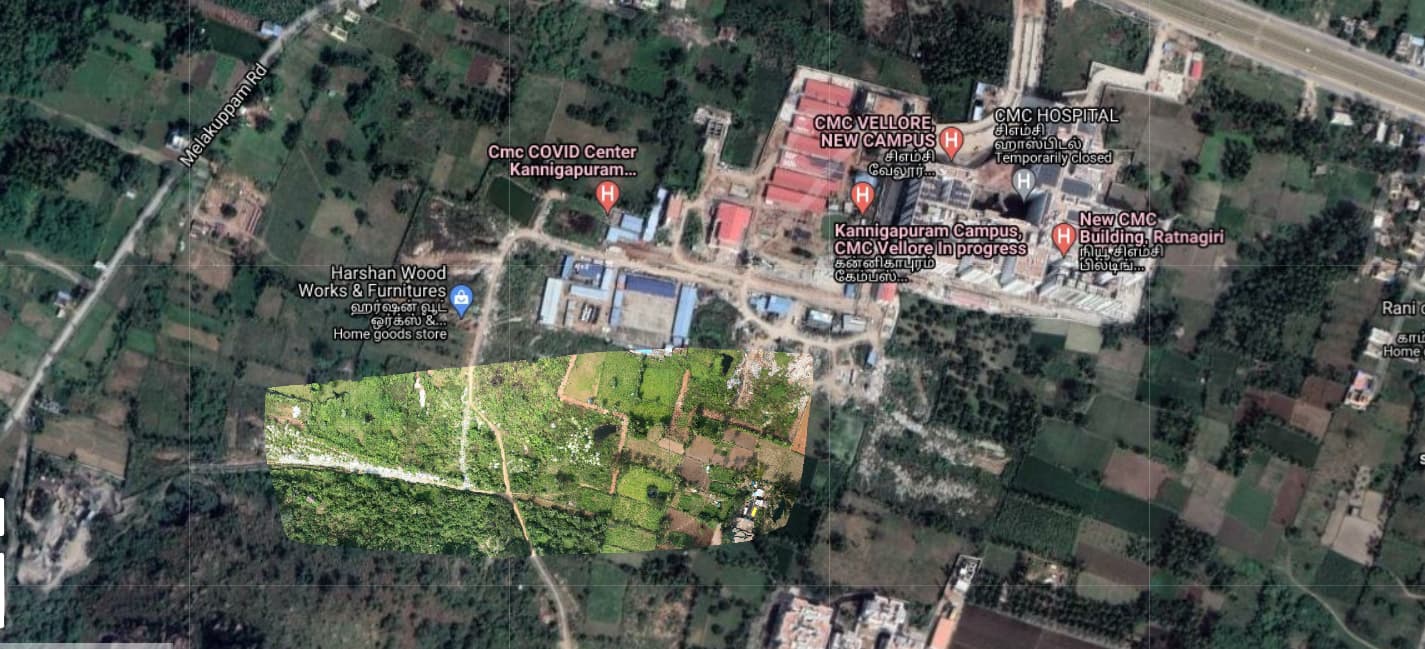
I processed one dataset in WebODM and Dronedeploy and I have seen some differences between orthomosaic as well as DSM, DTM.

First, I used --mesh-size as 300000 and --pc-quality as High and I got this result.

Then I processed with Dronedeploy and the results were better. I observed the Processing report and I increased our --mesh-size to 4000000 & pc-quality to Ultra and the results improved as compared to DroneDeploy.

But I noticed few things which might require some tweaking to achieve the Dronedeploy result.

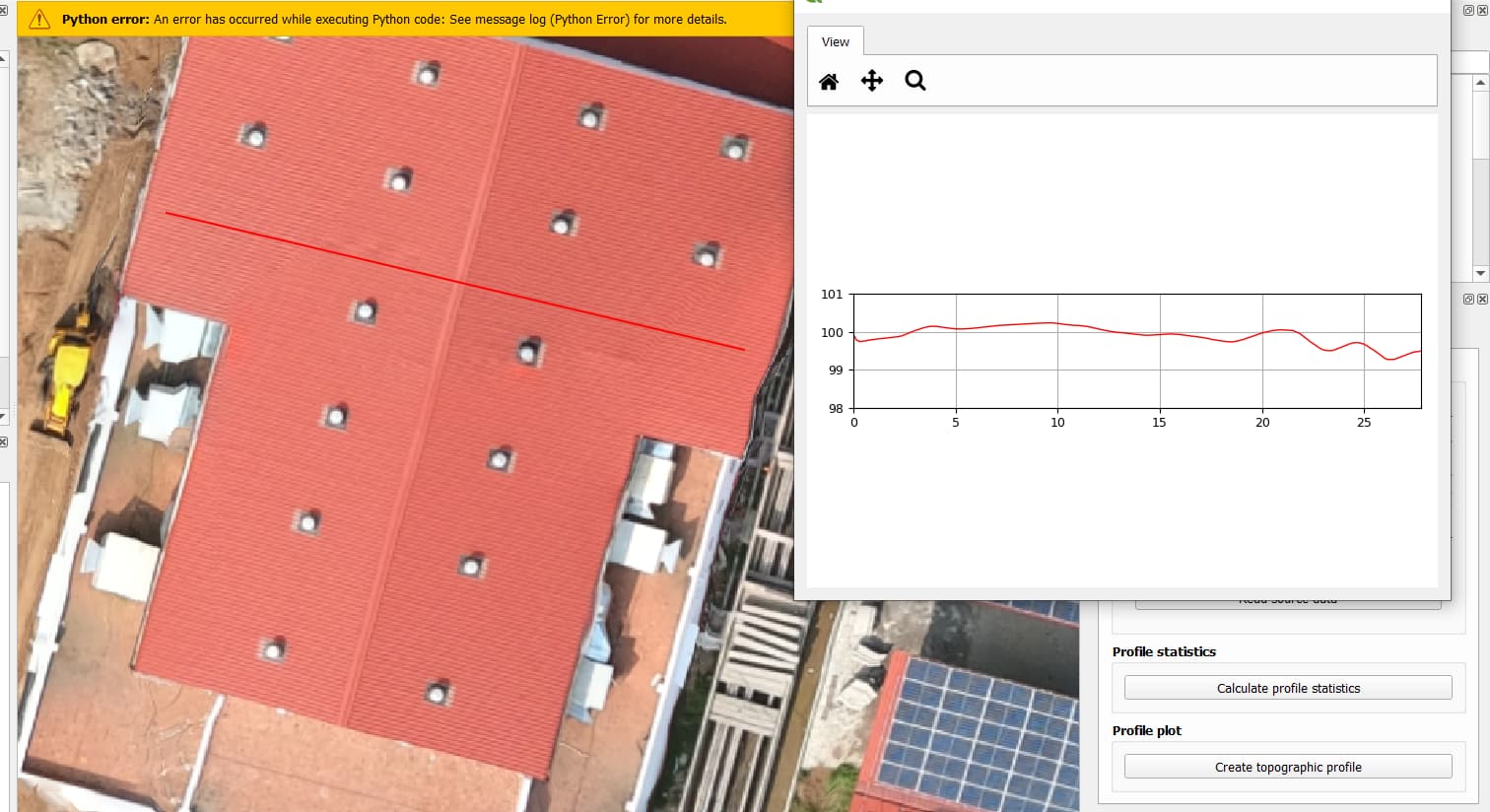
You can see the elevation profile generated by dronedeploy.

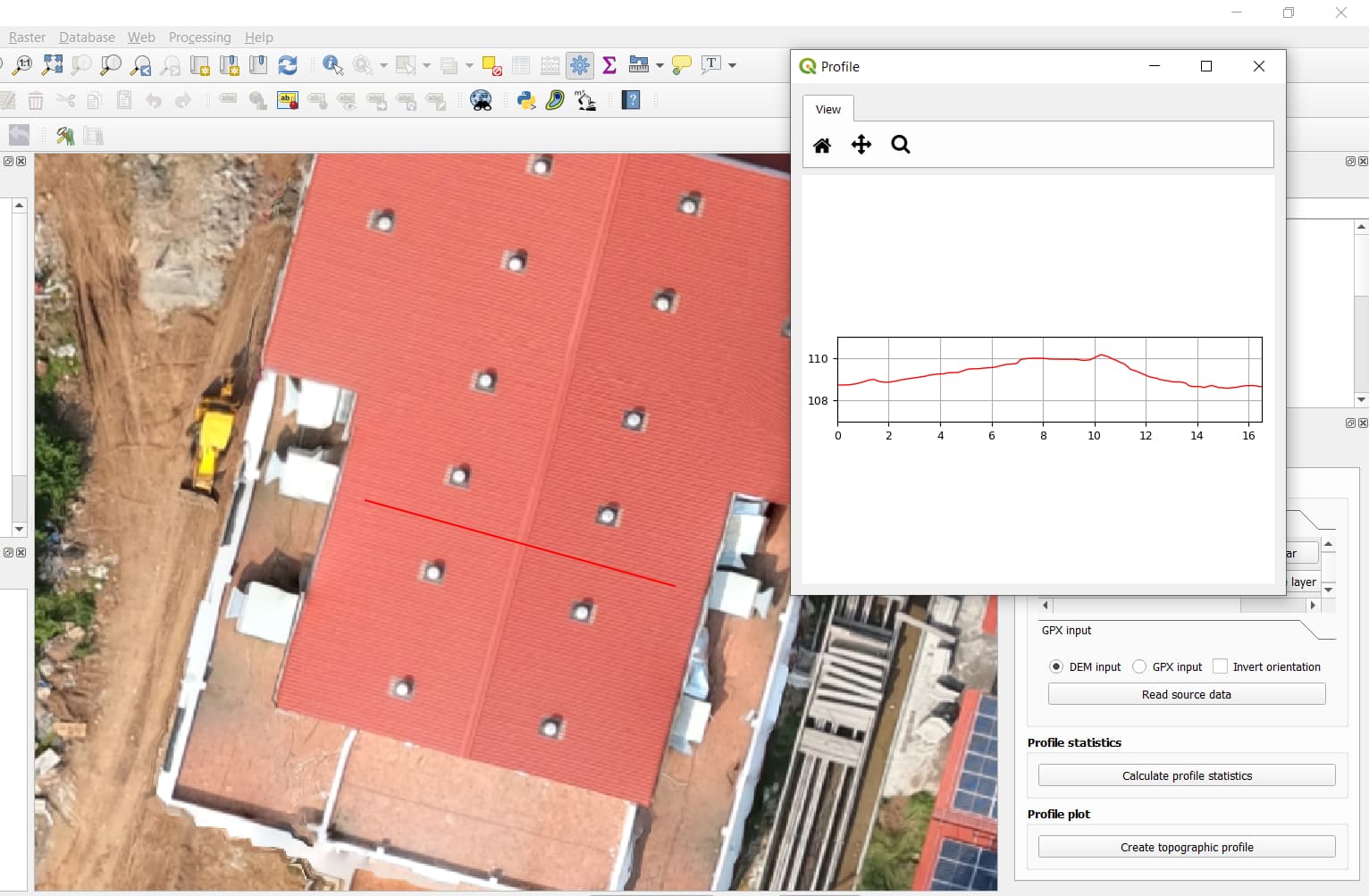
This is our WebODM elevation profile. Edges are better this time but still I guess there can be scope of improvements with better parameters. Also, the elevation profile generated by Webodm is not smooth enough.
The latest parameters which I used are:

I am also attaching the Processing report of Dronedeploy.
dronedeploy_report.pdf (3.4 MB)

Can we achieve a better DSM and a little bit better Straight Edges?

Try something like this:
Options: camera-lens: brown, dsm: true, dtm: true, feature-quality: ultra, gps-accuracy: 5, matcher-distance: 20, matcher-neighbors: 32, pc-geometric: true, resize-to: -1, pc-quality: ultra

4 Likes

Tried it…got only the part of the orthomosaic. :frowning_face:

Then you might need to un-constrain --gps-accuracy and/or maybe increase --min-num-features

2 Likes

Still the unusual bump is there.

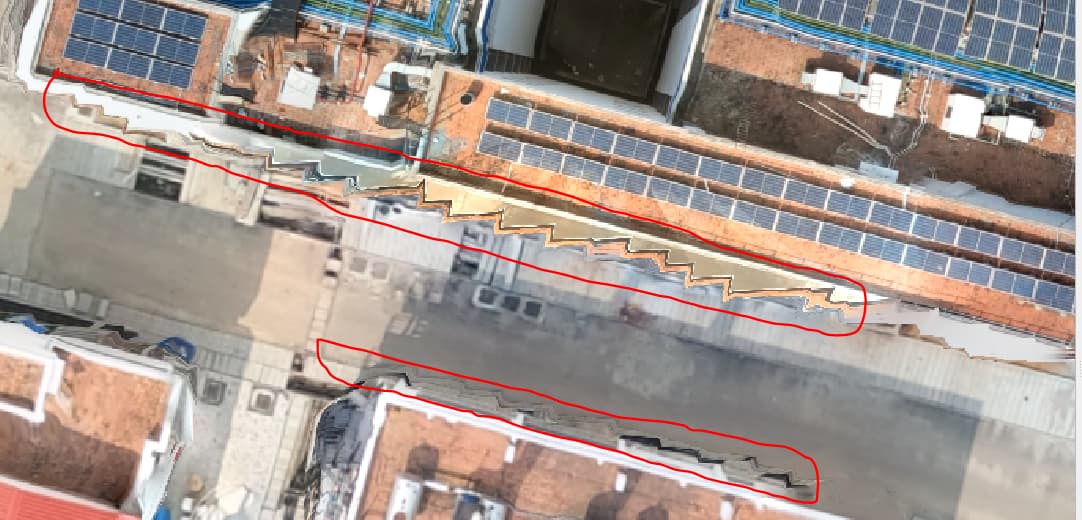
Also, I saw some Zig-zag lines (highlighted in Red) on orthomosaic generated by WebODM.

where as it was not present on the orthomosaic generated by Dronedeploy.

The parameters I used were:

1 Like

Is there anything else I could try to smoothen DSM and avoid Zig-zag lines on orthophoto?

1 Like

How big is your imaged area? Maybe you’d benefit from increasing the --mesh-size so more tris/verts are available to describe the geometry.

The total area is around 60 hectares. I tried increasing --mesh-size to 4000000 (looking at the Dronedeploy report which I have attached in the post too). After increasing the mesh size too, I got kind of similar result.

1 Like

Do you know what DroneDeploy is using for their Mesh Octree depth?

At highest quality, Pix4D uses Mesh Octree Depth 14 and Mesh Size 5,000,000

1 Like

Nope. I just saw the report of Dronedeploy. The mesh triangles are 4.0 million. If I am not wrong, does this indicate --mesh-size?

1 Like

Just curious to know whether Pix4D also uses the exact same algorithm which WebODM uses?

  1. Increasing Mesh Octree Depth certainly helped.
    First, I increased it to 14 but the process failed.

PoissonRecon failed with 1 threads, let’s retry with 0

  1. Then I read that the recomended value of Mesh Octree Depth is between 8-12. So, I set it to 12.
    DSM has certainly improved.

But it is still not straighten as it can be seen in the Dronedeploy result.

  1. Orthophoto is still the same. I have highlighted in red.

Just for the reference, I will upload the snapshot of Dronedeploy again.

Is there anything I could try to improve orthophoto as well as DSM? :thinking:

1 Like

How does the points cloud look like ?

1 Like

Hard to say! Pix4D is closed-source.

However, since their configuration files are easily read, I grabbed their values for various quality setting tiers to make direct comparisons of reconstruction a bit closer.

Much like increasing --pc-quality or --feature-quality, raising --mesh-octree-depth greatly increases the RAM usage, in a non-linear fashion.

1 Like

So, can spilting the images help in tackling the RAM usage?

1 Like

Absolutely!

1 Like

This topic was automatically closed 30 days after the last reply. New replies are no longer allowed.