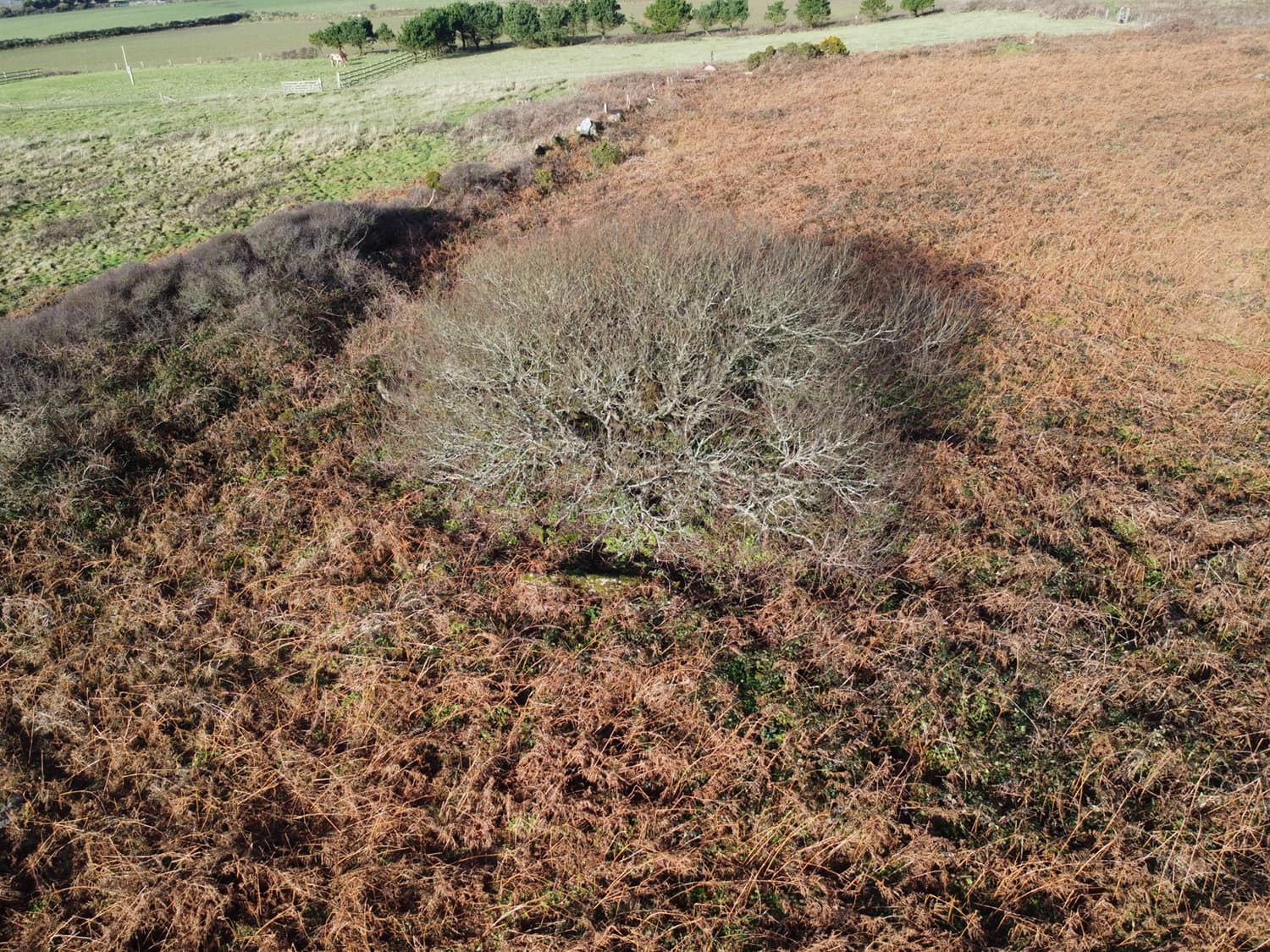
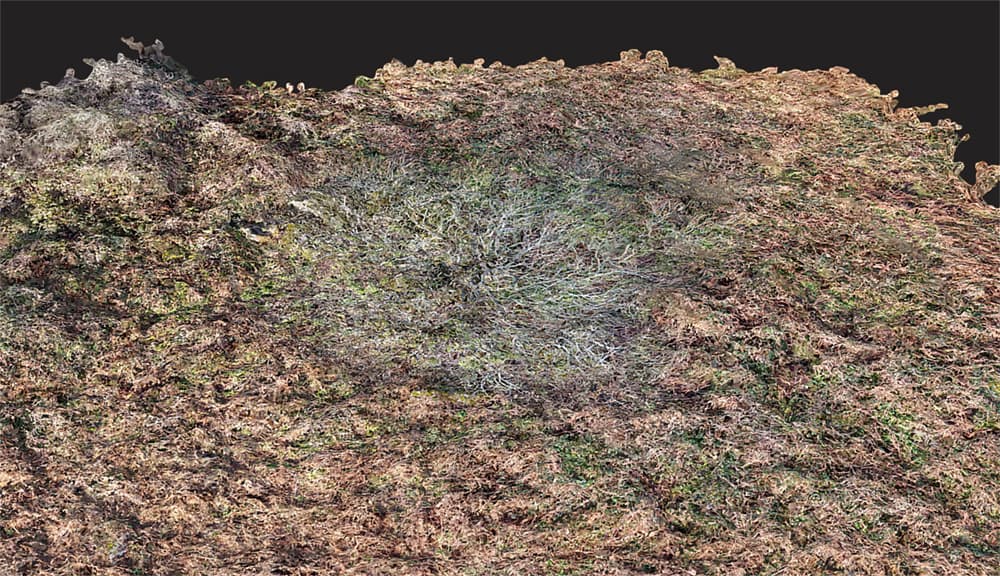
I have just completed a survey of a site that has a tree in the middle of a circle of low-lying stones. The resulting 3D model has ‘flattened’ the tree so that it looks more like a mycelium mold growing over the rocks instead of standing 15ft above ground. Are there adjustments to the WebODm settings that can correct this? I also include one of the drone images showing the location. Thanks
2 Likes
It’s a common issue I see too, and I think the only way to solve it is to take images of the tree at -45 and even -30 degrees from relatively close in, from all directions.
Typically the point cloud shows the tree standing above the ground, but applying textures flattens it.
If there was any movement due to wind, it will end up with a weird sort of blurred appearance.
where I added lots of well-off nadir photos to make sure the trees weren’t flat.
2 Likes
Hi Gordon,
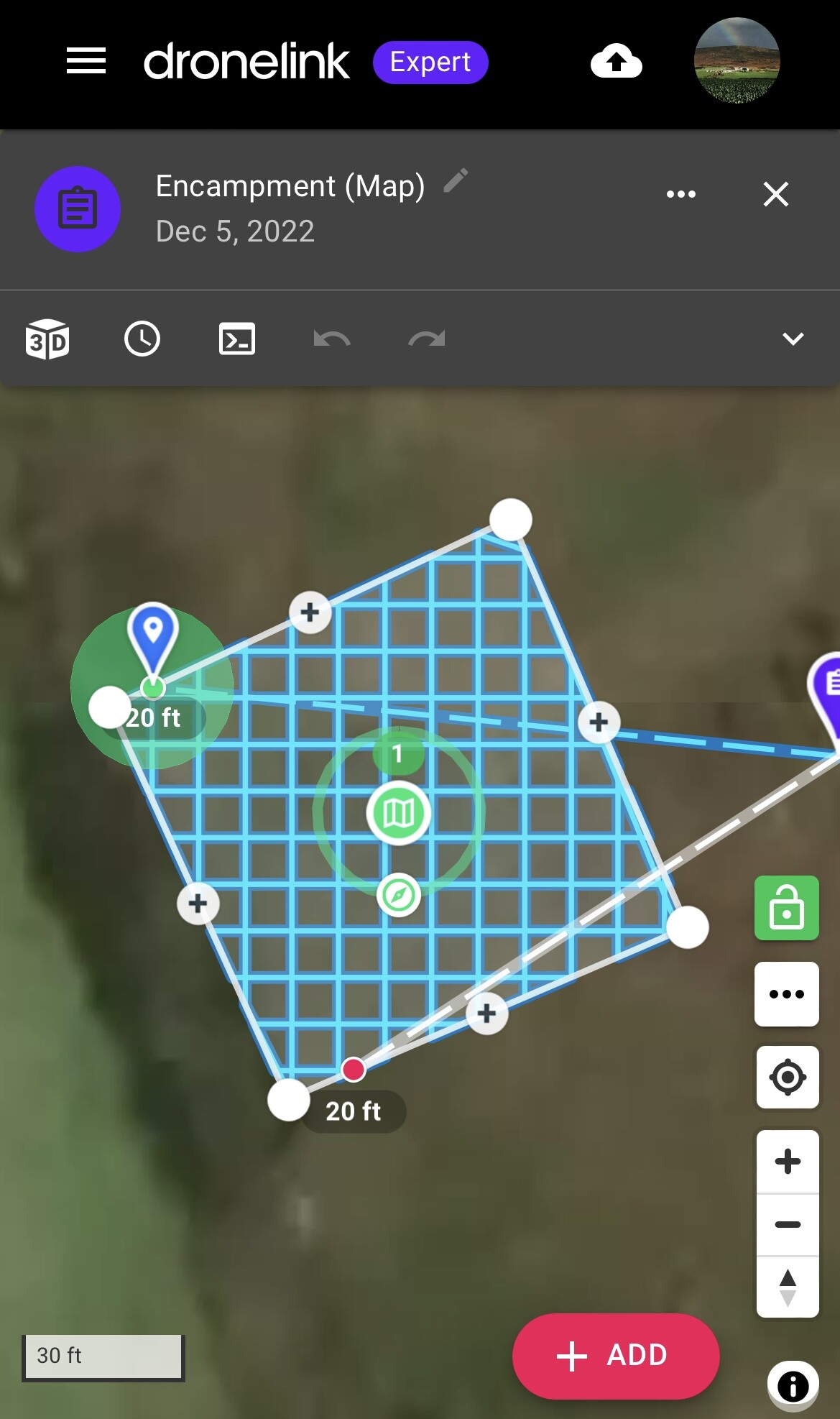
Part of my image capture flight plan involves various orbits at different heights and radii so that there is plenty of side view material. The attached grabs show the orbital and plan view flight paths.
Looking at ‘The Missing Guide’ it seems there are various parameters that can have an impact on the resulting 3D model when, as in my case, trees are to be modeled above ground instead of appearing as part of the terrain. These include:
DSM
mve-confidence
PC-Classify
Smrf-Threshold
Texturing-keep-unseen-faces
Texturing Nadir Weight
Texturing-skip-visibility-test
Some of these will default to appropriate values with a 3D model selected but others might be usefully tweaked. Without my trying everyone, do you have any thoughts about these?
Thanks,
Julian

1 Like
Can you give us your full set of processing parameters and a screen shot of your point cloud?
1 Like
Hi there,
Yes, here are the settings as a screen grab:

I’m not sure how to see the point cloud in order to take a screen shot and it won’t let me upload the .LAZ file here, so here is a MEGA link to it:
1 Like
Ha! Well, a screen shot would be enough, but this works too.
Ok: this tells me the failure is at the matching stage. Carefully turn up your feature quality and check your point cloud with each change in feature quality.
1 Like
Thanks but how do I view the point cloud? If I go up to Ultra Feature Quality I run out of memory.
1 Like
Hit the View 3D Model button:
Have you tried feature quality: High?
1 Like
Feature quality ‘High’ was used in the settings I posted. It does not show since it is the default value.
Ok you mean the untextured 3D model. Here is a grab.
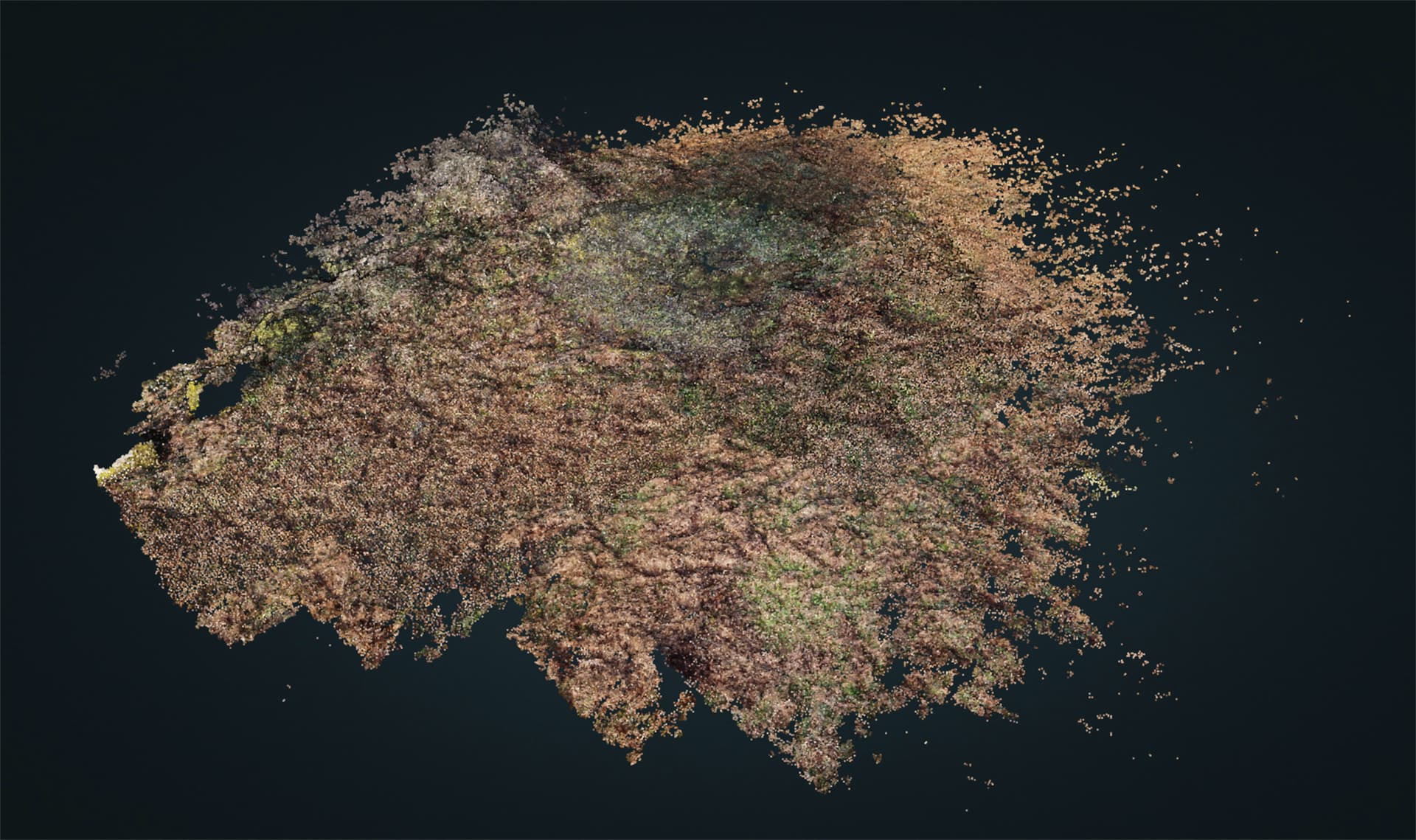
1 Like
Ok. More photos or Ultra feature quality may be the only options.
1 Like
Perhaps resizing to 1500 to start with and see if you can run ultra then.
1 Like
This may help too.
EDIT: no it wont, as I meant to say PC-Rectify! - which reclassifies incorrect ground points
1 Like
IMHO, don’t classify the point cloud, because you don’t want the terrain, you want the surface (of the tree). It is not necessary that you initially worry about differentiating terrain from surface, so everything that is Classify and Simple Morphological Filter is unnecessary in principle.
What you need first is a dense and well defined point cloud. So the most important parameters might be pc-quality:ultra and pc-filter:0.
Process with them. If needed, export the point cloud and see it in CloudCompare.
If you have a good dense point cloud you can process it later with PDAL to get the 3D model as you want it, and in any case begin to touch parameters in ODM that affect the generation of the 3D model (after the dense cloud reconstruction).
And everything prior to the dense cloud reconstruction corresponds to adjusting the distortion of the lens and the position of the images. These computations depend more on the overlap than on the parameters. I characterize myself by oversizing the overlap, e.g, they tell me that 80% overlap is enough, I ask for 120% overlap, and the processes with feature-quality:medium do not matter as with ultra, I do not notice changes in the computation of intrinsics nor extrinsics.
What can be influential is having closer images of the tree. The more pixels that can be reconstructed in the dense cloud the better.
1 Like
Good point. This could be something lost in the filtering process (quite likely!). If memory is a problem with Ultra, this might be a work-around.
1 Like
Thank you all for your contributions.
If I can summarise the suggestions:
Feature Quality- ultra
PC quality - ultra
PC filter - 0
No value in tinkering with any of the following?:
DSM
mve-confidence
PC-Classify
Smrf-Threshold
Texturing-keep-unseen-faces
Texturing-Nadir-Weight
Texturing-skip-visibility-test
Compare point clouds with CloudCompare (is this open source software that allows side by side comparisons?)
If ok then add textures etc using PDAL (another open source offering?) or complete whole process with Lightening ODM.
(As using Ultra and Ultra is beyond my pc memory capacity for more than say 200 images, I would need to use Lightening but, without paying for the premium package, I’m limited to a certain number of images. (I’ve come up against this dilemma before) So likely I will have to play with FQ and PCQ. In the past I have got good results with FQ-Ultra and PCQ-Med and resizing to 1,500px to minimise memory issues.
Provide more side view drone images i.e. more orbits at different heights and radii and with greater overlap. This is achieved in Dronelink by slowing the orbital flight speed down to say 1-2mph while still taking pics every 2s.
Wait for the stronger light in spring to use smaller camera apertures and consequently sharper images to help with accurate point cloud formation.
Perhaps Santa will bring me more memory!
2 Likes
I would say start with the following:
Don’t worry about feature-quality at first.
You could load them into the program as separate layers. But it is not essential to use it at first, it would be enough for you to see that points in the tree were reconstructed.
For the texture part, better to use ODM. The nice thing about PDAL is, once you have a good point cloud, it has all the flexibility to turn it into the mesh of irregular triangles. If you play with PDAL first, it’s going to be a lot easier later to adjust the parameters that create the mesh in ODM. But just like before, it’s not essential at first. Until there are no points in the tree, there will be no triangles in the mesh that represent it.
All in all, your experience will tell you what works best.
1 Like
So your saying focus on getting a good point cloud with more and better images and overlap.
Besides setting Feature Quality: Med, PC Quality: Med and PC Filter: 0, what about any of the other variables I listed?
Weather not good for the sharpest images at the moment.
1 Like
DSM: It is a type of digital elevation model (DEM) which is derived from the unclassified point cloud. It is a raster file where the value of the pixels are an elevation. If there are tree points in the point cloud, you can activate this option to represent the elevations in a raster format.
mve-confidence: It was a multiview environment filter option. Set it to 0.3 and see if it help, but what version of OpenDroneMap are you using?
PC-Classify: You can classify the point cloud into points that belong to the terrain and those that do not (roofs, trees or any surface that is not considered terrain), in order to eliminate those that do not and rebuild a model that only represents the terrain (DTM), using an automatic filtering algorithm (smrf). As long as there are no tree points in the point cloud, there will be no points to differentiate between terrain and surface.
Smrf-Threshold: Tuning parameter for the algorithm presented in: Pingel, Thomas J., Keith C. Clarke, and William A. McBride. “An Improved Simple Morphological Filter for the Terrain Classification of Airborne LIDAR Data.” ISPRS Journal of Photogrammetry and Remote Sensing 77 (2013): 21–30.
Texturing-* parameters: Texturing is the process of assigning colors or images to the faces of the irregular triangles mesh. Your problem is not with the tree image, which looks correctly textured on the mesh. The problem is that the mesh does not represent the height of the tree. The mesh, like the DEM, is derived from the point cloud. As long as there are no points representing the tree in the point cloud, the mesh will not represent the three-dimensional shape of the tree, nor will its elevation be represented in a DEM.
Thank you. I will give these a try in the coming weeks (the weather is too rubbish to do any imaging) and report back.
Happy New year to all.
I’m using v 1.9.15 and mve-confidence is not in my list of options.
I have tried setting ‘PC filter’ to 0 (disabled) but that results in ‘not enough memory’ so presumably disabling it allows more points to be computed - and in my case to fill up my bucket!