Hello everybody.
Some time ago I posted a similar issue, but it remained unanswered. Today I updated WebODM to the latest version and, as usual, started by checking if anything changed regarding the template system. Unfortunately, nothing has.
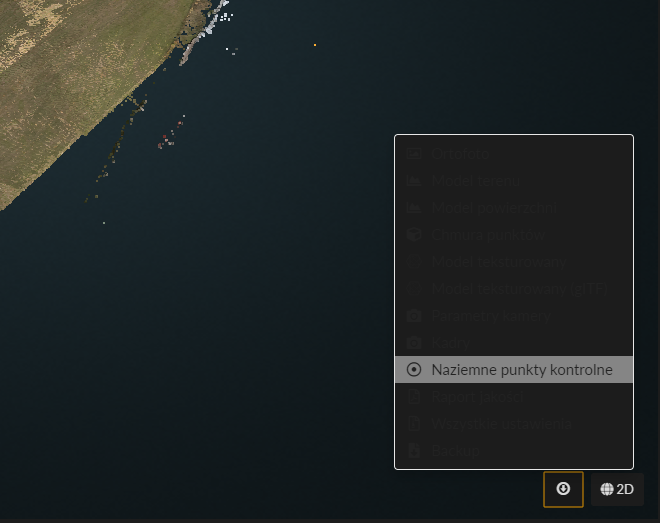
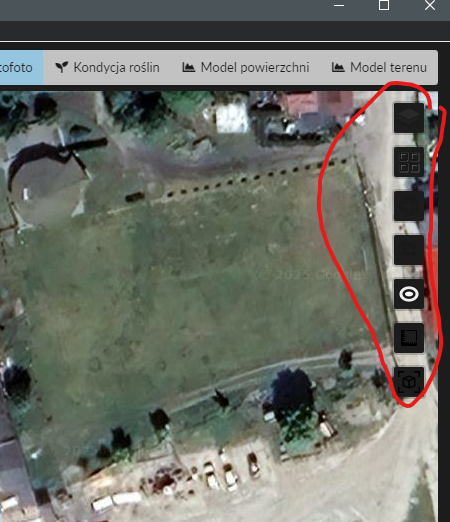
I’m trying to create a dark theme for WebODM. The general layout works, but some elements are hard to use. For example, there’s no way to set the text color inside the 3D viewer module (as shown in the screenshot). Some icons and text appear on a dark background, but the text itself is also dark, making it unreadable.
This can be fixed, but changing the text color also changes other elements, which creates new issues.
Has anyone successfully customized the interface to fully support a dark theme? Or maybe someone knows the CSS classes I could use to fix the elements shown in the screenshots?
Forgive me for not mentioning that i’m using windows paid version. And locating proper css rules its problematic. For example searching css files in WebODM folder give me probably close to hundred css files.
I know this and that about webdesign, css etc but where can i search for info regarding which rules to modify ?
If you’re going to make edits / analysis of WebODM, you should use the docker version which allows you to connect via a normal web browser and use the developer tools. WebODM Documentation
If you mean a guide which explains how to modify WebODM’s CSS rules, unfortunately there’s none. You’ll need to read the source code (look for the *.scss and *.css files in the app folder). Overall, some knowledge of CSS/HTML (perhaps a bit of Python, Javascript) is a prerequisite here.