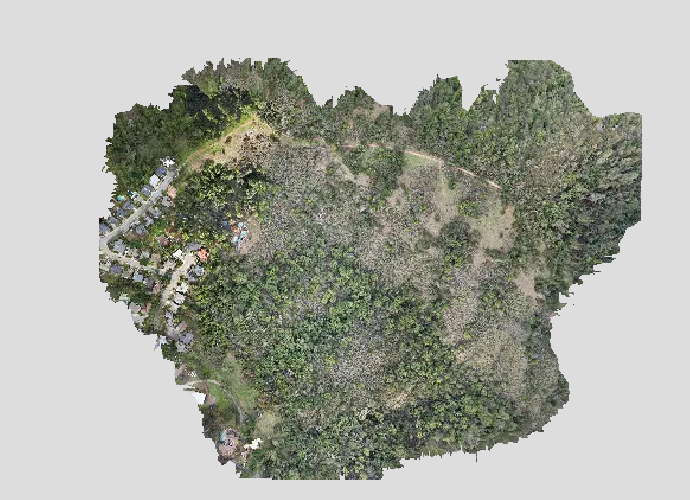
After a bunch of flights with no problems, I was trying some new parameters (to speed up my flights), and now the images are mostly not stitching, but sometimes they are–when I change seemingly insignificant settings in odm (e.g., auto-boundary YES + crop 3 to autoboundary NO + crop 0). Any advice would be appreciated.
I think I need to be clear about how I am taking the photos, as I suspect that this is the source of the problem.
I have a DJI Air-2S, and I am using MapPilotPro to control it. All flights are at 100 m altitude, not adjusted for terrain, in a hilly area, and the flight area is about 35 Ha (chosen to use about 1 battery). I fly a back-and-forth pattern over the same area twice, the first time with a gimbal angle of 5°, the second time with the path rotated 45° and a gimbal angle of 25°. Flight speed is limited to 10 m/s, and I set the ISO so that shutter speed is ≤ 1/1000 s, for a blur ≤ 1 cm. (GSD is about 3 cm for this camera).
Previously, I always did the first flight (gimbal angle 5°) with 85%/85% overlap, and the second flight (gimbal angle 25°) with 65%/65% overlap. The idea, as I understand it, was to use the high overlap to get good geometry, and then second flight to ensure that the resulting reconstruction wasn’t warped due to the low quality lens in the DJI Air 2S. This has worked.
The other day I thought that I could fly a larger area in the same time if I reduced the coverage of the first flight. So I tried flying at 65%/65% for the first and second flights (effective overlap about 75%) and at 75%/75% for the first and second flights (effective overlap about 83%). I have been able to stitch the photos from the first test (65%/65%) twice (once as “Fast Orthophoto”, once as “High”) and stitching failed once (the same settings except auto-boundary off and crop 0). I have not been able to stitch the second test (75%/75%), but depending on the boundary settings it once failed after 6 minutes and once after 6 hours.
I do my stitching on a local linux computer using webodm latest (updated 2024-01-14).
The error message varies, but a typical one from the 65%/65% overlap that failed (console output attached) is:
File "/code/SuperBuild/install/bin/opensfm/opensfm/matching.py", line 680, in match_flann
results, dists = index.knnSearch(f2, 2, params=search_params)
cv2.error: OpenCV(4.5.0) /code/SuperBuild/src/opencv/modules/flann/include/opencv2/flann/kdtree_index.h:470: error: (-215:Assertion failed) result.full() in function 'getNeighbors'

terminate called without an active exception
/code/SuperBuild/install/bin/opensfm/bin/opensfm: line 12: 43712 Aborted                 (core dumped) "$PYTHON" "$DIR"/opensfm_main.py "$@"

===== Dumping Info for Geeks (developers need this to fix bugs) =====
Child returned 134
Traceback (most recent call last):
File "/code/stages/odm_app.py", line 82, in execute
self.first_stage.run()
File "/code/opendm/types.py", line 438, in run
self.next_stage.run(outputs)
File "/code/opendm/types.py", line 438, in run
self.next_stage.run(outputs)
File "/code/opendm/types.py", line 438, in run
self.next_stage.run(outputs)
File "/code/opendm/types.py", line 417, in run
self.process(self.args, outputs)
File "/code/stages/run_opensfm.py", line 35, in process
octx.feature_matching(self.rerun())
File "/code/opendm/osfm.py", line 436, in feature_matching
self.match_features(rerun)
File "/code/opendm/osfm.py", line 441, in match_features
self.run('match_features')
File "/code/opendm/osfm.py", line 34, in run
system.run('"%s" %s "%s"' %
File "/code/opendm/system.py", line 112, in run
raise SubprocessException("Child returned {}".format(retcode), retcode)
opendm.system.SubprocessException: Child returned 134
The settings from this failed run are:
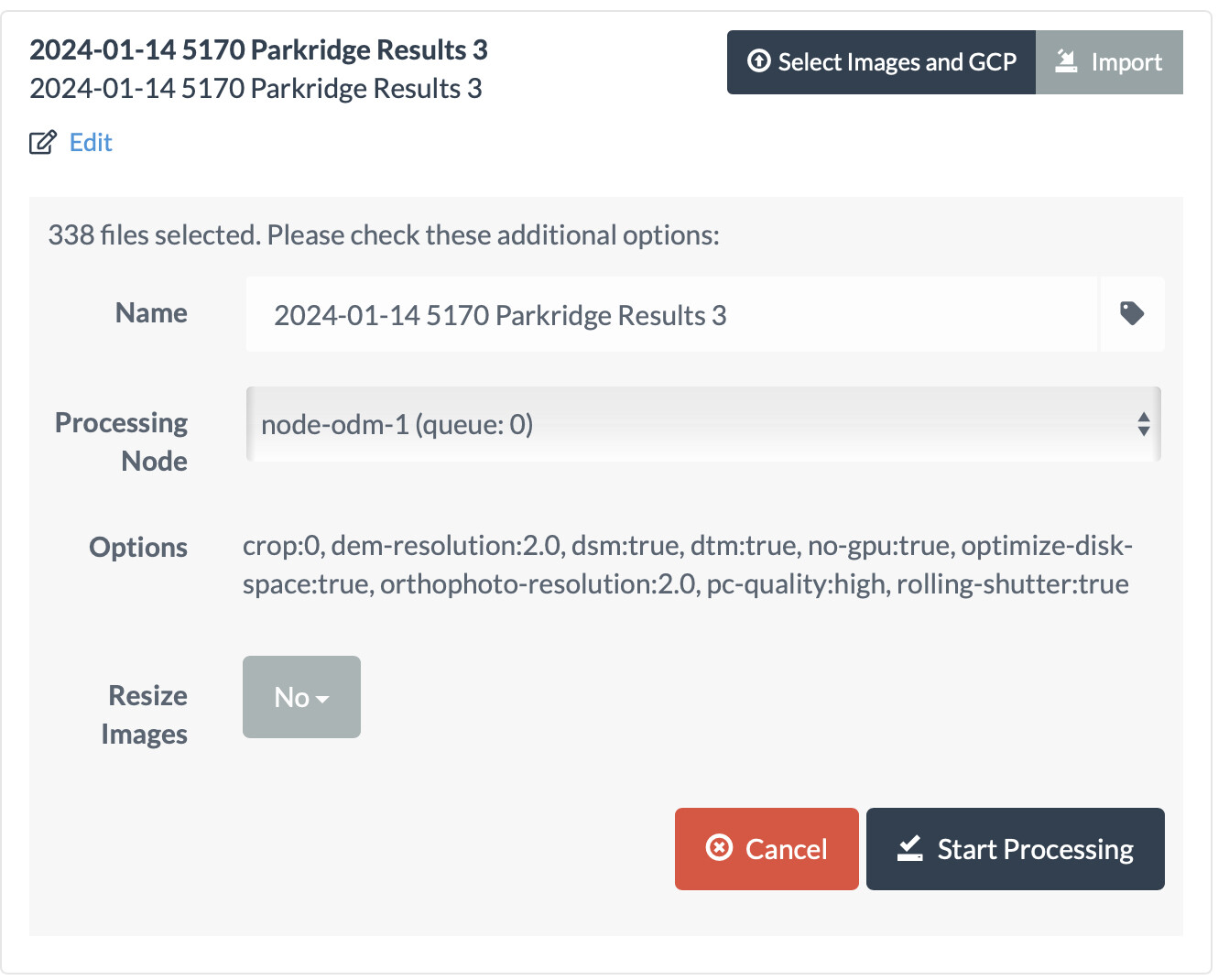
A temporary link to my photos is here, but they are about 4.3 GB in size.
console.txt (141.7 KB)