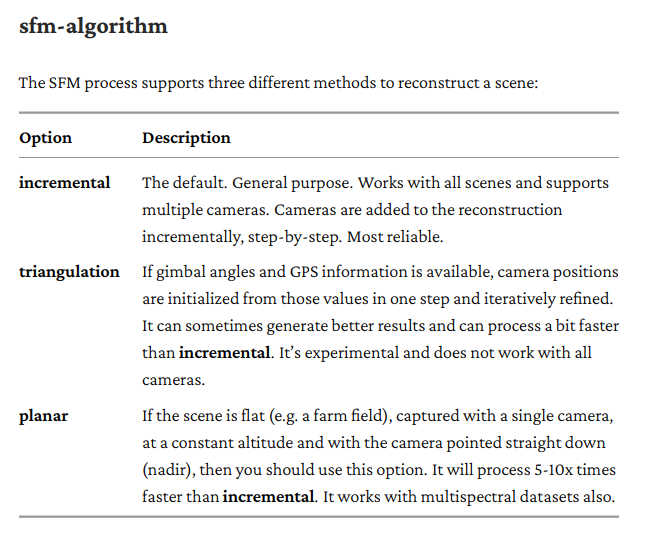
I have drones with cameras in fixed NADIR positions, and DJI drones where the camera is gimbaled.
I’m planning on running some benchmark tests with the different values of the smf-algorithm to see the impact on processing time and the effect on product results.
I’ll run these tests on my on-line server - so anyone interested in seeing these results can have direct access.
Before running these tests, if anyone has criteria they’d like me to consider, please let me know.
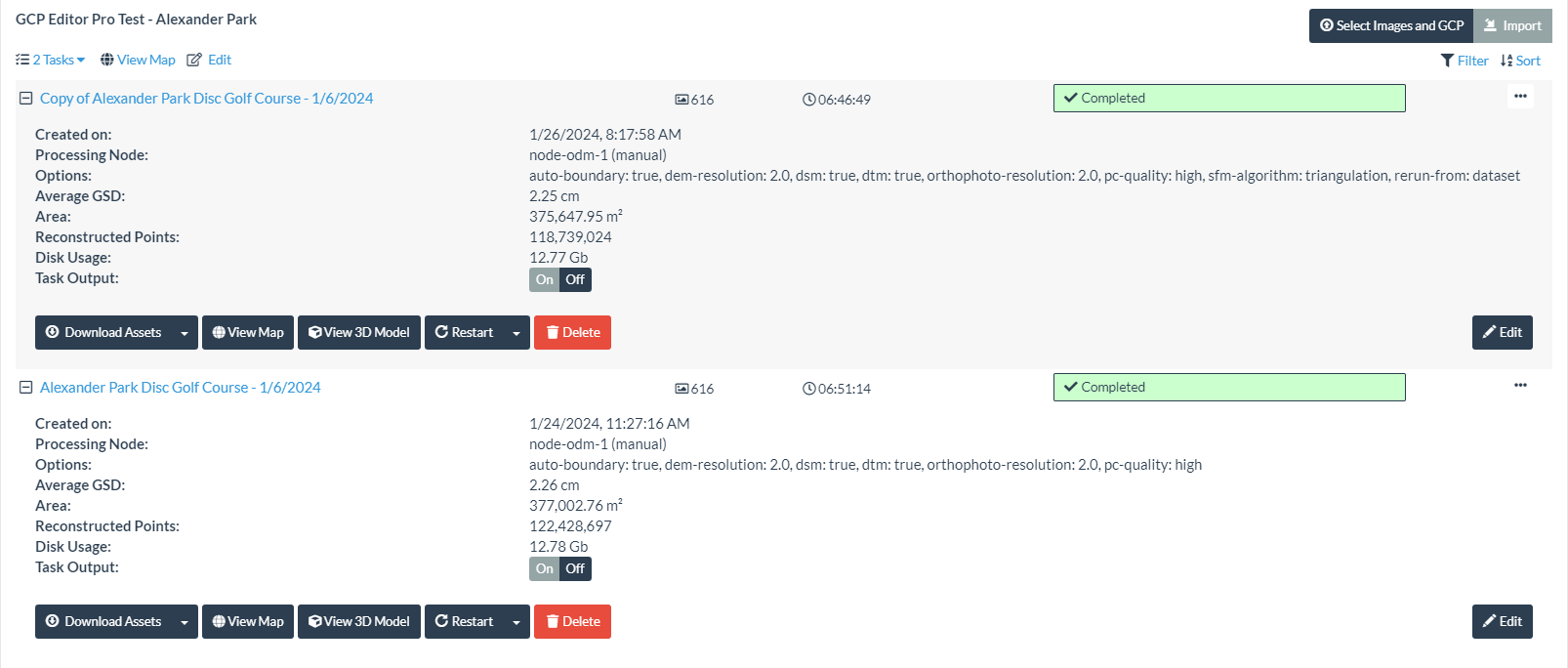
I did a test of processing Mavic 2 Pro images that have camera orientation meta-data - with the smf-algorithm parameter left to it’s default, and again with it set to “triangulation.”
My understanding is that smf-algorithm must be set to “triangulation” for the camera orientation values to be used by WebODM in processing the images.
Since the Quality Reports don’t contain the parameters used for the tasks - they are here:
I simply duplicated the task, and re-ran it adding the new parameter setting.
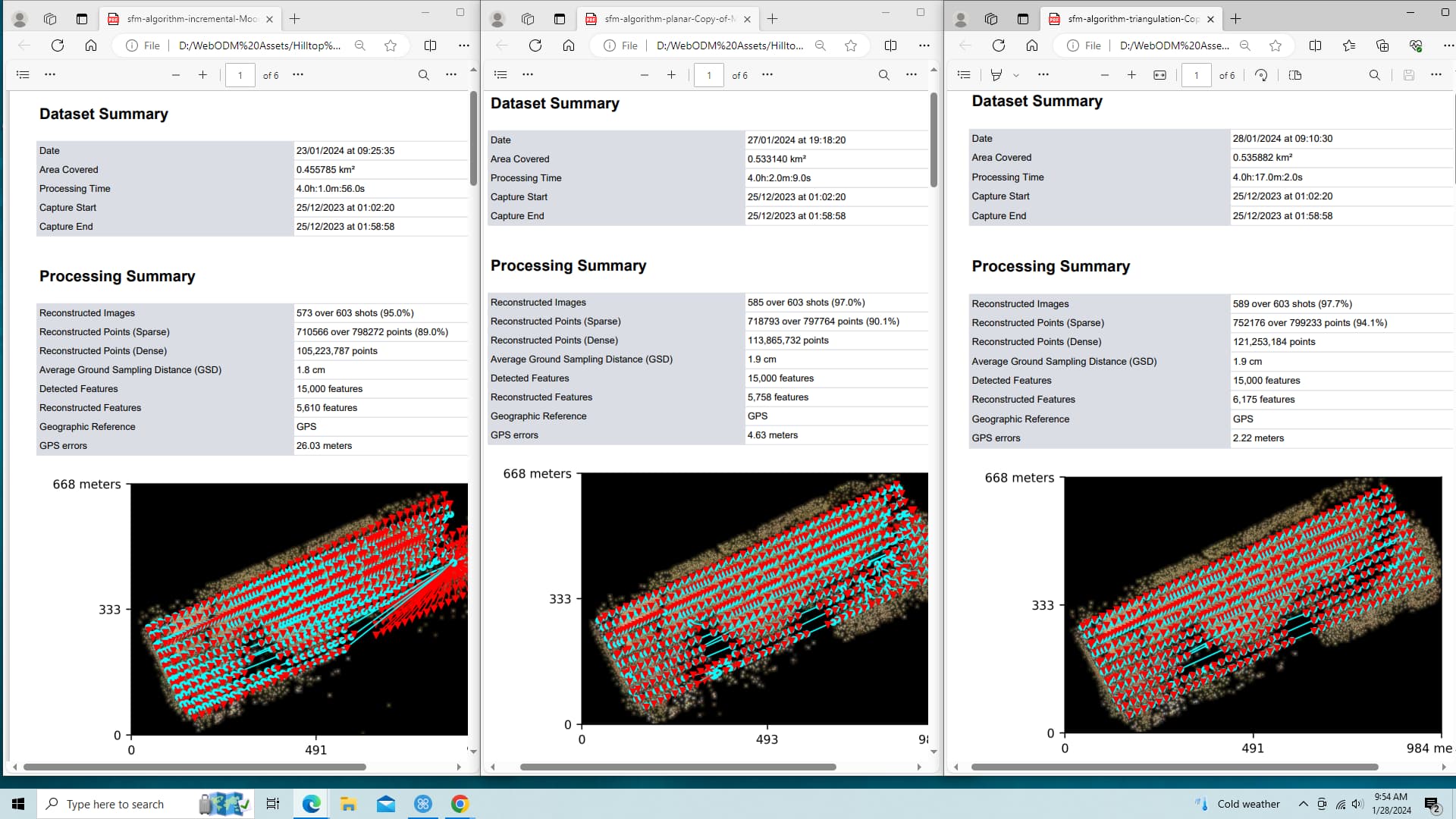
If anyone has time to compare these two Quality Reports - I’d appreciate a more experienced person check them for validity and reasonability.
The biggest difference I noticed is that where sfm-algorithm is set to “triangulation” there are about 20% more dense point cloud points reported.
However - the RMS errors are also slightly higher.
I’d like to suggest that the quality reports contain the parameter setting used for the task. If someone could please direct me to the proper place to make that suggestion - I’ll do so.
Since the Quality Reports are too large to attach here - I’ve put them on dropbox. The names indicate which version is which.
As to the time difference: you’ll see significant speed up, relatively speaking, as the number of images increases, as that is when the SfM portion of the tool chain starts to dominate. Depending on a range of factors, you should see significant changes to SfM time contribution above 500 or 1000 images.
I had to run the “triangulation” option task twice. It failed to finish processing the first time. I was actually surprised that it failed - and that it succeeded when running again.
These options appear to have a dramatic effect on the DEM’s.
I’m not sure how to choose which option should be chosen - other than trying all three and seeing which one generates the best results.