aelnosu
November 10, 2025, 6:10pm
1
Dataset URL (Dropbox, Google Drive, GitHub…): GitHub - Eason-Y-Lu/WebODMDataSetBolParkBikePath
Comment/Description: This is a set of images I took from my DJI Air 2S (N4587L) for my AP Environmental Science Project to determine the hydrodynamic effect (mainly rainwater flow) of human development. I have tried to create a DTM using the image gathered, but it fails at the merge stage, showing not enough RAM.
1 Like
aelnosu
November 10, 2025, 7:24pm
3
Laptop is: P1 Gen 6 (Type 21FV, 21FW) Laptop (ThinkPad) - Type 21FV
RAM is: 2x 32 GB DDR5-5600
With 8 GB dedicated to ZRAM
On Fedora 42
aelnosu
November 11, 2025, 1:03am
4
This is the perimeter I decided to restart with, based on the default config:
3d-tiles:true, auto-boundary:true, dem-resolution:1.5, dsm:true, dtm:true, max-concurrency:10, optimize-disk-space:true, orthophoto-resolution:1.5, pc-classify:true, pc-rectify:true, split:150, split-overlap:25, tiles:true, use-hybrid-bundle-adjustment:true
Jet86
November 11, 2025, 6:00am
5
With 633 images and 64GB RAM I don’t think you’d even need to do split. Can you try with default parameters first and see if that succeeds?
Jet86
November 11, 2025, 8:23am
6
It successfully ran for me (my system also has 64GB RAM). The settings I used are:
3d-tiles:true, dem-resolution:1.5, dsm:true, dtm:true, orthophoto-resolution:1.5, pc-classify:true, tiles:true
I can send you particular assets if you need, though I suspect running it again with default settings will probably work for you.
2 Likes
aelnosu
November 11, 2025, 5:42pm
7
Thank you, I will try this setting and report back once it finished. Btw, how much system swap do you have?
The setting I choose was
3d-tiles:true, auto-boundary:true, dem-resolution:1.5, dsm:true, dtm:true, max-concurrency:10, optimize-disk-space:true, orthophoto-resolution:1.5, pc-classify:true, pc-rectify:true, use-hybrid-bundle-adjustment:true
aelnosu
November 11, 2025, 11:06pm
8
It worked (even faster then split-merge), thank you so much.
2 Likes
Jet86
November 12, 2025, 12:06am
9
Just answering for completeness: I just checked now and it has 8GB swap. I don’t believe it would have used it at all though - my understanding is that swap only gets used if RAM is full or close to full? I don’t believe the RAM usage ever hit (or got close to) the 64GB.
1 Like
Jet86
November 12, 2025, 12:10am
10
Also, just to add for your reference, 64GB RAM should allow you to process up to about 1500 images without split:
2 Likes
aelnosu
November 12, 2025, 1:10am
11
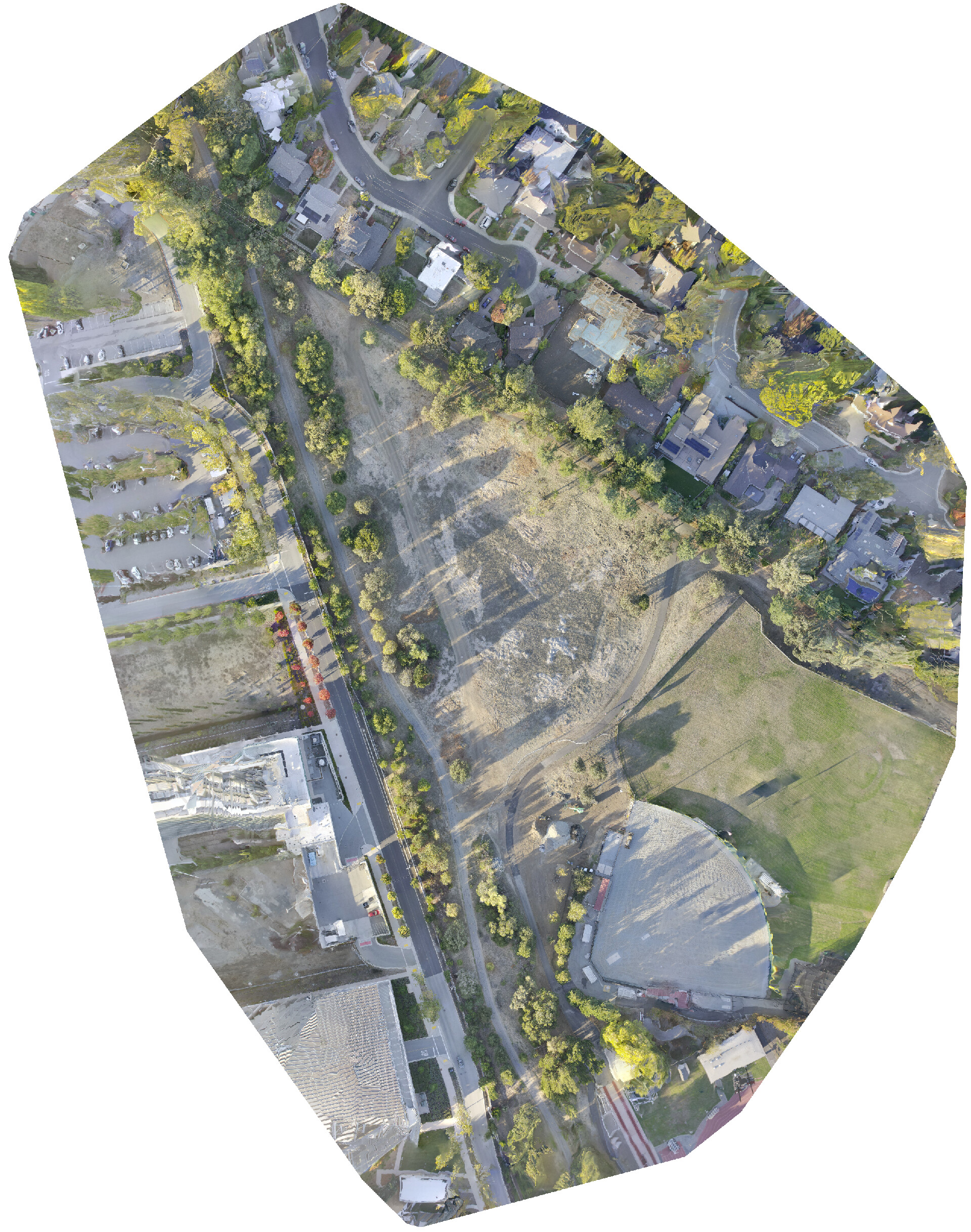
Should probably attach a result:
3 Likes
did you process for a DTM? how were the results?
I was gonna mention you may need to adjust the smrf settings.
1 Like
system
December 14, 2025, 10:44pm
13
This topic was automatically closed 30 days after the last reply. New replies are no longer allowed.