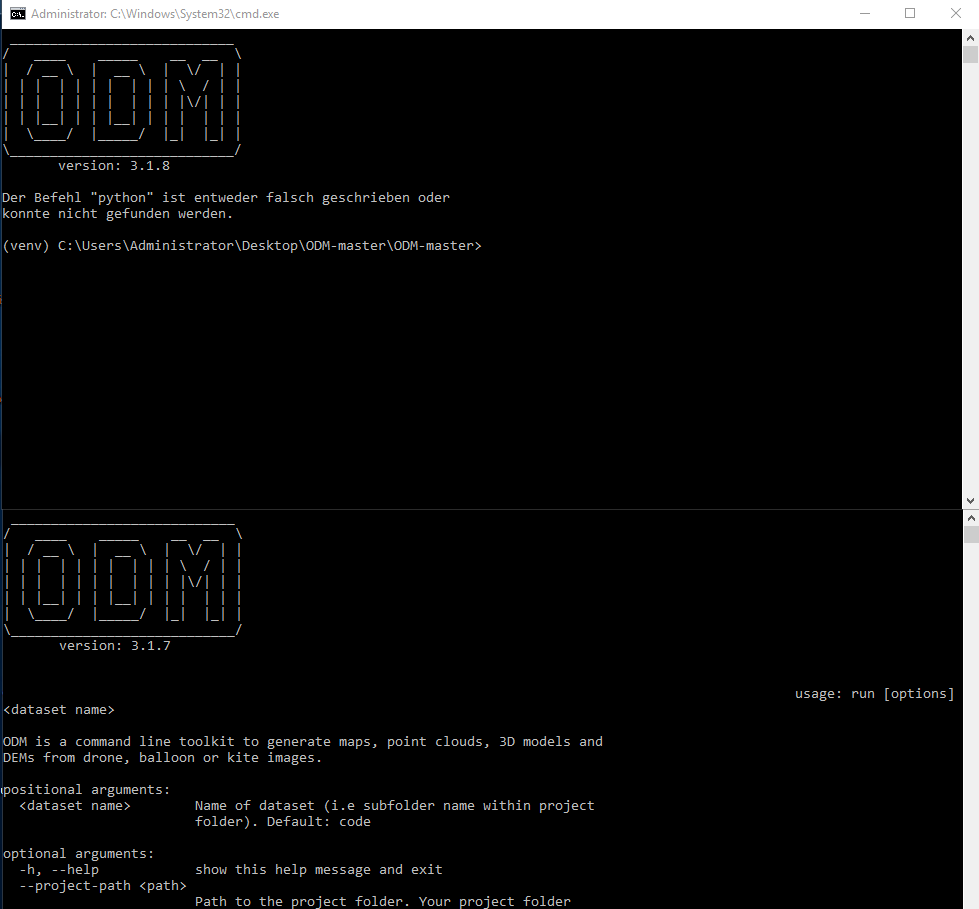
I have removed python from PATH, and rebooted.
The console still outputs the same error, except now typing “python” into a regular shell also yields this error (as expected).
Some additional System Information:
Im using Windows Server 2016 Operating system with Python 3.9
A try with Python 3.11 had the same resulting “not found” issue.
Things I tried so far (I have never worked with or heard of virtual enviornments before so most probably never had a chance to work at all):
Setting the PYTHONPATH in win32env.bat to the pyth of Python, explicitly
UPDATE: This has at least fixed the “python not found” and replaced it with “Error: No module names ‘dateutil’”, which is progress, maybe. DOnt actually know, but at least its new.
Reinstalling Python
Runing ODM with administrator permissions
Removing Python from PATH
A ton of restarts
The thing that confuses me most it that it worked only a few weeks back ad now it just doesnt anymore - I have gone through the changes I made and none of them pertained to ODM or the installation of pyhon - also reverting them has not made it run.
Any Ideas welcome, at this point I’ll try everything less than a full OS reinstall
I would recommend reverting all changes and removing the system-installed python, cleaning the path of all python references, rebooting, and trying again.
PATH: %USERPROFILE%\AppData\Local\Microsoft\WindowsApps
C:\Users\Administrator\AppData\Local\Programs\Microsoft VS Code\bin
Installed Software:
Visual Studio Code
VLC media player
Qfinder Pro
Picasa 3
git
VirtualBox-7.0.10-158379-Win
Docker Desktop (non-functional)
ODM
Operating System:
Microsoft Windows Server 2016 Standard Evaluation
Also:
I have had a look into win32env.bat and there are these two references re: python
set PYTHONPYCACHEPREFIX=%PROGRAMDATA%\ODM\pycache
set PYTHONPATH=%VIRTUAL_ENV%
of which I m not sure where they are supposed to lead, as the folder does not appear to contain a “pycache” subfolder and pytython itself isnt installes/located in the root of the folder itself?
I have found a solution - by going to an old backup which has a copy of ODM 3.1.7, and runs on a system with exactly the same installed programs that the new one does not.