I am running WebODM under Docker on an M2 Ultra Mac Studio with 192 GB of memory and running Sonoma 14.6.1. I am using the current Safari web browser. I have 2116 jpeg images to process that are between 8 and 11 MB each. Upload freezes at 80.4% (roughly 1700 images uploaded) and will not make further progress. I have restarted WebODM and Docker with exact same effect and also attempted uploading many times.
I see I can look at logs in Docker for webodm, node-odd-1, worker, webapp, broker, and db. I do not see anything that appears to be failures to me in any of these logs when the upload freezes. Glad to add any of these logs (or other data if helpful).
I will add that I have been successfully processing datasets of roughly a 1000 images on my old iMac without issue, and I have run another dataset on this machine with 526 images without any issues.
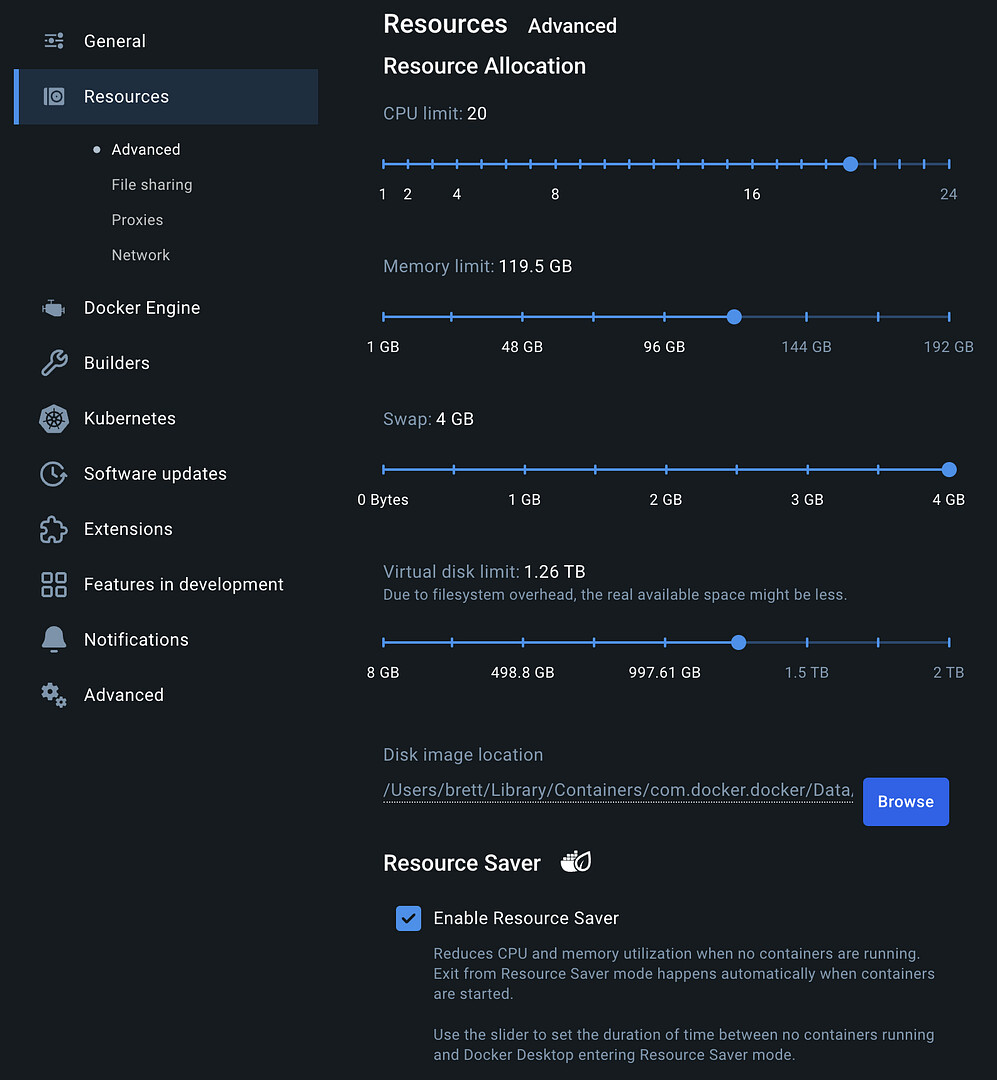
Within Docker I have changes Resources to take advantage of the better computer. I have set the CPU limit to 20, Memory limit to 121 GB, swap to 4 GB, virtual disk limit to 1.01 TB (Macintosh HD has 2.46 TB available with 1.07 TB purgeable, 593 GB used of 2 TB total).
Maybe it isn’t clear what my question is? I am hoping to learn if this is a hard coded limit, a resource limit (despite well endowed machine I purchased with this work in mind) that I might adjust, or what alternatives might exist to work around the problem.
Has anyone else here used comparably sized datasets successfully with WebODM and had it work? Or fail? Any interest in collaboration on a solution?
This is important to the community I am volunteering to support, my own community. Any help would be appreciated.
I appreciate the suggestion but I tried it (roughly, I will get to that) and it stuck in exactly the same place. I tried out as high as you suggested and received errors. I tried it again and again at lower settings, still getting errors. I moved back to 144GB and I was able to get the Docker Resources to load and Docker would restart, but it made no difference to how many files load in WebODM. I am still stuck at 80.4%.
mmm No idea. Your specs seem to be more than sufficient to upload/process the images.
Are the images RGB or multispectral? JPEG or Tiffs (or combined?)
Currently working on two datasets of around 1600 images each (12mb per image, 64GB RAM and 1 TB storage). My biggest dataset was around 4000 x 45MP images with 128 GB RAM (GSD 1 cm) that worked just fine. There are people on this forum who processed much bigger datasets.
What you can try is the WebODM Lightning option, process the images in the cloud? You can make an cost estimate here. WebODM Lightning: Cost Calculator
Thanks Aeret. The images are RGB based JPEGs. As a volunteer, I am not likely to spend $$$s to use Lightning, though maybe I should look at the cost calculator to better understand what it involved.
– Looks like a bit under $20 but it isn’t clear if I would have to purchase more credits than I need as part of a package. I will pass for now but it is good to know.
Maybe you can split the mapping in two parts? If you combine them in one project you can open them at the same time to see the orthophoto’s.
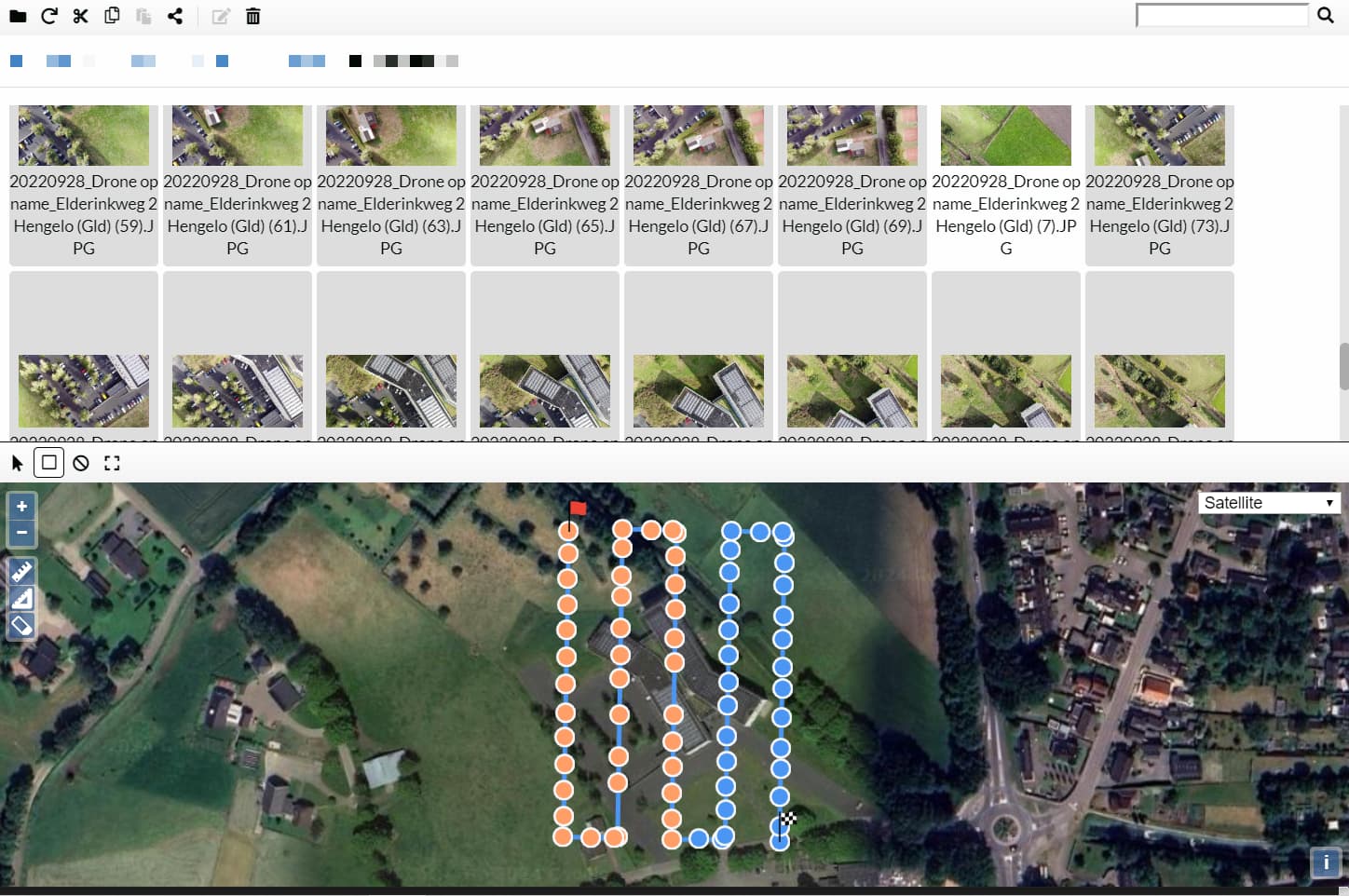
I don’t know how you performed the mapping (grid? double grid?). If it’s single grid it should be possible to select images based on name / image acquisition date-time. For double grid it’s nice to have an application where you can select images based on location.
With apps like DroneDB (Desktop) it’s easy to make a selection of images based on area.
I didn’t know this. Thanks! I think I have a resolution I will post in a second but your info could be useful in the future in any case. BTW, I fly with DroneLink and just fly pattern as you have shown, not a grid. I suppose the grid is useful if you fly off-nadir a bit (to see “below” structures like trees, wharves, etc, I imagine)? I am a bit of a newbie, sorry if this is a silly question.
It appears to me that this problem is associated with file name length. I ran a dataset last night and experienced the same issue only with a much smaller number of images. The original file names were of the format “DJI_Air2S-20240815-130115.jpg” (from an older dataset than yesterdays) but when I changed them to simply “20240815-130115.jpg” I was able to get the upload to complete and the model to build. I ran this experiment after seeing the same problem reported, only it was against Chrome, stating that file name size was at fault. Seeing this now on Safari suggests that the issue is here and not in the web browser.
BTW, when I tried this fix against this large dataset, it did not fix the problem. It seems that recent upgrades have only made the issue worse. Upload froze sooner than it did before. Cutting the filenames back to simply [hhmmss].jpg allowed it to get much further, but it still did not complete. I am trying again with a 4 digit sequence number filename but things are not going well. I will reboot and post results when I know more.
Post Reboot addition:
First, Multiple tries at Select Images and GCP on the same project does not result in the map being shown or subsequent upload moving past 0.0%. Restart of WebODM and Docker do not correct this. Reboot does.
Second, after reboot, the four digit filename plus extension change got me to an upload of 82.2%. Sorry I didn’t record the early percentile but it was around 40% as best as I recall. I will try an alpha based sequence filename and see if I can get down to 3 characters plus extension.
Now with 1 or 2 character file names:
Performed WebODM logout, shut WebODM and then Docker down clean again, Batch Rename, Reboot…
Interestingly, Adobe Bridge Batch Rename by Sequence Character is in fact characters and not alpha! It brought file name length down to 2 characters. This only added a minimal number of files though, freezing this time at 82.89% of upload.
So I am stuck on the upload with the blue diagonally striped bar. What can I do to get you a log or otherwise help you figure this out? Thanks!
I will add that my approach to this point was to create two models under one project. The first model includes the first 1700 images in forward time order. The second model uses the last 1700 images. Both models built fine and consumers of the models pick either the northern model or the southern model dependent on their needs. I have thought about the alternative instructions for combining but I do not understand how that might work. We really need the 3D model in anyway so until the problem with long file names is found and corrected I will use two models in one project.
Thanks for coming back to this issue Saijin. I have some news, though it has both positive and unfortunate sides. All 2116 images of the 2024-08-08 Three Harbors Prospect Harbor model loaded via Firefox and are currently processing. I am assuming that no further issues will occur but will of course update you if I am surprised by a new problem. So, on the one hand, good news, I get to build my very important model by using Firefox instead of Safari. That is a big help and I appreciate it.
It does of course leave me wondering about what the issue is with WebODM and Safari. I am somewhat adverse to stepping out of the Apple ecosystem (but I am no fool either and I have a job to get done). Is the bug clearly in Safari or can it be the interactions between Safari and WebODM? Is it possible to investigate and report the problem from your end (thinking that you would get more response than I, but I don’t know that)? As a long time (pre-internet, I had an account on Milnet and I am listed in the 1984 DDN Directory, the book of all machines and users on what was to become the internet) software developer now retired, I do have a long history with Mozilla Firefox and none of it was particularly negative. I can’t say that about Chrome, etc. I like Safari. I do not like putting it aside for a single use-case. If you have bandwidth and ability to follow-up with the Safari issue, it would be appreciated. It is also understood if you cannot.
13 minutes now into Processing! I am up and rolling now and appreciate your help.