We have already been making quite some maps with WebODM without any problems. However one specific site has given us some problems. The first time we went we did a flight and we got a perfect model.
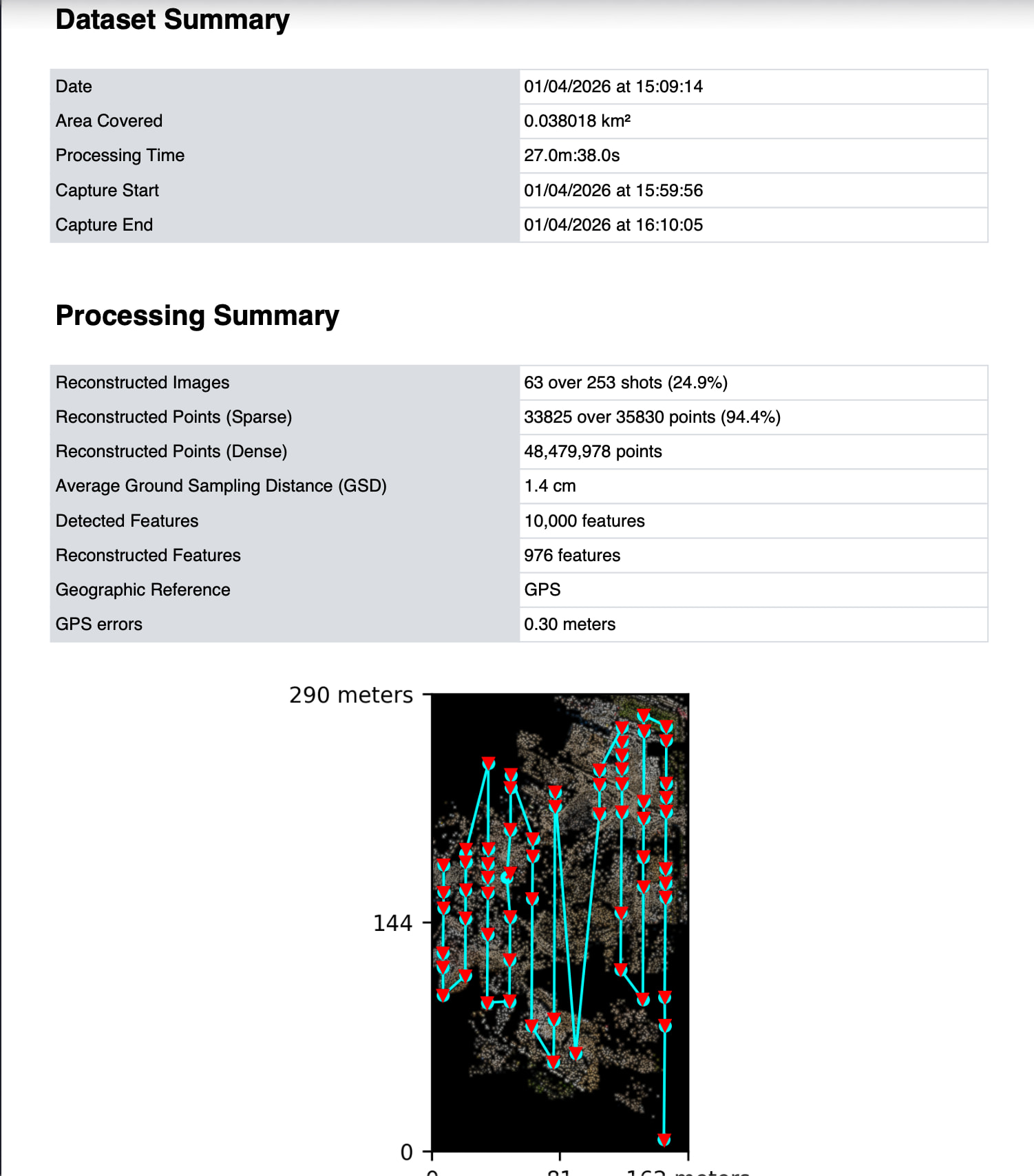
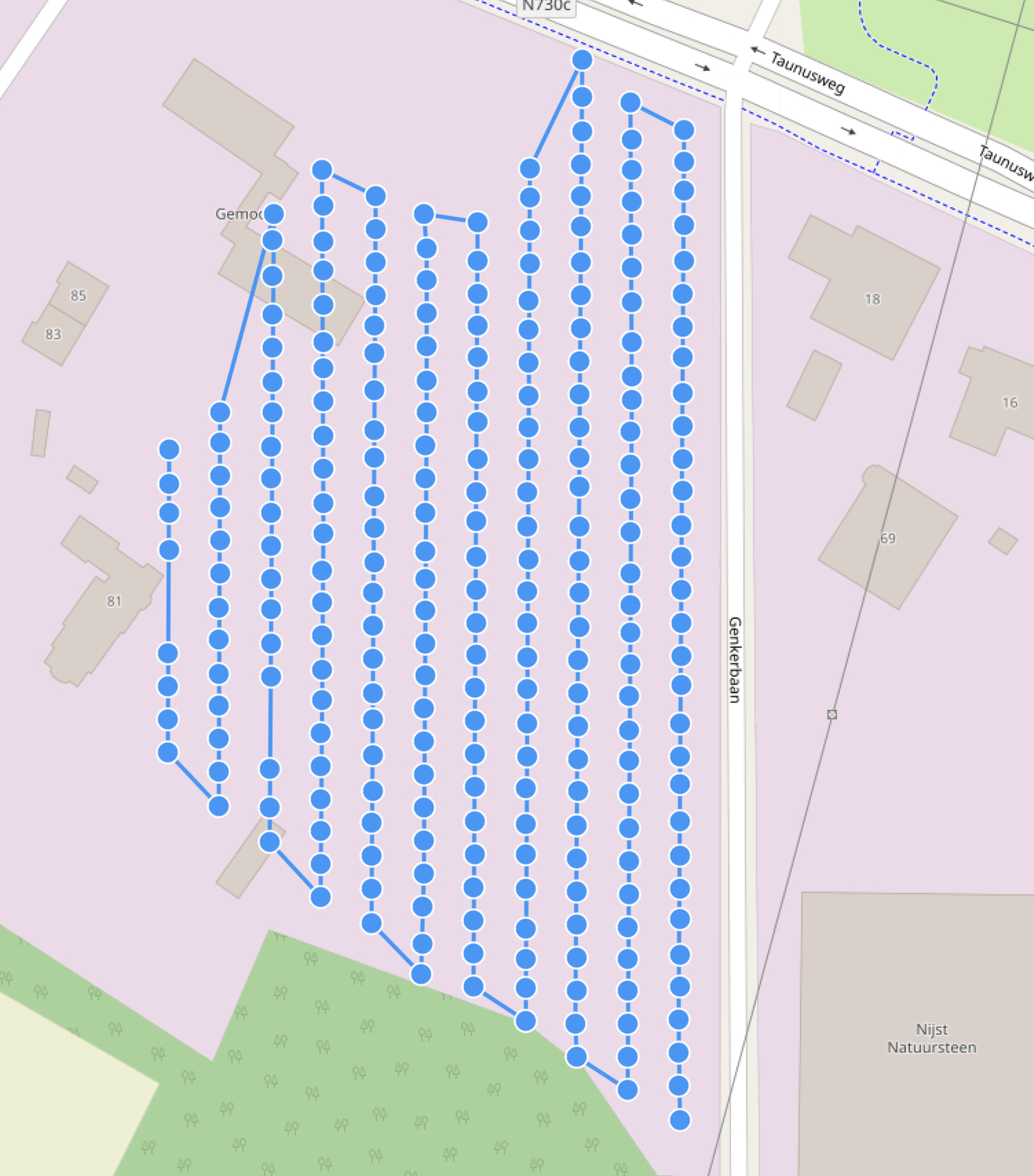
However the second and third time we went we had an interesting problem. The flight went without issues and we captured a good looking dataset with 80% side and front overlap. However after processing we saw holes in the model. After analyzing the quality report we saw that only 24.9% of the images where used. Also the camera positions of the images that are used are off. Some have for example a different altitude while the entire flight was flown at the same altitude with RTK.
Interestingly the flight plan between the first flight and second / third one did not really change. Also I processed the same flight in PolyCam and that processed without issues.
Can anyone find out why webodm on this specific site does not use all the images of the dataset?
My suggestion would be to take subsequent images with a consistent gimbal pitch. if you want to take images with a -60 gimbal pitch that is ok, but take those image in another pass of the site.
Thanks for the reply. Drones like the Maurice 4 and the smart oblique function also rotate the camera constantly to achieve better 3d results. Is this something webodm struggles to handle compared to dji terra for example?
DJI terra may have different requirements for obtaining images to achieve good 3D models, but I dont know since I have not used terra. If you are attempting to build a 3d model with ODM then it would be best to follow ODM recommendations for 3d models.
That is my experience too. The ‘normal’ oblique functionality gave, for now, better results regarding the Matrice 4. Maybe it is because of the way / order the images are taken.
Smart oblique: while flying it takes images from mutliple angles nadir and oblique combined.
“Normal oblique”: first a nadir mapping and then 4 separate oblique flights.
Appreciate everyone for the reply. We use our own software to control the mavic drone and camera angles. What do you guys suggest we do? Should we completely remove the gimbal rotation system and just fly 10 degree forward angle? Or should we fly with nadir + 30% forward but then increase image capture speed to ensure more overlap?
Or is the only real method to capture always a accurate 3d model with webodm to fly crosshatch pattern. This does significantly increase the amount of images and time in the field so we would like to avoid this if possible.
Reading through the recommendations shared by @uplanddog I don’t see anything about rotating gimbal in flight to capture multiple angles in one go. Is that just something webodm cant handle?
I fly almost exclisively Nadir` and have experienced … the same issue. I’ve never took a look at the report, but I often runf the site s few times,findine the holes move quite drastically. I’ve also found interesting clusters and stacks)many photos occupyinr the same coordinates with 3d being the only way to see how they are stacked,