Thank you for your reply!
Since it’s a wacky workaround I’m using, it’s kinda unfit for official documentation, I think. but with more work put into it, it could find it’s way there, imho. For now I’ll just share it here.
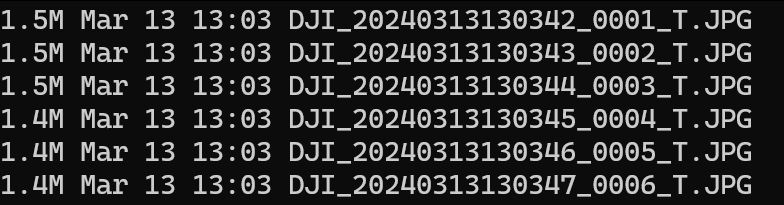
The DJI 3T uses the H20T camera, producing thermal and RGB-images. The default output files look like this (“T” for thermal):
Sadly DJI uses some proprietary bs thermal-data-fomat, as other users in the exifforum (DJI H20T thermal radiometric jpeg file) have noted too, see (it’s contained in the binary data):

Thankfully another user has solved the issue of converting the binary data to an array of thermal values, found his repo on github: GitHub - SanNianYiSi/thermal_parser: FLIR/DJI IR Camera Data Parser, Python Version
It still needs the proprietary DJI-SDK for converting the data though which can be found here: DJI Thermal SDK - Download Center - DJI
Using the github repo I wrote a super simple script which converts all the images in the folder in which the script is run to 32-bit .tif-files with proper thermal data. It will place the processed images in a subfolder called “processed”.
# conv_script.py
import glob
import numpy as np
# the thermal.py script from https://github.com/SanNianYiSi/thermal_parser/blob/master/thermal_parser/thermal.py needs to be in the same folder as this script
from thermal import Thermal
import tifffile as tiff
from tqdm import tqdm

# path to the DJI SDK /bin folder
directory='/path/to/proprietary/dji_thermal_sdk_v1.4_20220929/utility/bin'

# you gotta adjust the paths to the libdirp-library according to your linux distro, for Arch it is:
thermal = Thermal(
    dirp_filename=directory + '/linux/release_x64/libdirp.so',
    dirp_sub_filename=directory + '/linux/release_x64/libv_dirp.so',
    iirp_filename=directory + '/linux/release_x64/libv_iirp.so',
    exif_filename=None,
    dtype=np.float32,
)

# use only thermal jpegs in the current folder
jpegnames = glob.glob('./*_T.JPG')

# create a nice progress bar in the terminal, since it might take a while to process
with tqdm(total=len(jpegnames)) as pbar:
    for fname in jpegnames:
        temperature = thermal.parse_dirp2(image_filename=fname)
        assert isinstance(temperature, np.ndarray)
        tiff.imwrite('./processed/'+fname[:-4]+'.tif', temperature)
        pbar.update(1)
This will create a set of untagged .tif-images, missing GPS and all other info of the cam/drone. So we copy the tags from the original JPG-files to the .tif-files with (run in the directory with the original files inside:
exiftool -overwrite_original -tagsfromfile ./%f.JPG -all:all ./processed/
For ease of use I wrote a sloppy bash script to run both the converter and tag copy commands:
#!/usr/bin/env bash

echo "Now converting thermal jpegs to .tif!"
mkdir ./processed
python conv_script.py
echo "Copying tags to created .tifs, please be patient..."
sleep 5
exiftool -overwrite_original -tagsfromfile ./%f.JPG -all:all ./processed/
echo "Done!"
sleep 5
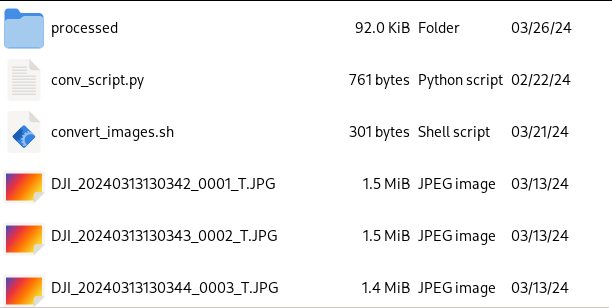
The file structure in the folder in which the script is run should look like this (thermal.py is at the bottom of the folder):
The solution is not exactly pretty but works for me at least. 