There are two issues which I am facing right now:
- Issue 1: Glass & Specular Surfaces are coming as Holes and Void, tried every possible parameters but its not worth considering, whereas I generated the same with Agisoft Metashape pro and it seems to be well generated, I know it’s a paid tool but with ODM I am not able to come even close to the output generated by Metashape.
In this folder we have both the outputs(Output-by-ODM and Output-by-Agisoft) in video format.
- Issue 2: I am converting the 3d_tiles into 3TZ format and visualizing it on cesium, but the hierarchy of LOD generated by ODM is not as clean as compared to Agosoft.
In Agisoft 3TZ - It seems to contain a somewhat clean LOD hierarchy. The largest tile content has only 264KB. While moving around with debugShowBoundingVolume enabled, it looks like it is cleanly and sensibly refining.
In ODM 3TZ - Each LOD contains the same number of tiles. Apparently that tool just generates 16 tiles with a fixed structure, and the LOD levels only consist of different levels of detail for these exact tiles and this is causing flickering issues(check the video in above folder link ) in cesium due to largest content/b3dm is of whopping 50MB.
In this folder we have both the 3TZ outputs.
Kindly please help me to fix both of the issues,
Thank you so much.
Can you share your processing parameters (the ones that differ from default, if applicable)? Specular surfaces are a real challenge for photogrammetry, but it’s useful to know what you’ve tried so far in the parameter tuning.
Thanks for sharing the example data and outputs. That’s always helpful.
docker run -ti --rm -v /home/3D-Dataset/ESRI-campus:/datasets/ESRI-campus   opendronemap/odm --project-path /datasets ESRI-campus \  --max-concurrency 16 \
  --feature-quality high \
  --min-num-features 16000 \
  --matcher-type flann \
  --matcher-neighbors 0 \
  --use-hybrid-bundle-adjustment \
  --pc-quality high \
  --pc-filter 2.5 \
  --pc-rectify \
  --pc-classify \
  --mesh-octree-depth 11 \
  --mesh-size 800000 \
  --auto-boundary \
  --dsm \
This one is the actual command for which I have shared the output but I have tried different commands as well and output was nearly similar just the difference in the quality
Option 1-
docker run -ti --rm -v /home/3D-Dataset/ESRI-campus:/datasets/ESRI-campus opendronemap/odm --project-path /datasets ESRI-campus --use-3dmesh --mesh-octree-depth 10 --mesh-size 400000 --pc-quality high --pc-filter 1.5 --feature-quality high --min-num-features 12000 --matcher-neighbors 12 --auto-boundary --dsm --dtm --dem-resolution 2 --3d-tiles
Option 2 -
docker run -ti --rm \
  -v /home/3D-Dataset/ATC-tower:/datasets/ATC-tower \
  opendronemap/odm \
  --project-path /datasets ATC-tower \
  --use-3dmesh \
  --mesh-octree-depth 12 \
  --mesh-size 300000 \
  --pc-quality high \
  --feature-quality high \
  --min-num-features 12000 \
  --dsm --dtm \
  --crop 2 \
  --auto-boundary \
  --texturing-single-material \
  --3d-tiles
Option 3 -
docker run -ti --rm -v /path/to/dataset/data opendronemap/odm --project-path /datasets ESRI-campus --use-3dmesh --mesh-octree-depth 12 --mesh-size 600000 --pc-quality high --pc-filter 2 --feature-quality ultra --min-num-features 16000 --matcher-neighbors 12 --texturing-keep-unseen-faces --dsm --dtm --dem-resolution 2 --crop 3 --auto-boundary --3d-tiles
If you have the better command to generate the output, you can send me I will try that on my dataset and will send you the output.
Also for Issue 2, I used this to wrap into 3TZ
3d-tiles-tools convert -i tiles_yup/tileset.json -o atc_yup.3tz
Hi Kushal,
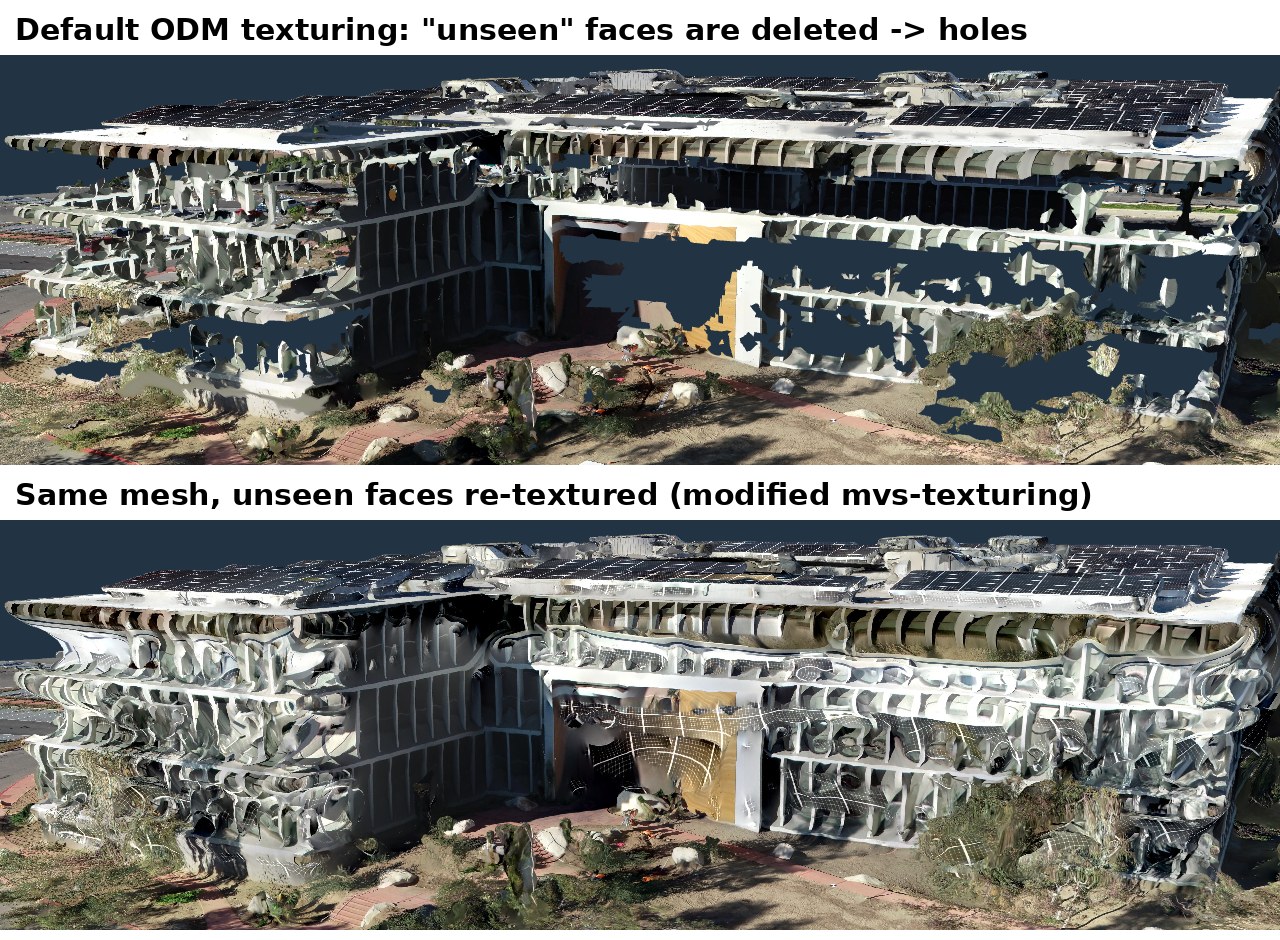
we processed the Esri Redlands Building E dataset with your main command (plus a modified texturing step on our side). You can look at the result here:
Why the glass areas come out as holes: the mesh itself is closed. The texturing step (mvs-texturing) then deletes every face it considers “unseen”. On this dataset that was ~430,000 of 1.4 million faces of the 3D mesh. The reasons: the geometry behind the glass faces inwards, the viewing angles are very steep, and window frames/fins block the view. With stock ODM you can keep these faces with --texturing-keep-unseen-faces; the holes close, but those areas get a flat filler colour. In our build, faces that would otherwise be deleted get a second, more lenient view selection, so the model has no holes:
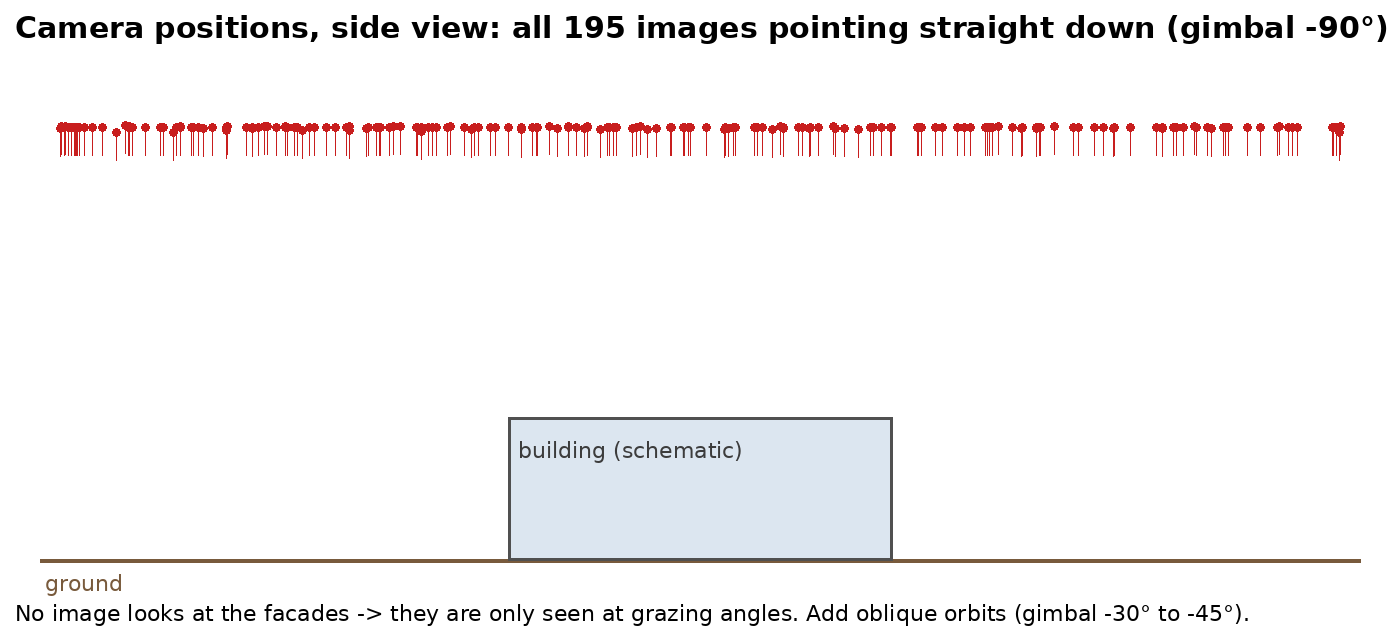
The real limitation is the data, though: all 195 images are nadir (gimbal pitch −90°). There is not a single oblique image, so the facades are only ever seen at grazing angles:
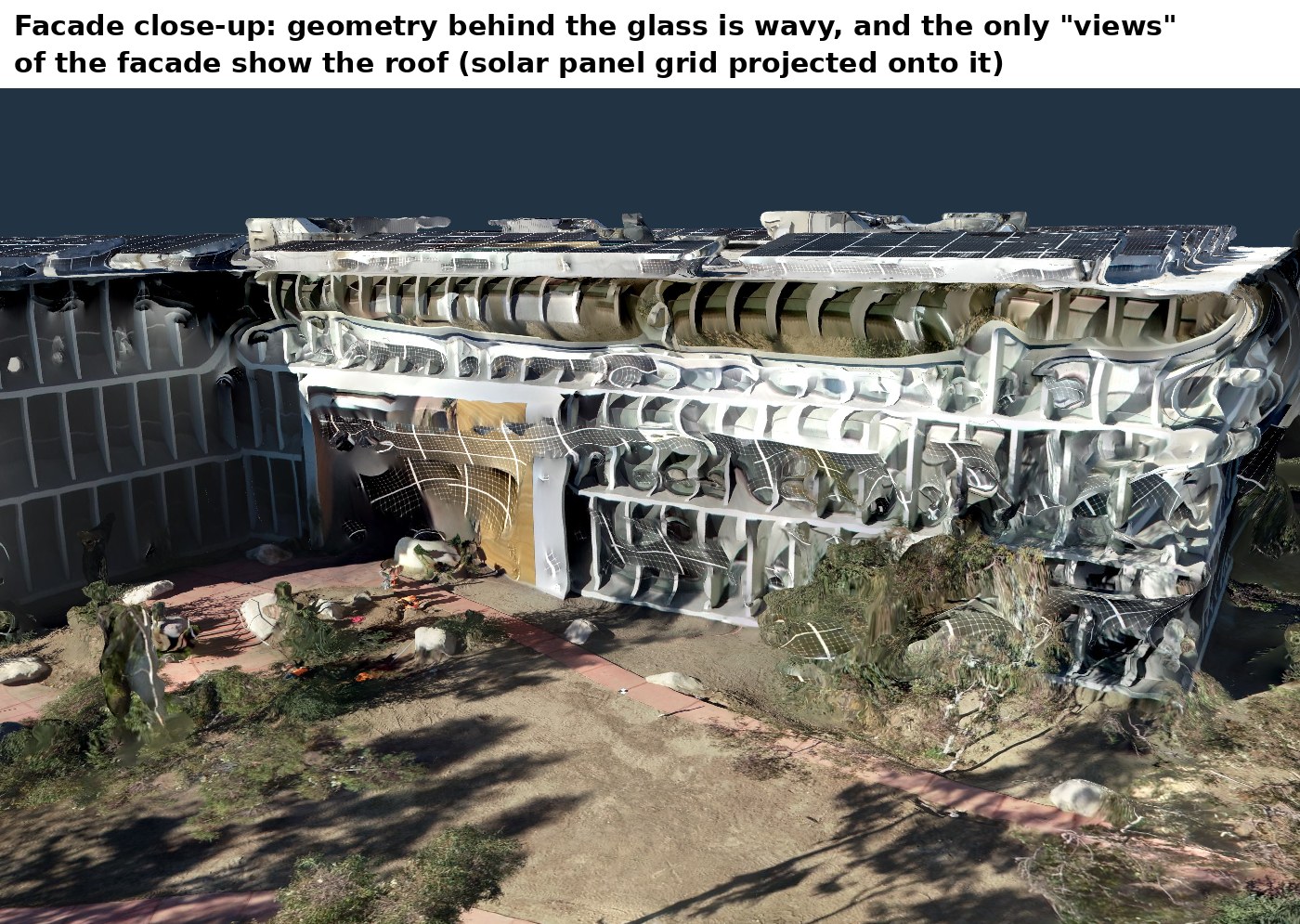
That is why the geometry behind the glass stays wavy (reflections and interior points end up in front of / behind the facade plane), and why the only “views” of the facade actually show the roof. In the close-up you can see the solar panel grid projected onto the facade:
No parameter change can fully fix that; other tools mostly smooth over it. For clean facades, please add oblique images:
- Orbits around the building at 2–3 heights, gimbal around −30° to −45°, an image every 5–10° of the circle
- optionally a facade pass closer to the building, gimbal −10° to −20°, 70–80 % overlap
- keep the nadir grid for the roof and the surroundings
- overcast weather (and a polarising filter, if available) helps a lot with glass because there are fewer reflections
With such data ODM produces much better geometry on glass facades. If you share a dataset with obliques, we are happy to run it again.
Best regards,
Maurice / Bitblade