Somewhat new WebODM and still learning the ropes. I’ve dug around the topic of optimizing resolution still have questions and remain unsure of several parameters.
I am trying to create the highest resolution ortho possible of a forest plot. I am using a 24-megapixel DSLR sensor below 400ft AGL so the GSD is below 1cm. I need to maintain the highest resolution possible for stand classification.
Currently, I have pc-quality and feature quality set to high and left orthophoto resolution blank so that it takes the highest possible GSD available. I’ve disabled 3-D modeling, but the processing time is over 70 hours. I’m running this on 32GB of RAM so the project doesn’t run out of memory, but I’m underpowered computationally. The fast orthomosaic preset works, but the default resolution is 5 cm.
Again, starting with the Fast orthomosaic preset, I’ve left the resolution blank and changed the feature and pc quality to high. Are there any other parameters I should turn on or off that could improve processing time?
Unfortunately it sounds like you are kinda stuck in the middle of lower end amount of ram and wanting a highly detailed orthophoto. with that camera and using high/high 32gb of ram (depending on image count) is going to be on the low end of ram requirements. Likely your machine is using lots of virtual ram to process hence the 70 hours.
with systems with sufficient ram feature-quality: high and pc-quality: high is typically all you need to get a high resolution orthophoto. There is usually no noticeable difference between ultra and high when the images are of high quality and besides using ultra/ultra uses magnitudes more resources than that of high/high.
as far as settings goes when attempting to achieve the lowest GSD possible, setting orthophoto resolution to .1 feature-quality: high and pc-quality: high with ensure odm will attempt the highest resolution possible with the data given.
Matcher neighbors: 8
Pc quality: medium (cuts dense reconstruction time to a 4th of the time in my experience)
Skip 3D model
This are the biggest ones for me to help improve processing time to just get an ortho. How many cores/threads does your cpu have and do you have a gpu?
How much ram and whats the clock speed of your cpu? If it has 14 cores I’m assuming a decent amount of ram and clock speed so you should get decent performance out of it.
So I set up an AWS instance running docker compose. It took a little under a 2hrs to process with 128GB ram and 8vCPUs. Eventually, we will switch over to Lighthing for simplicity and cost.
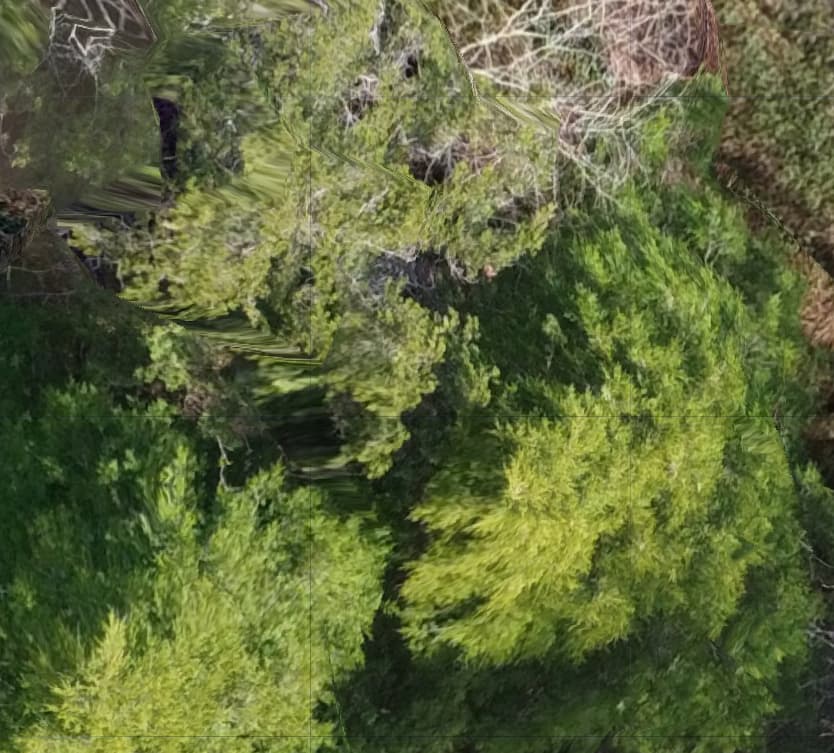
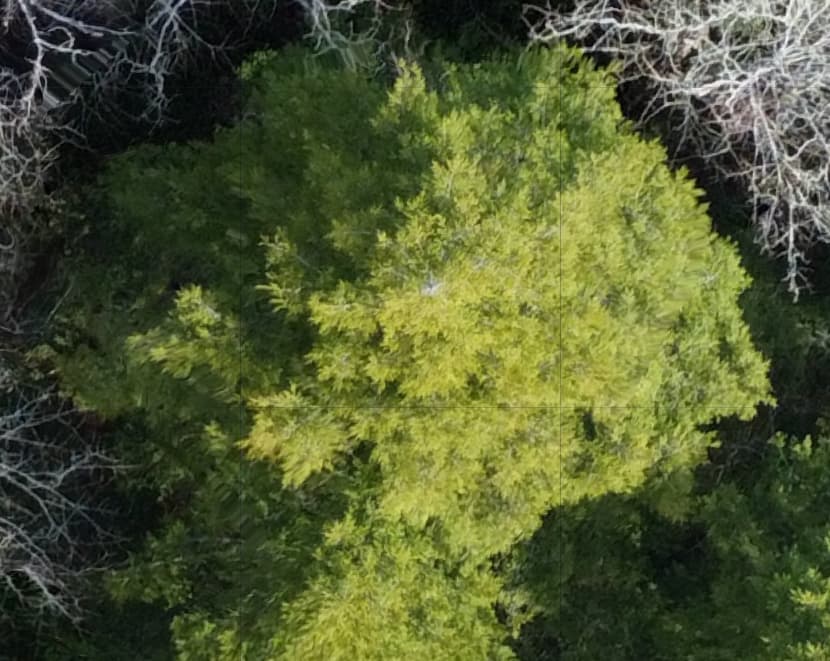
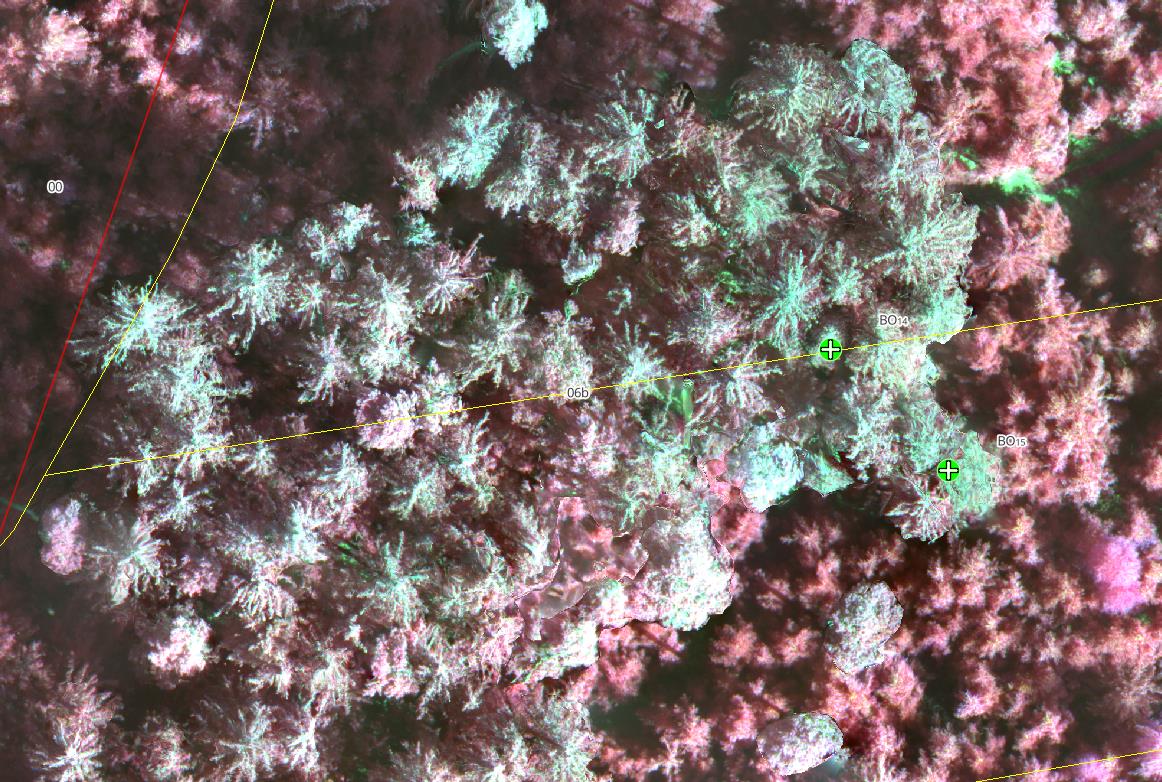
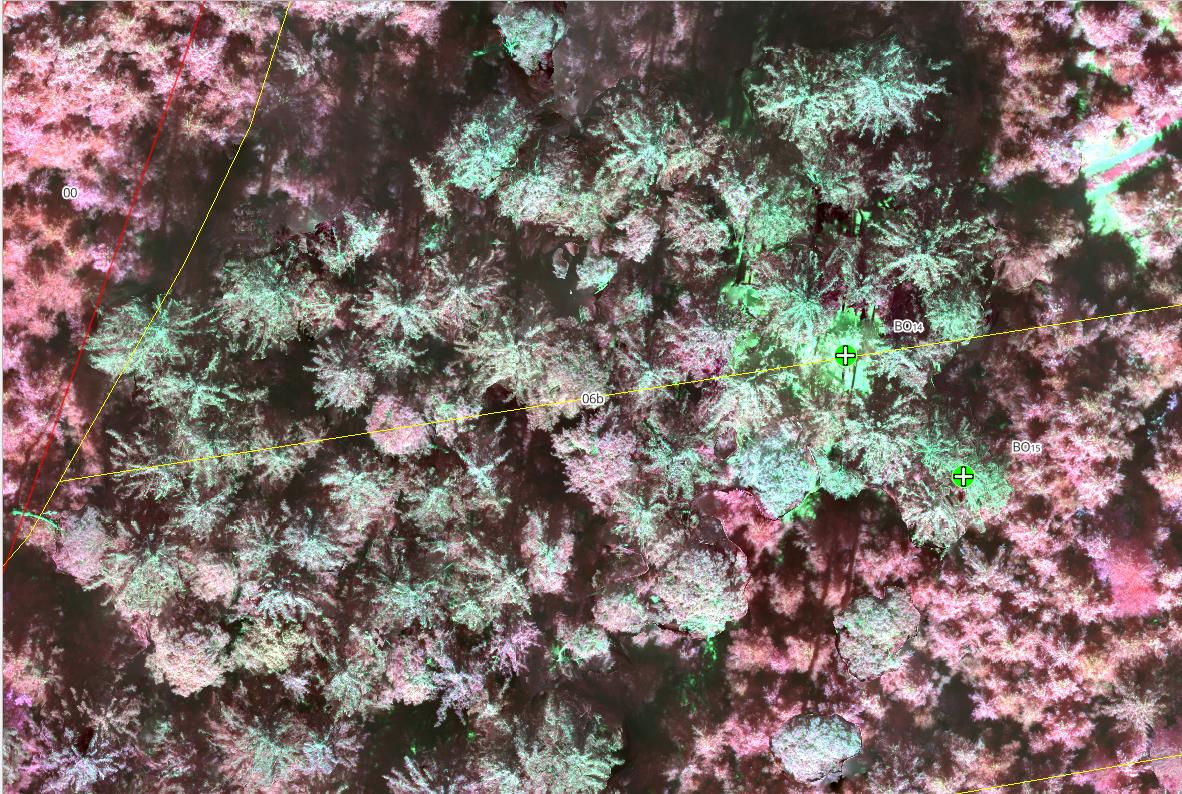
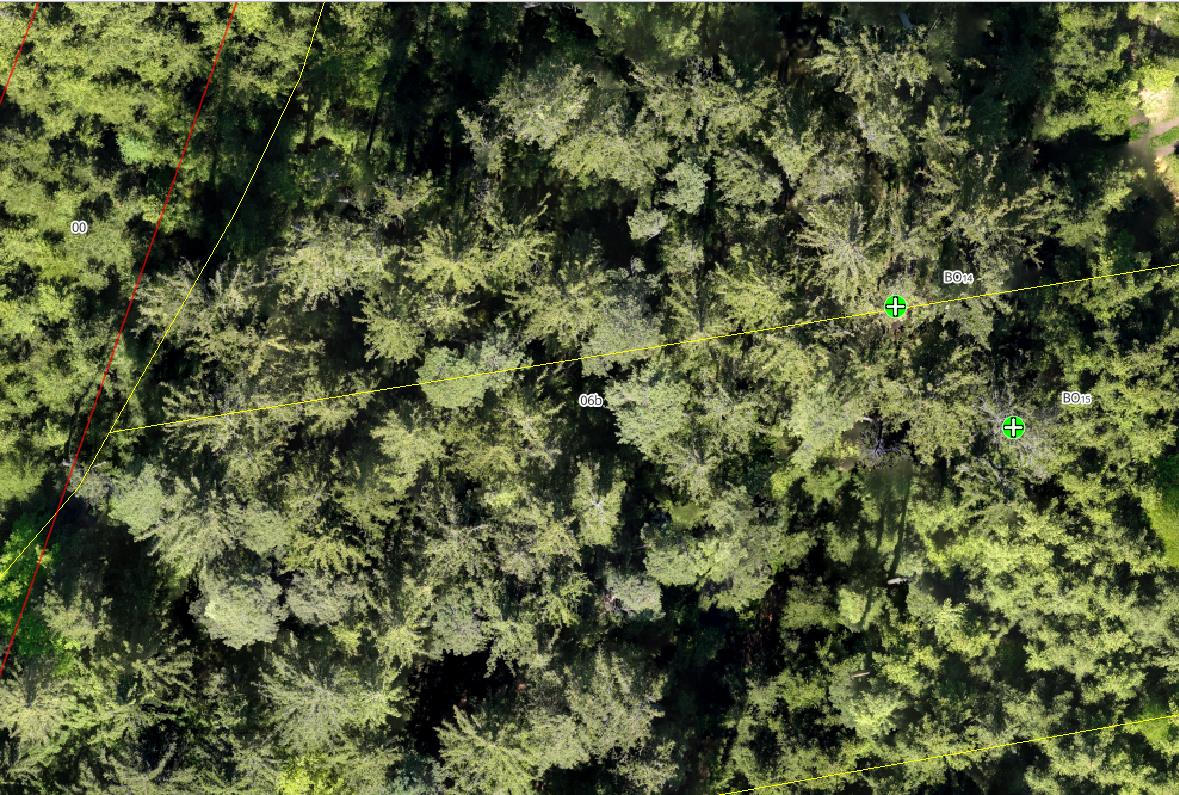
Most of the orthomosaic is flawless. It’s truly remarkable how the program can restruct the canopy on such a fine scale. I do notice, however, that in some areas (particularly around the edges) there is still distortion that looks as though the nodes are trying to produce a 3-D mode even though I checked "skip 3-D model and left all other 3-D related parameters unchecked (please see the attached screenshots):
I notice most of the distortion is around the outer edges of the orthomosaic which is slightly higher in elevation (maybe 40% of the ortho shows this distortion).
My first question: does this look like the model is still using 3-D reconstruction or is this distortion caused by something else?
Second: Is there any fix for this or is this just to be expected at this scale? I also have feature-type set to dspsift and sfm-algorithim = incremental as the default…I have no idea what those do.
Any thoughts? Thanks in advance. I’ve been very impressed by the support this community has offered.
For reference, the distortion is not present anywhere on the ortho if I process it using the fast orthomosaic preset. My overlap is very high (90/85) and the elevation change is no more than 20m across the terrain
your overlap is from ground elevation or from tree canopy elevation? If from ground elevation then your overlap over the forested areas will be less.
Normally when I have a forested area to map, I will do multiple passes at a 20 deg difference and calculate overlap based on tree canopy elevation instead of ground elevation.
Makes sense. Again the solution for you has been to add another pass at 20 degrees difference adjacent to the first pass and to calculate overlap based on canopy height, yah? Thats a lot of photos
You can also try with a different feature matching algorithm. Orb and hahog or sift instead of dspsift and increase the min number features parameter to see if that helps. Forested areas are difficult to say the least.
Also for the 20 deg difference in flight directions i also use a gimbal angle of 80 deg.
Interesting question. I´m also a beginner in drone photogrammetrie and WebODM. I will take pictures for check the health of my forest area. Lets talk about 30-50ha. With a double grid of 20 degree different flightangle, it would be take a long time to capture and also for postprocessing. What will I need: a RGB ortho, DSM/DTM tiff, and perhaps a LAZ-pointcloud file to calculate canopy height (ok, this will also be possible with DSM/DTM). I capture my forest with a DJI Mavic 3 M (multispectral). So it will take 1+4 pictures.
I don´t understand all these settings in WebODM. I do my tests with Highres and multispectral preset, change some parameter like orthophoto-resolution, skip 3d model:true, feature-quality/pc-quality to ultra.
I´ve also the same problem: GSD from Ground around 2-2,8 in RGB and 4-5,5 in Multispectral. My relevant trees are between 2m and 37m.
Sometimes I check a different calculation with a flight in 70m and 100m over Ground while missing a tree. In my calculation there is a 30m tree in a single area. all trees around are 10-15m. This tree is missing in 100m, in 70m it is a distroid pixel
I did a small test:
I´ve notice, that the fast-ortho processing will shift my path in forest. artefacts are still there, but less in fast-ortho. It´s really hard to find a correct preset for forestry. I need these correct informations, because I will find sick trees with my RTK handhold device after analyse the drone images.
From Piero Toffanin´s book “The missing Guide” I found a tip:
Fly at Different Elevations and Capture Multiple Angles
ODM can produce more accurate results when you capture images from different
elevations, using both nadir (straight down) and non-nadir (at an angle) images. A
cross pattern flown at two different altitudes with varying angles is much better
than a single nadir-only pattern. When capturing angled images, be careful to set a
value that avoids the horizon! Capturing the horizon can deteriorate results instead
of improving them.
More overlap increases the number of features that can be matched across images. Side overlap is more important than front overlap, so increase side overlap first, then increase front overlap.
and also a feedback from Saijin_Naib::
Now I´m a little bit confused. I thought I should more frontal overlaps as side overlaps. Here he descripe its better to have more side overlap. In my case I did 85/90 overlaps. This means, I should take more side as frontal: 90/85%.
I will plan a test over my forest next days. Actually I´ve planned a flight with 110m terrain follow altitude and 85side/90front overlaps, 90 degree nadir. A second fly also at 110m with a 20 degree rotation in flightlines, 70/80% overlap and 85degree gimbal (not nadir).
So before I do this:
should I reduce the height of the second flight?
Overlaps 85/90 and 80/70 (more side as frontal)
Gimbal at second run 85degree ok, or better 80degree or 60 degree?
I will produce a high quality forestry orthophoto with additional multispectral pictures from a Mavic 3 M.
Last days I took a large number of images (and time) for a forestry drone flight session. I end up at 90m above ground with terrain follow (from ground, not DSM). side overlap 85%, frontal overlap 90%, 4m/s speed, nadir gimbal, taken on midday, DJI Mavic 3 M (M-focus, 1/1000s).
Now I´ve processed all my pictures with a standard config like:
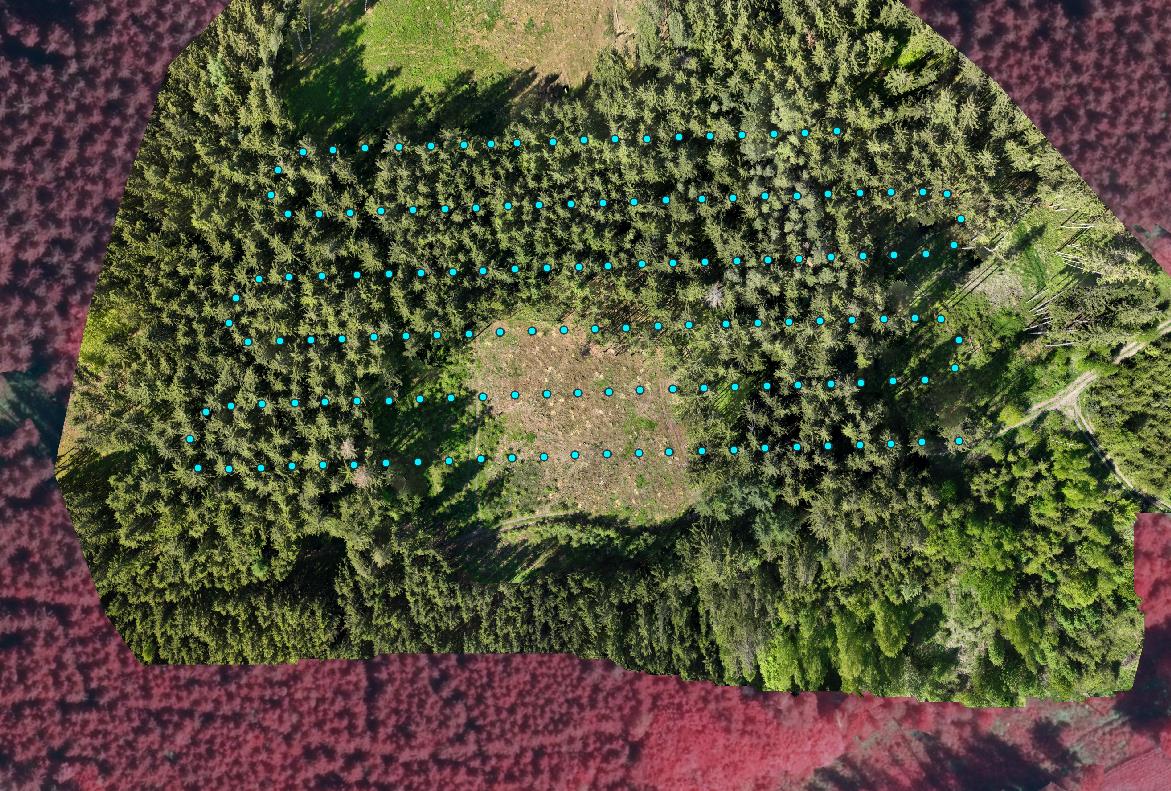
I´ve create 9 flights and 9 processed orthophotos and multispectral photos now. There are always artefacts on my trees. Now I´ve test an little are with different configs. The artefacts are still there. A second flight with 20degree and non nadir would be fine, but it takes to long to flight and process. I will do this periodically all six month now.
It is for forestry health control (bark beetles).
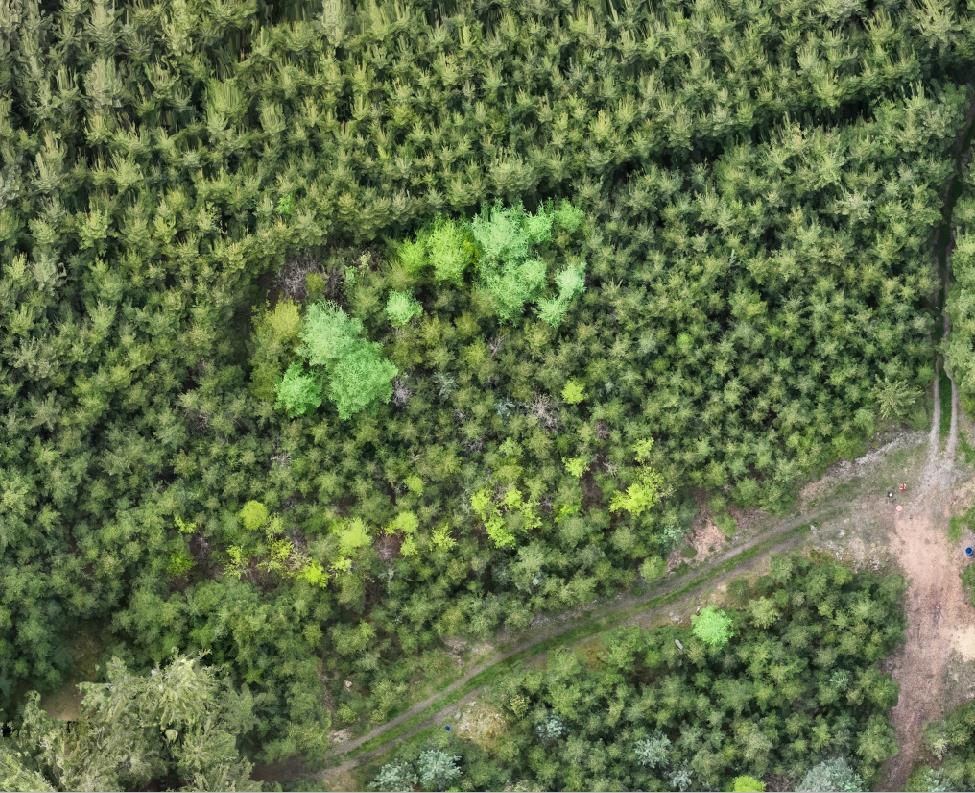
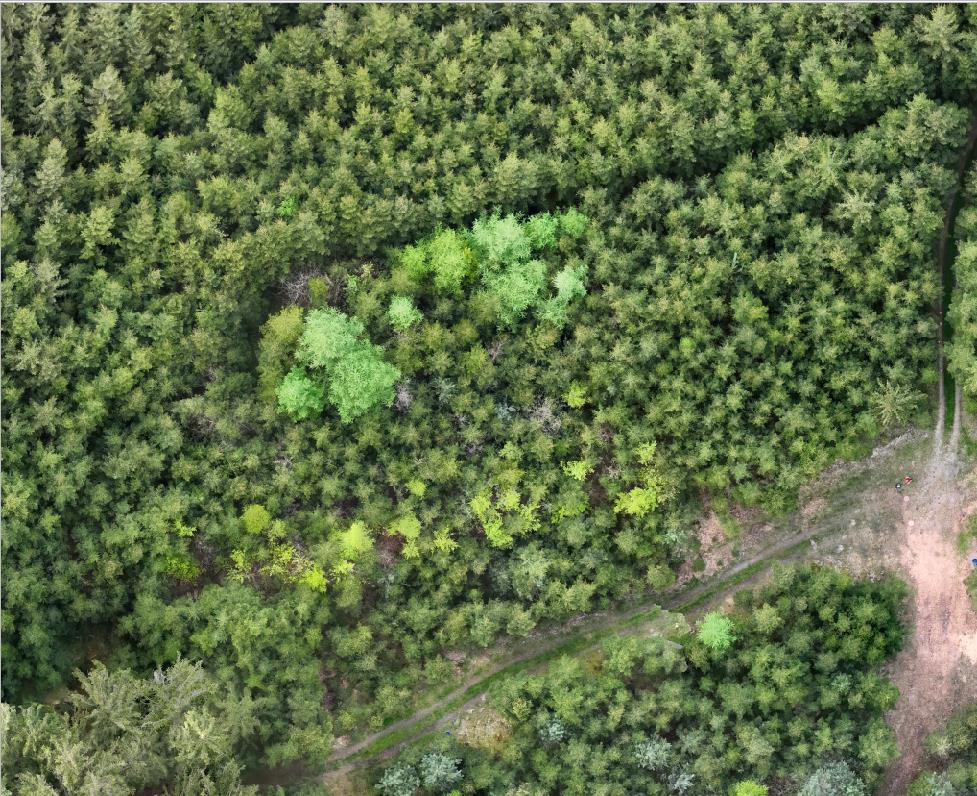
An additional question to all forestry specialists here:
the cyan trees are ill or with bark beetles? When I take a look on real live in forest, there are no signs. Any solution/idea?