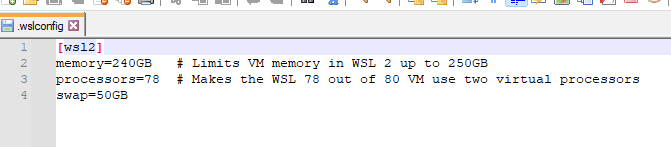
I struggled thru installing Git (so many questions to answer) and Desktop Docker and am able to run WedODM jobs but I can’t get Docker to use both of my CPUs. I have dual 20 core (so 80 threads in total) cpus and edits to “.wslconfig” are read (I know because I change the memory) and take effect but only up to one cpu. Lots of searching seems to indicate that I need to issue a --cpus parameter on the command line that starts the Docker container but so far I’m not sure in which file that resides.
Thanks for doing the research and checking that out Saijin. Docker and WSL were out of my realm of experience until last night. With the exception of my laptop, all my machines are dual cpu so taking a 50% processing power hit is out of the question for these big jobs. So for my machines it looks like I need to be running Docker on Linux or a Native Windows install to be using all the CPUs and cores.
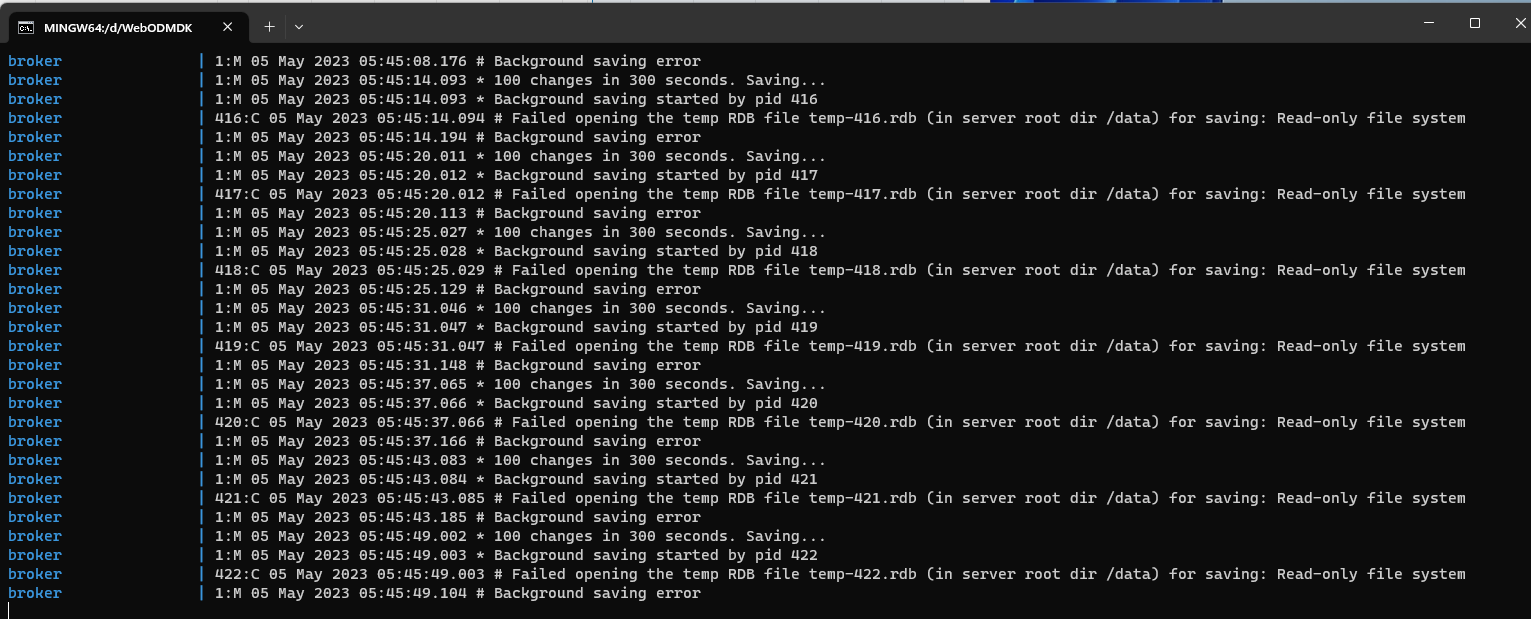
I did encounter another issue with this Docker on Windows testing shown in the capture below.
Looks like the root drive (c:) disk space is just about all consumed so it appears to be a lack of space issue.