Thanks Piero! I may have made a small bit of progress … looks promising so far. 
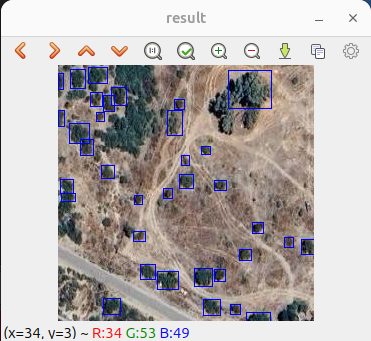
4 Likes
Started adding semantic segmentation support (buildings in this case):
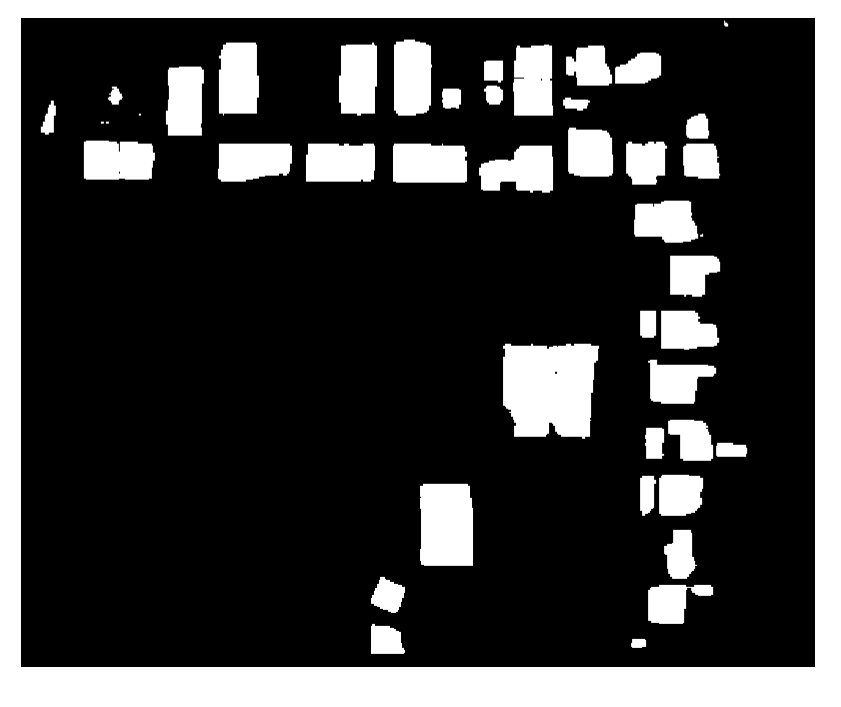
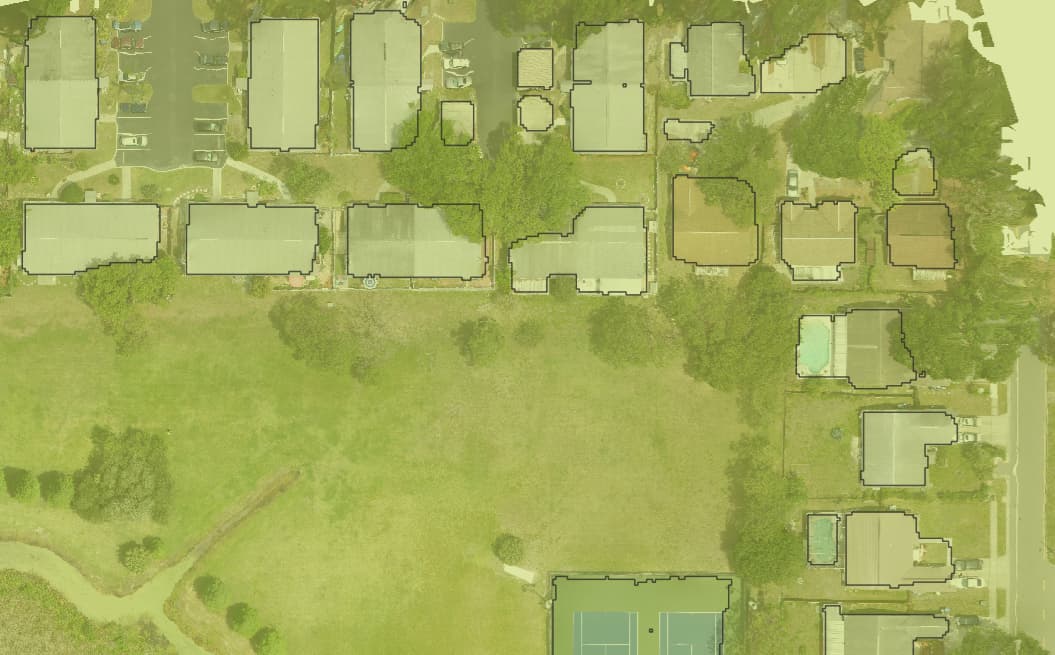
Hoping to get this ready and available in a few days.
8 Likes
Music to my ears.
1 Like
Semantic segmentation now working: GitHub - uav4geo/GeoDeep: Free and open source library for AI object detection and semantic segmentation in geospatial rasters. 🚀
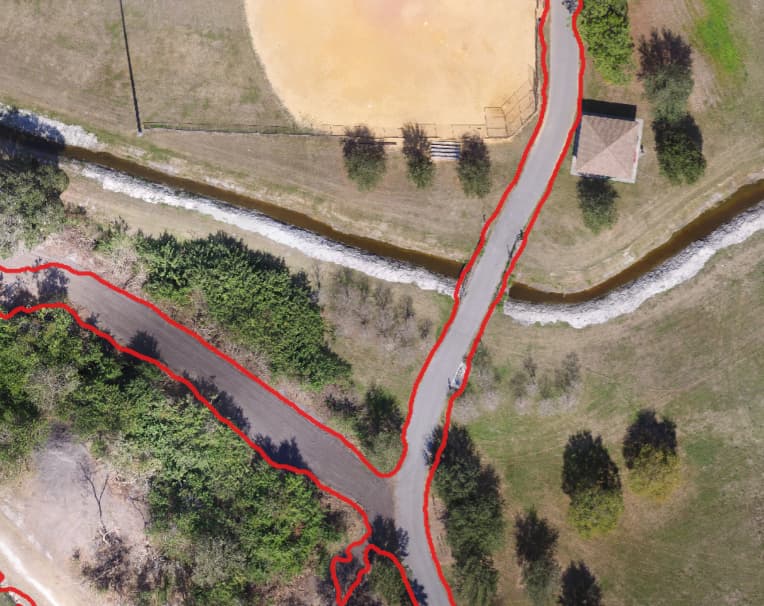
geodeep orthophoto.tif roads
10 Likes
Looks like a mention of it here:
2 Likes
Would anyone find it useful to have a model that can detect utility locator markings (811)? Im currently working on annotating images to create a model for that right now.
5 Likes
If you have a use for it, someone else in our (wider) Community surely will, so if you can spare the bandwidth, please do!
5 Likes
I’m having an issue right now converting my yolov8 model to an onnx format. Onnx and onnxsim didn’t install when I installed geodeep or ultralytics and pip is having issues installing onnxsim. Does anyone have any ideas as to how I could fix this or could I give the yolov8 model to someone else to convert?
1 Like
Try a different Python version? I used 3.11.5 on my machine.
1 Like
It’s always the simplest solutions… I removed python entirely and started a fresh with 3.11.5.
I also installed cmake as it seems the install didn’t want to move forward without that.
If anyone is interested, I can open the pull request to have this one added, but for practical use it’s not perfect 100% right now and I’m going to do some more training and tweaking on this model.

8 Likes
This is a brilliant use case and fantastic addition.
4 Likes
Agree, what a cool use case!
I’ve just added your model to GeoDeep with ID: utilities
pip install -U geodeep && geodeep [orthophoto] utilities
If you need to update it in the future, feel free to open a PR on huggingface; I’ve named the model file utilities-811-yolo8.onnx
4 Likes
Thank you, Piero!
2 Likes
Is there any chance the other modules can be made accessible from the 2D map viewer please? I’m particularly interested in identifying trees and birds, I’m trying to assess impacts of invasive trees, and also counting penguins! I don’t really have the brain space for delving into command lines, python, packages etc. Thanks.
I’m inclined to include in WebODM models that are a) Sufficiently fast/lightweight and b) Produce acceptable results.
The current tree/bird models are neither, so I’m not planning to include them in WebODM. You can of course make a few changes to the objdetect plugin and bring them in.
Or just use GeoDeep as a standalone application via command line.
1 Like
I trained a new model and noticed the results had not changed much. However, when I raised the GSD from 3 to 5, it managed to identify more objects than before. What’s the recommended resolution relative to the GSD of my projects that I should be using when running a model?
2 Likes
Start with the resolution of the model set to the average GSD of your training data. But this is machine learning, so the real answer is, guess, test, measure, tweak, repeat.
3 Likes
hi, i started to train my own yolo model for object detection. So now I’d like to use it in the WebODM obj detection plugin. Whats the right way to get my yolo → onnx model in the my WebODM integrated? Thanks!
Anyone who can help me to integrate my yolo model in the objdetect plugin?
THX
If you trained a model (for detecting what?), share it ( GitHub - uav4geo/GeoDeep: Free and open source library for AI object detection and semantic segmentation in geospatial rasters. 🚀 ) and we could add it into WebODM if it works well!
2 Likes