Just curious I’ve been experimenting with a map I made and I wanted to see how the contour feature would come out. Everything came out nice expect when I click on a line the elevation will read in negative numbers. Its identifying hills areas but its not reading a correct topo. For example highest part of the hill reads -30m while the bottom is reading -37m . According to a local topo map the top part of the hill should be at 150 Feet which is about 48m.
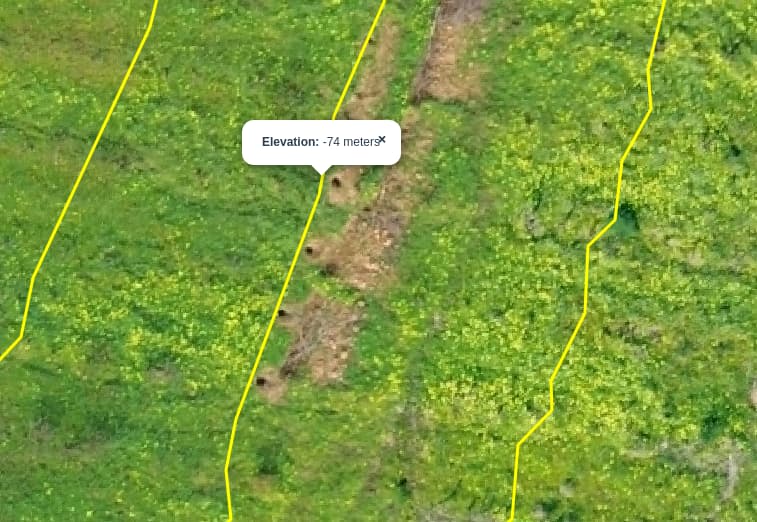
Usually this happens when the elevation data for the drone isn’t really elevation data. What is your drone, can you share the data you are trying, and what are your processing settings?
1 Like
On some apps (Litchi is one) the launch point is considered Ground Zero and all altitude settings are based on that starting altitude (not to be confused with MSL).
If a Litchi mission is launched from a hill and subsequent waypoints are downhill, the resulting altitude can (and do) result in negative elevations even though they are above ground.
Not sure if that’s the case in your situation, but I know that it happens.
What does the EXIF altitude data show for some of those images at that location?
1 Like
Not sure about what data you are refering to.
For webodm processing, used the following parameters:
auto-boundary: true, crop: 50, dsm: true, dtm: true, optimize-disk-space: true, pc-quality: high, tiles: true
I’m using a DJI Mini 3.
And “maps made easy” app for creating the mission.
Launch point as Ground Zero could explain negative heights…
Higher curve is still -56 meters. And mission is performed at 50m height… so it makes sense.
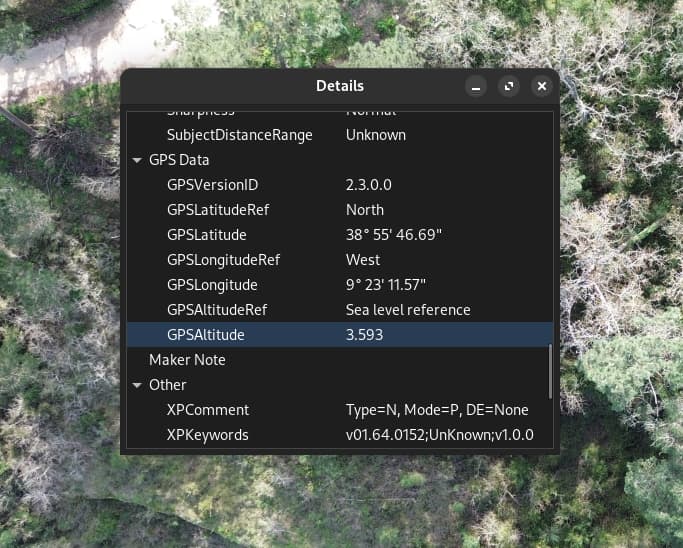
GSD data altitude on EXIF is 3.6 (meters?)… what makes no sense at all as Sea level reference.
So, for some reason, drone is not not saving real AMSL altitude…
(couldn’t edit previous post)
I checked the EXIF from other picture taken from standard DJI flight app… and altitude looks OK!
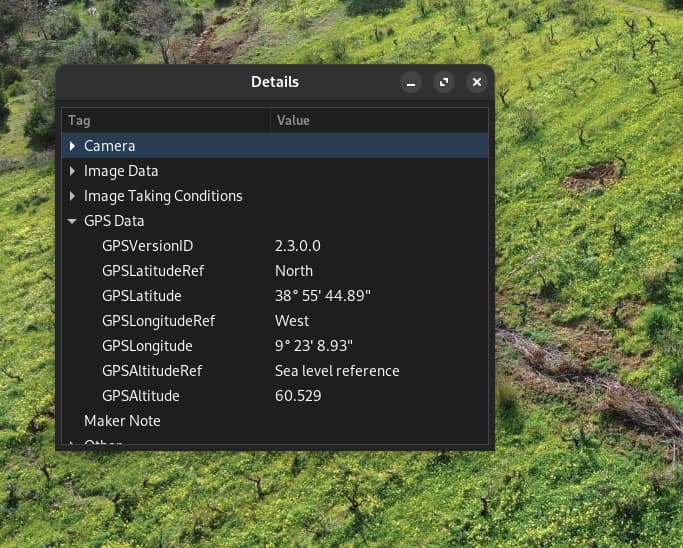
So, issue is related to “maps made easy” app or config.
I have had this happen with my DJI drones too. in the metadata is absolute altitude, gps altitude, relative altitude. In my experience I have had to adjust the metadata to get the contours to read the actual ground elevation. relative altitude will be your altitude the drone is above the ground while flying. gps and absolute will be equal and is supposed to the ground elevation before taking off, though that measurement whether it be from GPS or barometer is usually off by a lot.
You can exiftool to adjust the absolute altitude and relative altitude. ODM will subtract the relative altitude from absolute. but best is to use GCP’s if you have the means to do so.
2 Likes
This happened in my last mission.
For some reason EXIF data shows this 3 to 4m altitudes for all images, what makes no sense.
I understand GPS altitude is far from precise… but not like this.
Pictures I’ve taken after the mission, using standard DJI app looks ok (like 2nd example)
Meanwhile, I’ve checked older imagens from a previous mission, and altitudes are more realistic.
Hope to run this mission again e next few days and check if this only happens for pictures taken from map pilot pro.
I would suggest to do a sensor calibration on the Mini 3 since this occurred on your most recent mission. It might not help, but it sure cant hurt.
1 Like
Perhaps this article may help.
1 Like
Yes, and if you have the correct altitude in a different tag, you can reassign tag values as well, like I used to do with GPSDOP tags before we had better coverage:
exiftool "-tagYouWantValueAssignedTo<tagYouWantValueAssignedFrom" .
Just watch that dot at the end: it is, for good and for bad, the part of the command that makes it run on every image in your directory.
2 Likes