Is it posibble to optimize area coverage calculation?
For now it calculates area from whole rectangle but is not accurate, is it possible to exclude black area(transparent) from calculation?
For example to use corner points from point cloud as edge points of curved surface then calculate the surface area

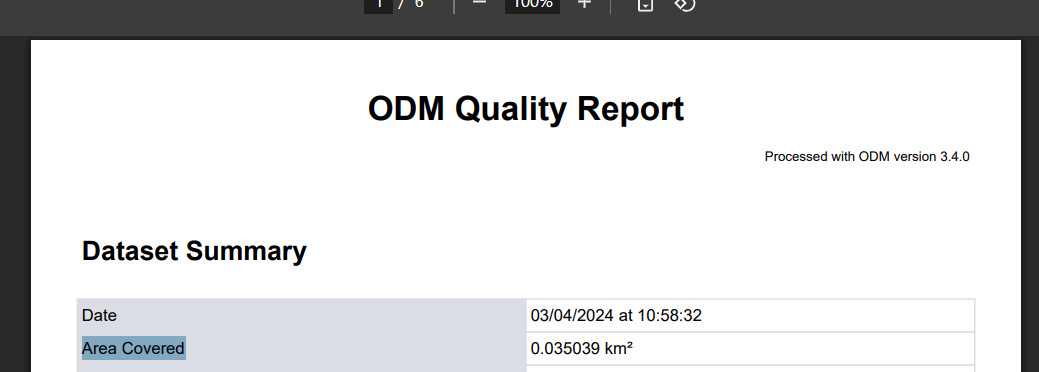
In my understanding, in your ODM Quality Report (PDF) you will see the item “Area Covered”, in my understanding that is the actual size of the mapping?
For example:
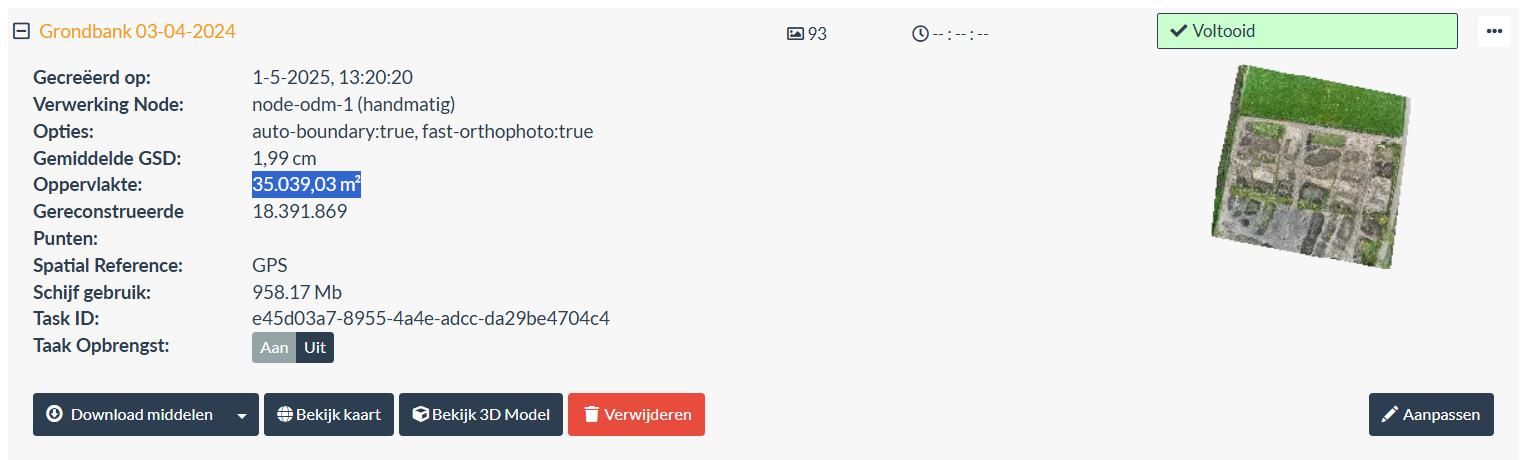
In the PDF:
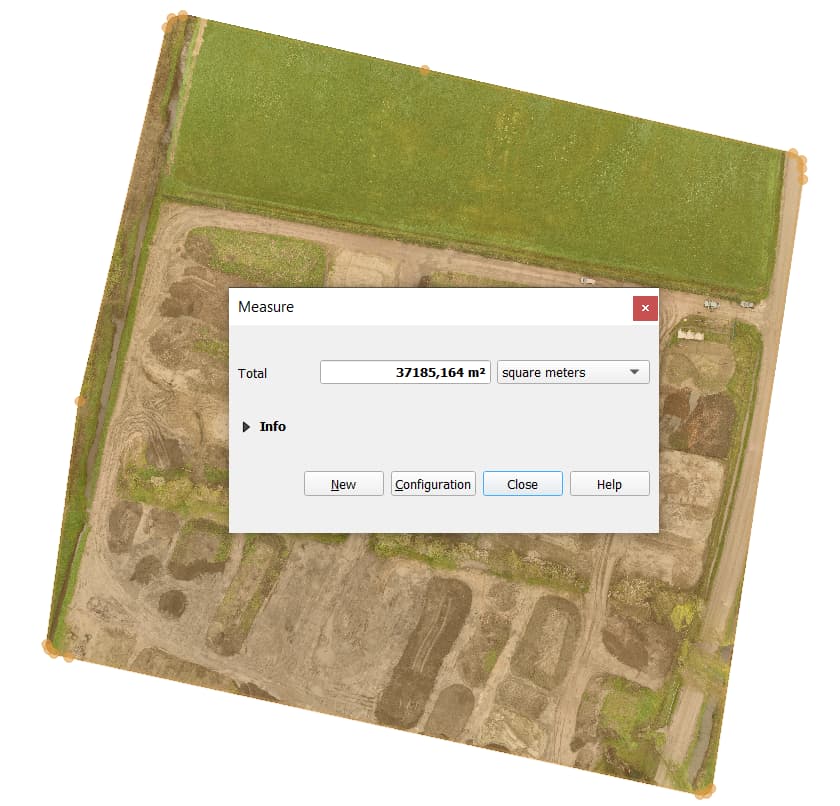
Manual Check in QGIS
A slight difference (that might be my quick area drawing)
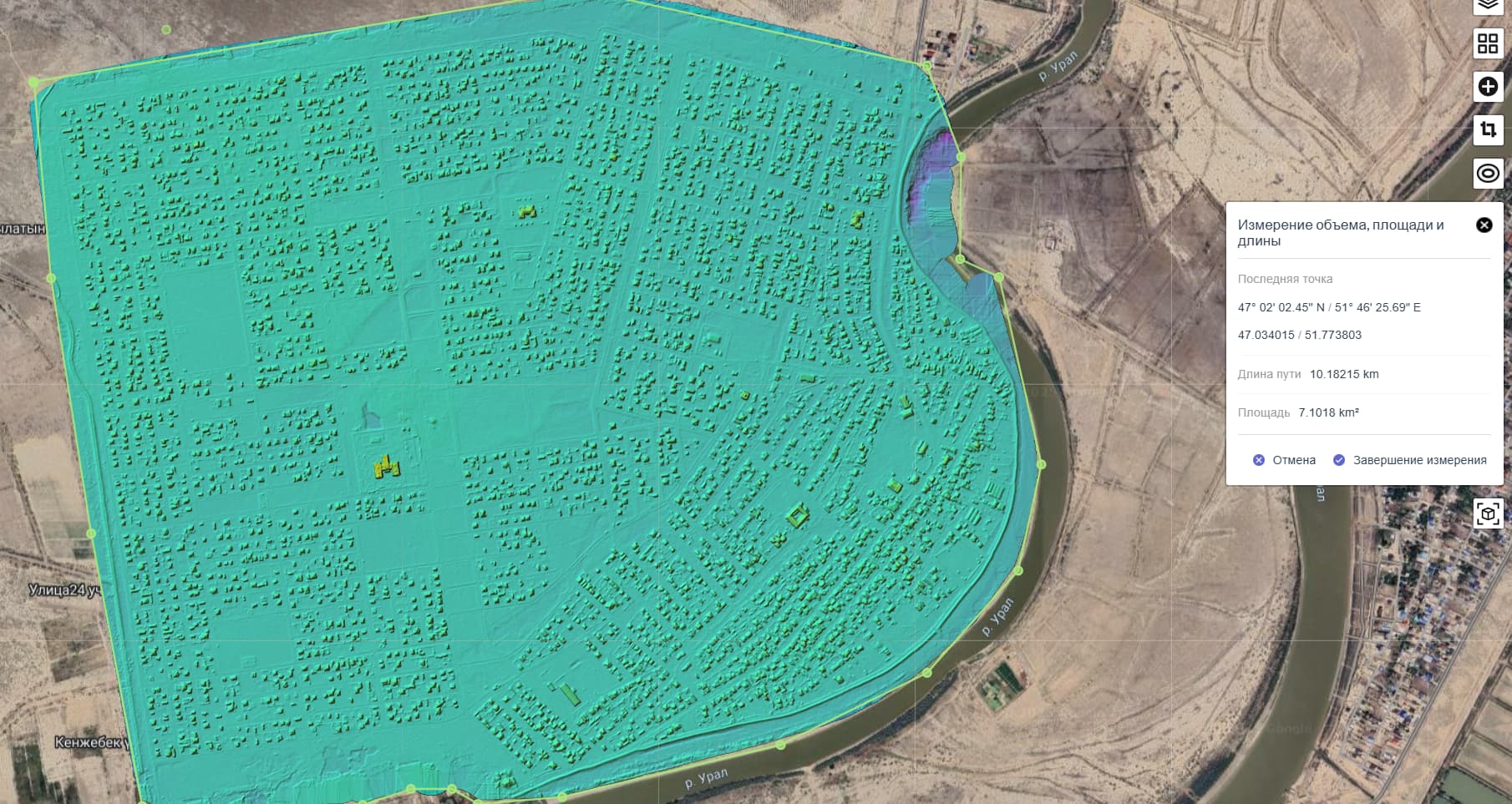
In all cases Area Covered is not size of actual mapping it is size of sqare that mapped area inscribed in. So actual size can be much lower that appear in report or in the project task, you can check it by included area tool on map in WebODM

This topic was automatically closed 30 days after the last reply. New replies are no longer allowed.