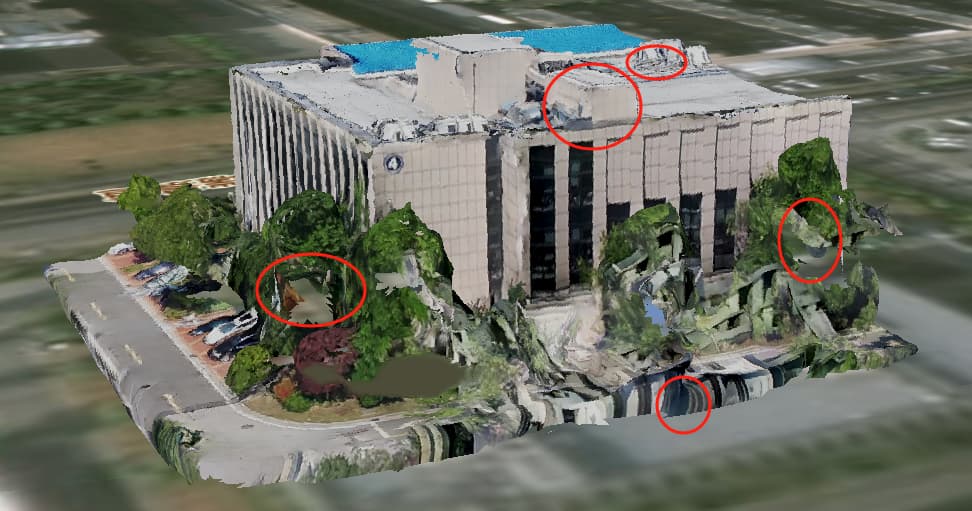
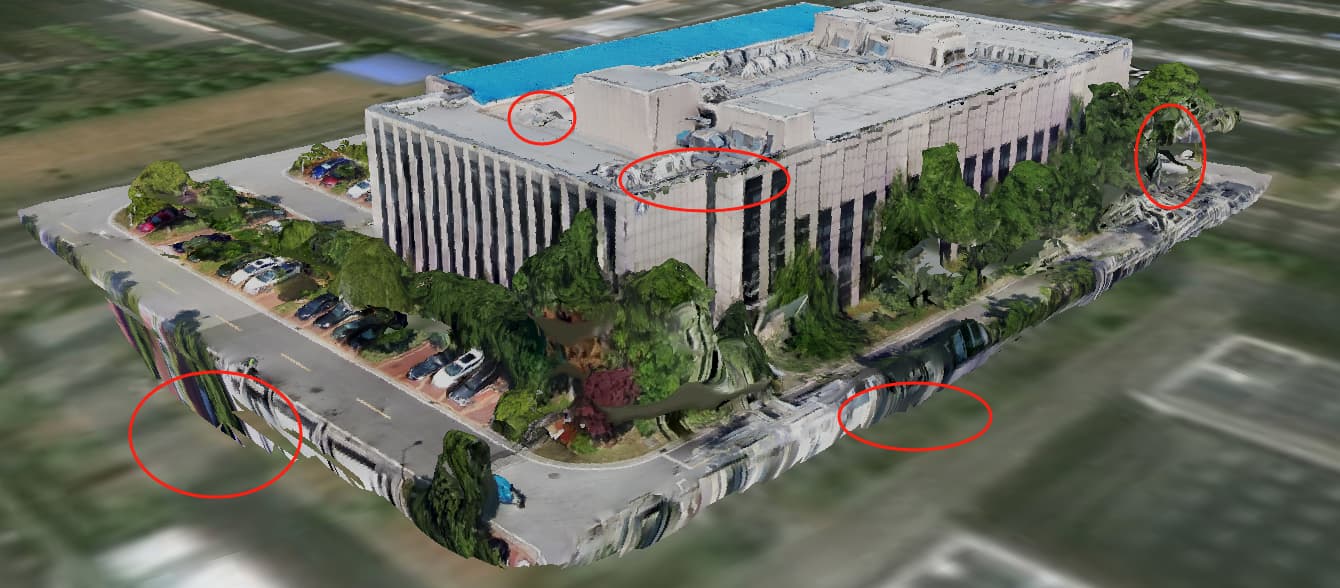
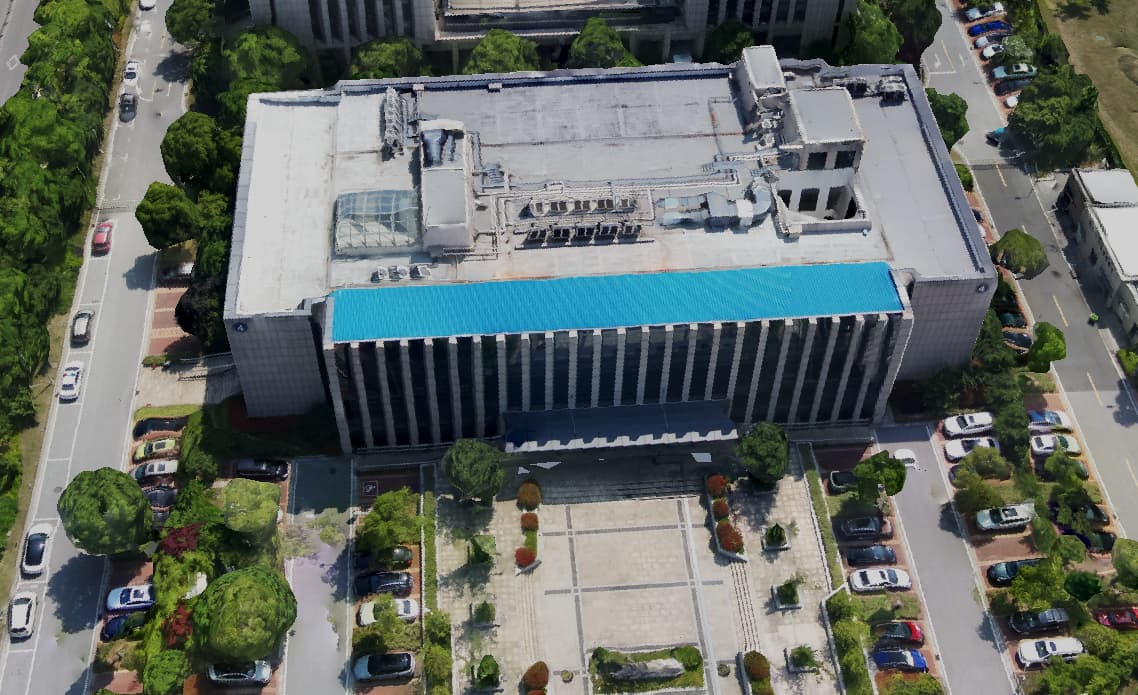
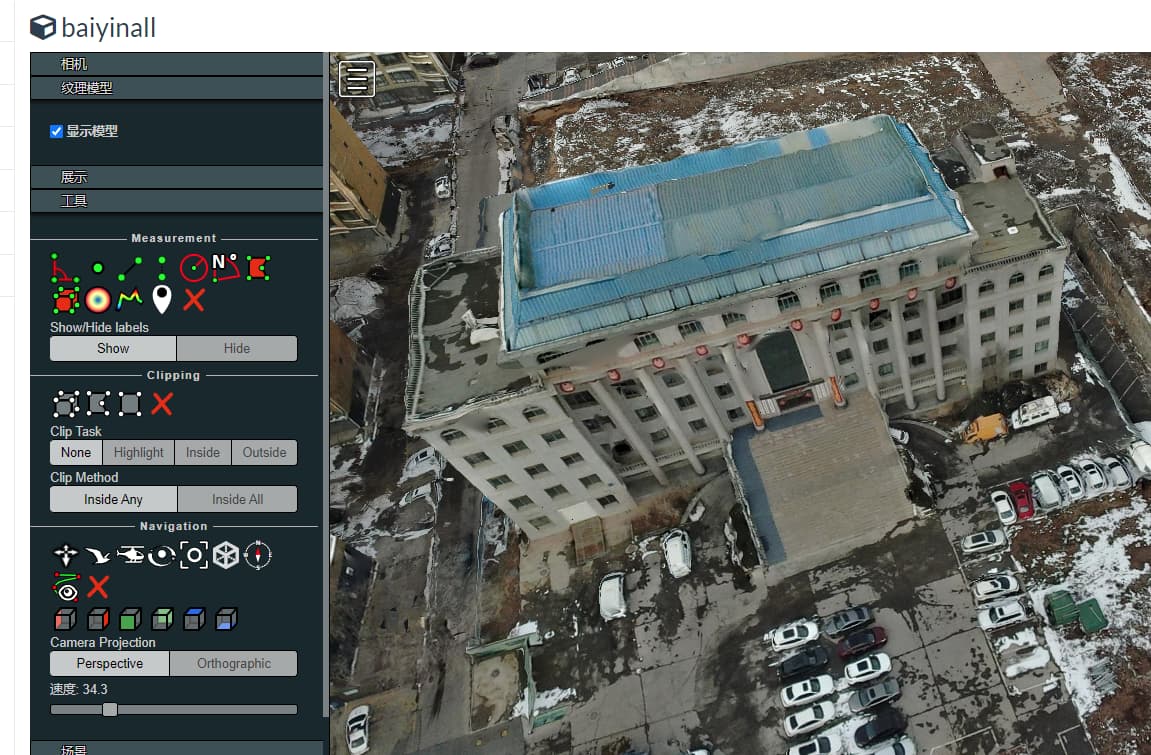
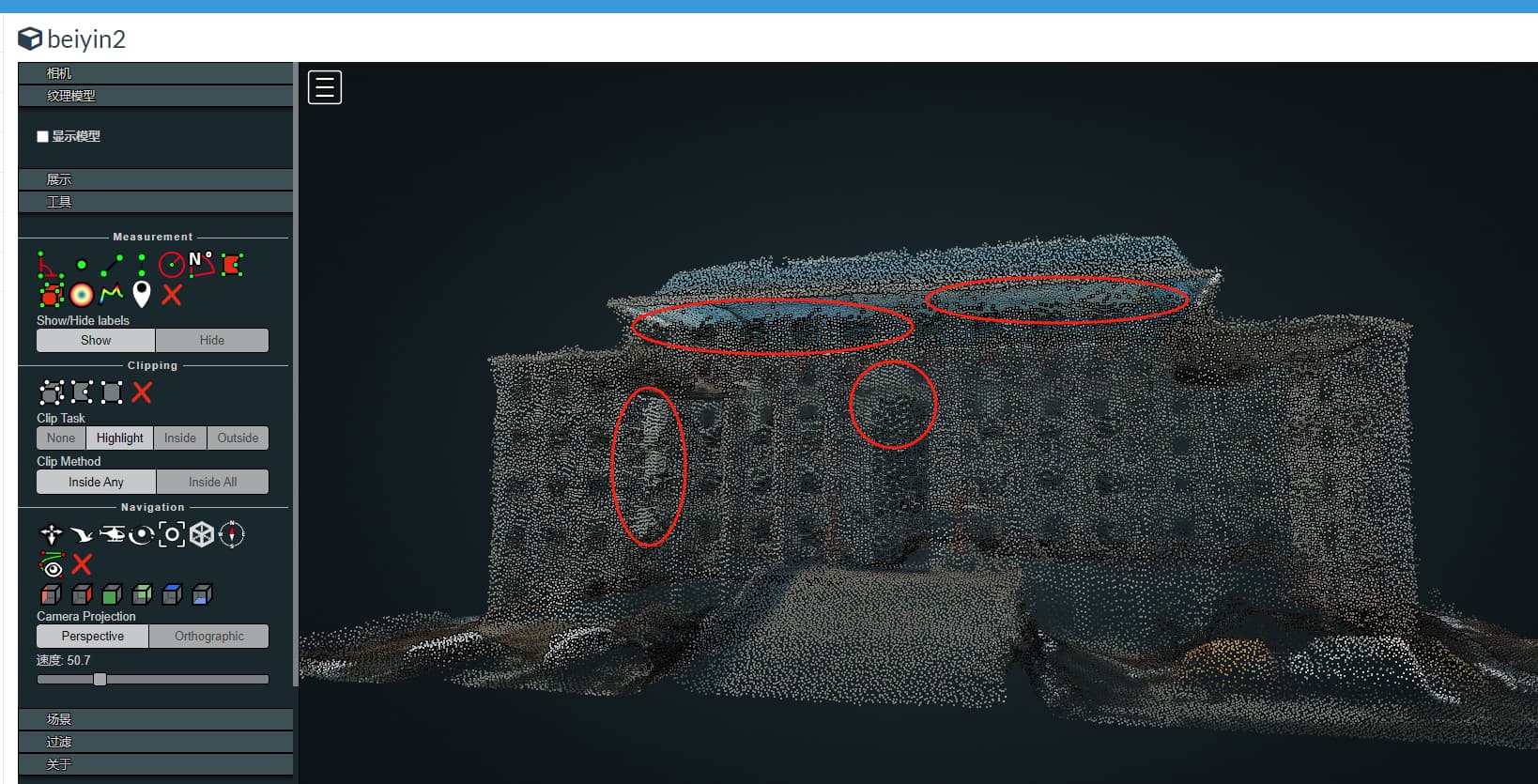
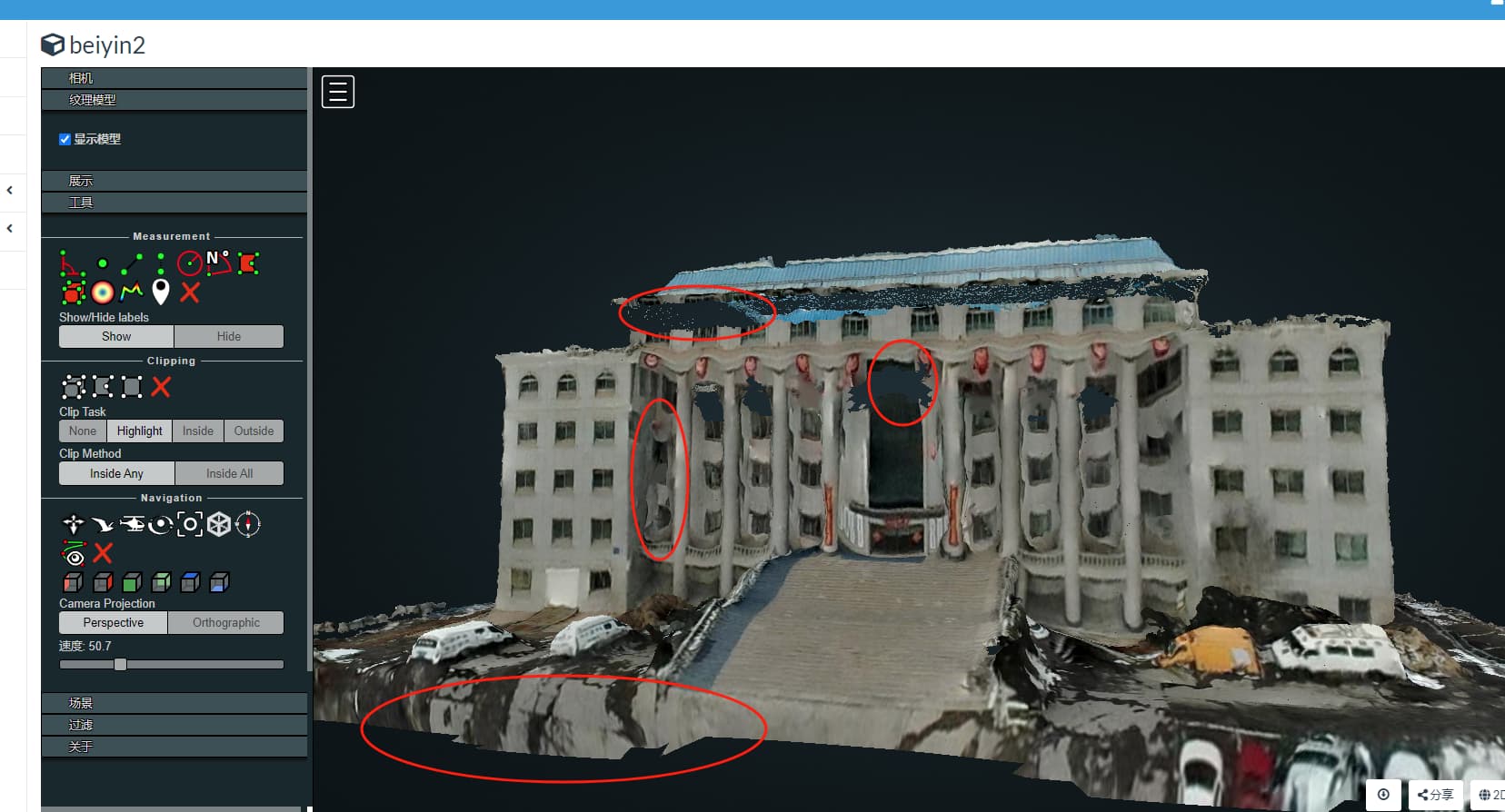
When dealing with oblique photography models with boundary constraints, the output model effect is very poor, the model is very rough, with many small holes, texture mapping errors at the boundaries, and is messy(as shown in the first three images). But without boundary constraints(if this parameter is not set:“boundary”:boundarystr), the effect of the central region of the model is still good(as shown in the last image).
I did like this:
n = Node(ip, port)
boundary = {"type":"FeatureCollection","crs":{"type":"name","properties":{"name":"EPSG:4326"}},"features":[{"type":"Feature","id":0,"geometry":{"type":"Polygon","coordinates":[[[119.23253464577,31.547534442],[119.12222222,31.2222222],[ 119.56756756757,31.4578856686],[119.4647656768,31.5465657667]]]},"properties":{"FID":0,"Value":10,"Area":883.00000000477303,"min_T1":1440.2271728515625,"max_T1":1445.91455078125,"min_T2":1450.2271728515625,"max_T2":1455.91455078125}}]}
boundarystr = json.dumps(boundary,ensure_ascii=False)
task = n.create_task(images_name, {"3d-tiles": True,"boundary":boundarystr,"no-gpu":False})
Thank you very much for your guidance and assistance.
1 Like
我查看了点云文件,数据是比较好的。但是裁剪区域的obj模型结果却是存在漏洞和纹理粗糙等问题,我认为这可能是个bug.在处理有边界限制的倾斜摄影模型时,逻辑上应该是先利用所有照片对全部区域进行重建,然后对边界区域内的范围进行模型结果输出。但是实际上不是这个逻辑。模型输出时,只是利用了部分照片(根据结果来看,裁剪的模型边界处的贴图是参考周边的图片贴图的,不是原先整体的贴图位置,结果是贴图错乱),而且结果比较粗糙没有进行平滑和补洞等后处理。所以需要优化一下开发逻辑,应该对裁剪结果进行后处理操作。
I have checked the point cloud file and the data is quite good. However, there are loopholes and rough textures in the OBJ model results of the cropped area, which I believe may be a bug. When dealing with oblique photography models with boundary constraints, the logic should be to first use all photos to reconstruct the entire area, and then output the model results for the range within the boundary area. But in reality, this is not the logic. When outputting the model, only part of the photos were used (according to the results, the texture at the boundary of the cropped model was based on the surrounding image texture, not the original overall texture position, resulting in a disordered texture), and the result was relatively rough without post-processing such as smoothing and hole filling. So it is necessary to optimize the development logic and perform post-processing on the cropping results.
1 Like
Welcome!
This is a really interesting finding.
If this is repeatable, are you able to open a Bug Report on the ODM Issue Tracker with the Steps to Reproduce the Issue, as well as your sample data?
https://github.com/OpenDroneMap/ODM/Issues
I have raised a question on this website(Issues · OpenDroneMap/PyODM · GitHub, but there is no professional to answer it.
I really hope to have a professional to solve the relevant problem.
1 Like
Has no one used boundary parameter settings to handle 3D models within a limited area?
1 Like
I use it occasionally and have not run into the issues you’ve identified, so if you can follow all the steps to make a proper issue it may be valuable.
Are you processing a 3D oblique photography model? Does the modeling area include many buildings? And using the boundary parameter, only outputting a partial 3D model of the area? Do you have any picture results?
1 Like
What is the version of Nodeodm you are using? My version is “odmVersion”: “3.4.0”, below are the logs and reports I downloaded.
log.json (77.7 KB)
report.pdf (9.9 MB)
The dom displayed in the report is good, but the actual 3D model effect is quite poor. Do not know why?
1 Like
No buildings, this is much smaller scale.
I do not have any pictures on-hand, unfortunately.
Filing a bug with the data and Steps-To-Reproduce would be the next steps I would recommend to investigate this further.
1 Like
How can I share drone photo data?
1 Like
How to do it specifically?
1 Like
May I ask how to dispose of the extra part around the regional boundary?
1 Like
I also processed other data using webodm, and from the results, the model with all region processing (see Figure ba1 and Figure ba2) showed high point cloud density and good texture effect; The model using boundary restricted area processing (see Figure bc3 and Figurebc4) has low point cloud density, sparse point clouds, and poor texture effects. Analyzing the reason, it should be that when processing the 3D model, the set boundaries were used to restrict the reconstruction area. However, in reality, the reconstruction area should not be restricted. All areas should be reconstructed, and then the model results within a specific boundary range should be output using the set boundaries.
I have checked the API and the definition of boundary is:
{
“domain”: “json”,
“help”: “GeoJSON polygon limiting the area of the reconstruction. Can be specified either as path to a GeoJSON file or as a JSON string representing the contents of a GeoJSON file. Default: %(default)s”,
“name”: “boundary”,
“value”: “”,
“type”: “string”
}
So, as described in the definition, the GeoJSON polygon limits the area of the reconstruction
So, this is a bug in the logic of functional implementation Can someone modify the source code? Or could you provide guidance on how to modify the source code?
1 Like
Using a publicly available file-sharing service that does not require an account/login.
Instructions for making the Issue come in the New Issue template:
****************************************
PLEASE REMOVE THIS NOTE AFTER READING IT!

First of all, thank you for taking the time to report an issue.

Before you continue, make sure you are in the right place. Please open an issue only to report faults and bugs. For questions and discussion please open a topic on http://community.opendronemap.org/c/opendronemap.

Please use the format below to report bugs and faults.
****************************************

### How did you install ODM? (Docker, installer, natively, ...)?

[Type answer here]

### What is the problem?

[Type answer here]

### What should be the expected behavior? If this is a feature request, please describe in detail the changes you think should be made to the code, citing files and lines where changes should be made, if possible.

[Type answer here]

### How can we reproduce this? What steps did you do to trigger the problem? If this is an issue with processing a dataset, YOU MUST include a copy of your dataset AND task output log, uploaded on Google Drive or Dropbox (otherwise we cannot reproduce this).

[Type answer here]
For manual edits and further refinement, some folks prefer using tools like QGIS, MeshLab, and/or CloudCompare.
I would note this in your Issue.
This topic was automatically closed after 24 hours. New replies are no longer allowed.