I’ll leave it to another to advise on how best to except WebODM out of defender. Even though it is supported, you likely need to fully remove it, fully remove WebODM, reboot, and reinstall them again, WebODM first.
But, I’m not the resident Windows expert, so I’ll defer to others on the process. It’s not enough to run it vanilla, however.
That said, you shouldn’t expect to see full RAM usage, even when you run out of memory (OOM). Memory monitoring is an imperfect process and ODM can OOM prior to the operating system noticing. Maximum RAM is never used in matching and wouldn’t be a good use of RAM at that step.
Finally, full core usage isn’t expected for the full toolchain. Shiva has a great explainer here:
Edit:
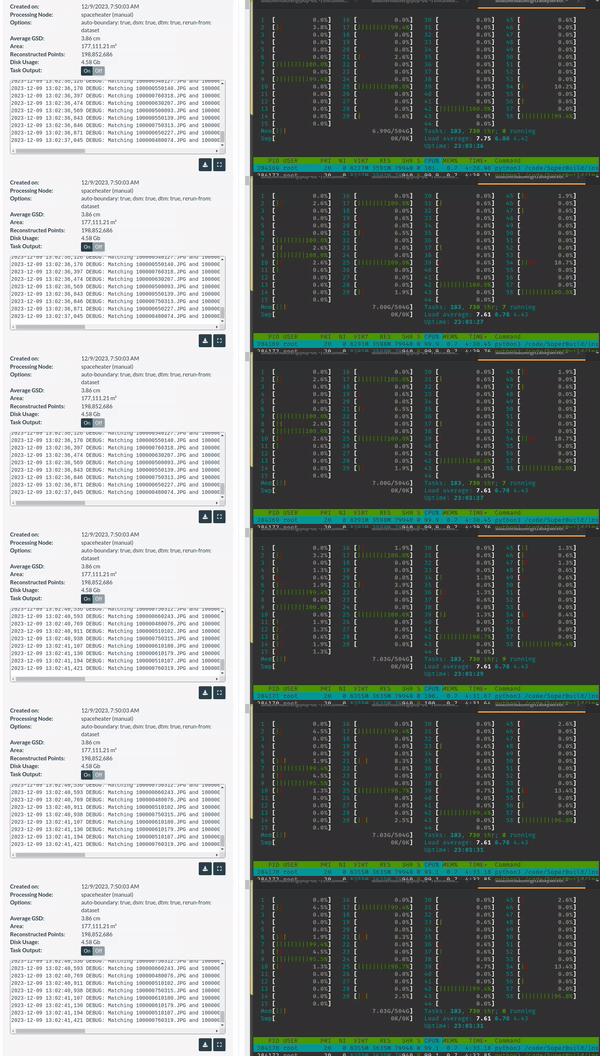
You shouldn’t expect full core usage continuously in matching. Here’s what we see on my linux machine:
But, be sure to find and follow the recommendations for using Windows Defender, which looking back through posts is likely:
uninstall Defender, uninstall WebODM, reboot, and then install WebODM again. Then (maybe) reinstall Defender and add an exception for the entire WebODM directory. Brett will correct me if I’m wrong 