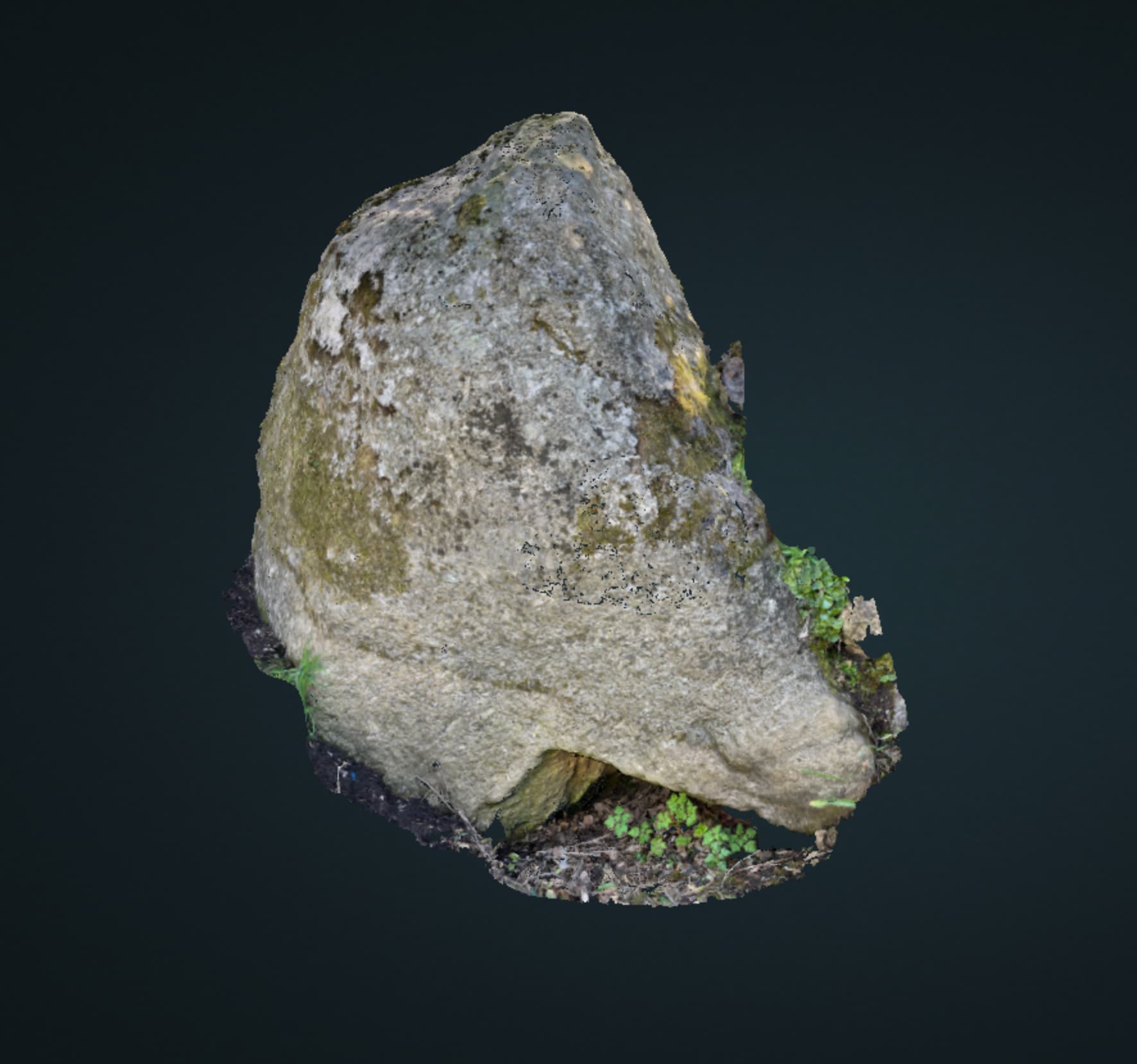
Thanks. I used the following settings and got this . . . .

May be too many settings from the Norm.
Gordon, can you identify the image number of the duplicate picture that you removed? I’m wondering if that is causing some confusion in the process.
What are your full system specs?
You might be able to upgrade your RAM.
This tool is great for checking pre-built/OEM systems:
I have the maximum for the Mac Mini (Apple Silicon) at 16GB. I don’t think it can be increased. I’m happy to use Lightening in these cases. I have an account and some credits so will try a run tomorrow. I guess with this route I can wack up the quality to Ultra and have no resizing etc! 
It had an A in the name - the only one in the list, I don’t have it anymore, but perhaps IMG_8072?
We cap quality parameters at High currently on Lightning 
But it should be much less of a headache for you, and you can push other parameters higher than you can locally with 16GB RAM.
I went through them all and found two identical ones at the start. I’m trying some other permutations - plenty to get through!
Certainly worth using for troublesome cases
I have now tried using Lightening which was fast and produced a sharp result but still had chunks missing that Gordon’s first attempt didn’t. I had removed the duplicate image. Here are the settings and results:
Any thoughts on how to ‘repair’ the model?
You could download this file an import into WebODM, the repairs have been done
https://drive.google.com/file/d/1-4ZqvF-f7y3UdscJZwDbfCA-cwY7EtbN/view?usp=sharing
Thanks. I have downloaded your file but the ‘odm-texturing’ files are too large to upload to the sketchfab viewer (170MB).
This is what I see when I import your zip file into WebODM . . . .
So what did you do to ‘repair’ the model?
It’s the export from the task I ran a few days ago, I guess the “repair” was to use more memory than you have available, and you are welcome to use it.
It seems this project requires maximum resolution all the way through to produce a useful 3D model with no holes.
I was able to display it in Meshlab.
But I have more than enough memory using Lightening - that’s the whole point of my processing it online and paying for it and yet it still comes back with bits missing.
I attached the settings used so maybe you can see something glaring that would make the difference?
My free sketchfab account only takes up to 100MB and my subscription P3D takes 200MB so I can see it there.
Sainjin said that the one of the online resolution settings was capped at High and could not be set at Ultra. Maybe that’s a problem but min_num_features does appear to be critical in my case as indicated in this text from the manual:
I will tinker around with that more. My stone is obviously too ‘bland’ and similar from some angles, especially when close up.
Good of you to offer me to use the file but I have to find a way around this as I have lots of ‘objects’ to model.
I think the solution will be to adjust settings more or, if necessary, reshoot all the pics leaving no gaps and try again with my regular settings that can be done with my RAM. Still lots has been learnt 
The difference between high and ultra can be significant, even if you’re cranking up --min-num-features. At a certain point, you’re going to be missing valid tiepoints due to the image resizing for feature extraction that happens below Ultra.
Disabling prematching (–matcher-neighbors 0) or setting it really high can sometimes compensate. Same goes for using HAHOG features sometimes.
There are lots of variables to play with but I can’t see HAHOG mentioned in the user guide (Lightening Options).
I have run into the problem of Sketchfab’s 100MB limit. I was able to get around it in some instances by converting all of the PNG files to JPG files and editing the .mtl file point to these JPG files before uploading. The JPG files are substantially smaller than the .PNG files, and I did not notice any reduced quality in the 3D model displayed in Sketchfab afterwards.
I notice you had resize to :2048 in the Lightning settings, can that be set to No resizing?
One thing I did notice in the pair matching for the stone was the extremely high number of fails, where >20 matching features could not be found.
Check this back-of-the-napkin summary I just wrote here until I write up something more formal and substantial for us all